
Since August 1st, 2020: Bosch has changed its software maintenance policy and the support will be offered based on the Software Maintenance Agreement status.
This article describes how can you check the status of your SMA for BVMS version 10.x and lower.
This article applies when:
-
You want to check if you still have a valid SMA to see if you are still eligible to get support via the Bosch Central Technical Support
-
You want to check if you need to extend the Bosch Assurance Agreement for BVMS for yourself or your customer
Article requirements:
-
BVMS 6 or higher
-
Access to internet
-
Recommended Browser: Firefox, Chrome
-
Valid account to log in into the Bosch Security Systems Software License Manager (SLMS) or a valid email address to register
-
Access to PC to get Hardware ID
Step-by-step guide
-
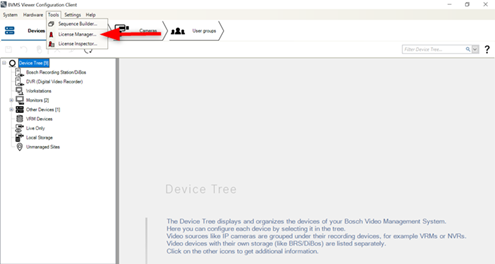
Open Configuration Client > Tools > License Manager
2. Tick the corresponding box of the unit you would like to get the HW ID > Activate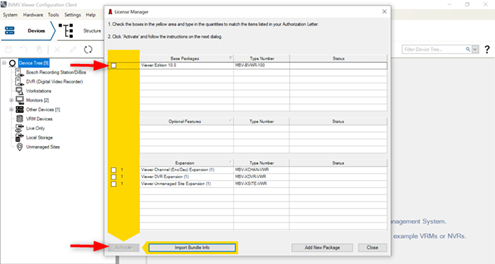
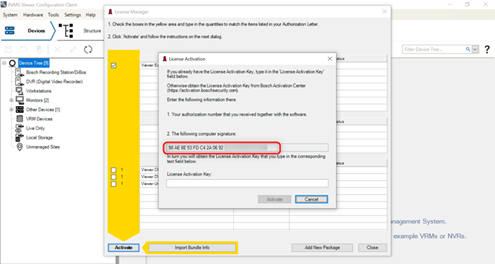
3. The HW ID is displayed on the screen (point 2)⚠️Note:
-
Please note that the Hardware ID (HW ID) is also known as "Computer Signature"
-
The HW ID contains 32 characters
4. Login to your account on https://activation.boschsecurity.com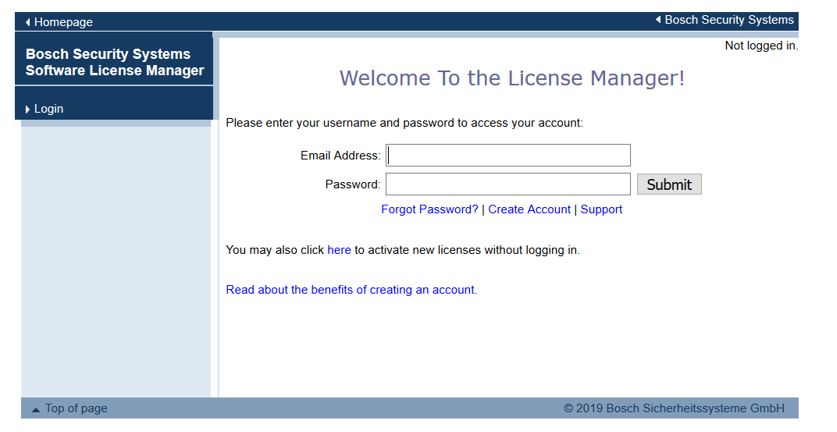
5. Find your SMA expiration date by searching after your Computer Signature or Authorization Number or Activation Key with one of the following methods:
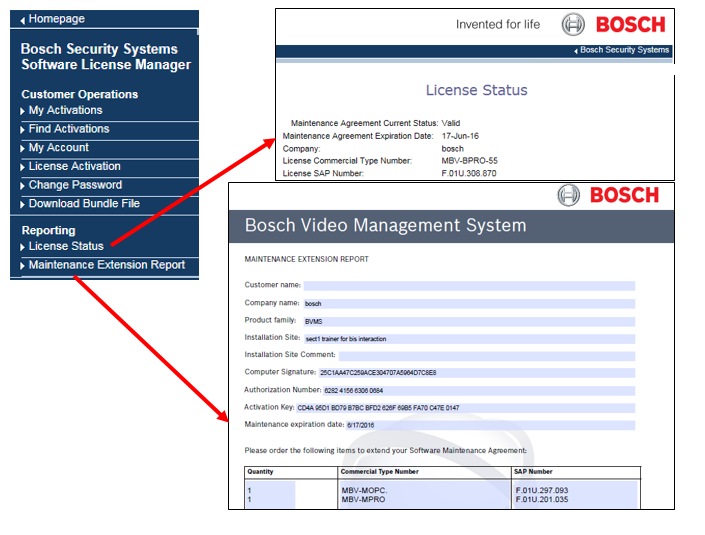
-
Important:
If you would like to find out the difference between the Bosch Software Assurance GO and PRO maintenance agreement, check Bosch Software Assurance page.
If you are wondering about the new SMA strategy change, please see the following document: Customer Letter.pdf.

-
How to check the Software Maintenance Agreement (SMA) status of BVMS version≥11.x via Remote Portal?