NOTE
-
It is recommended to not attempt to select more than 20 cameras at once on a local system. Remote connections should be treated with the possibility of limited bandwidth so even less cameras should be selected in that situation. Remote firmware updates are not recommended as disconnections during the process could result in corruption requiring camera replacement or repair.
-
The limiting factor is the chipset as well as the network topology. For example, legacy cameras and low bandwidth will result in a lower number than our latest cameras on a system with high bandwidth.
Step-by-step guide
-
Open Configuration Manager
-
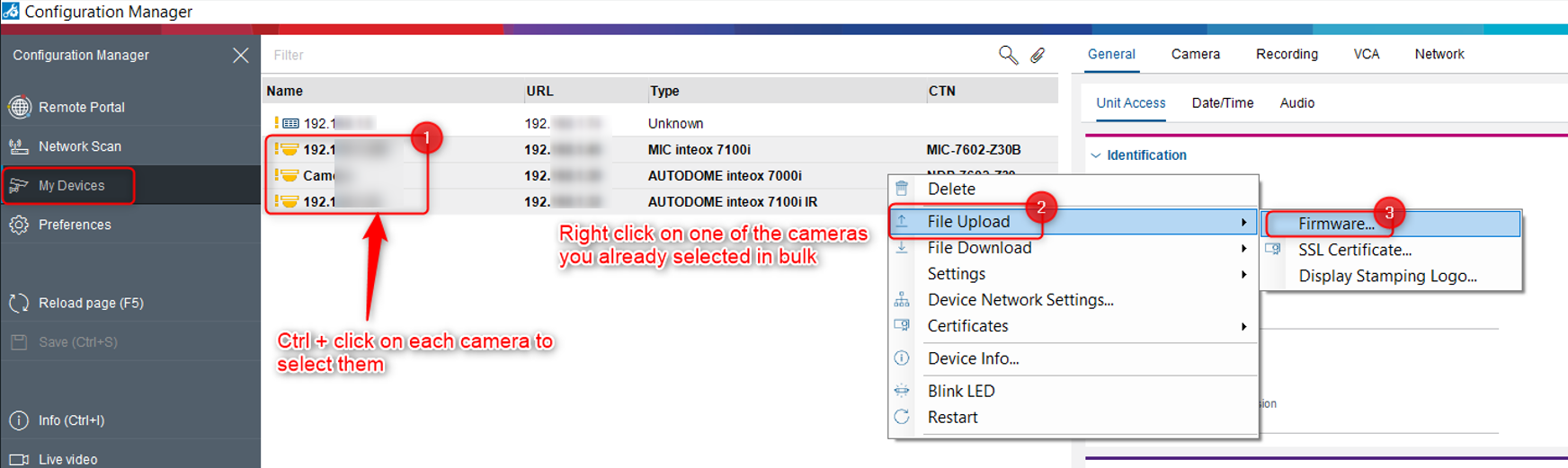
Go to My devices tab if your cameras are already there. Otherwise, you can also perform the next steps by using Network scan tab and searching each camera that you want to perform the FW upgrade for.
In this example we have 3 cameras that were already added to the My Devices tab. -
Select each camera you want to perform the FW upgrade for (Ctrl + left click) → right click on one of the cameras already selected in bulk → Go to File Upload → Select Firmware...
-
Select the FW file that you downloaded from Download Area website and select Open
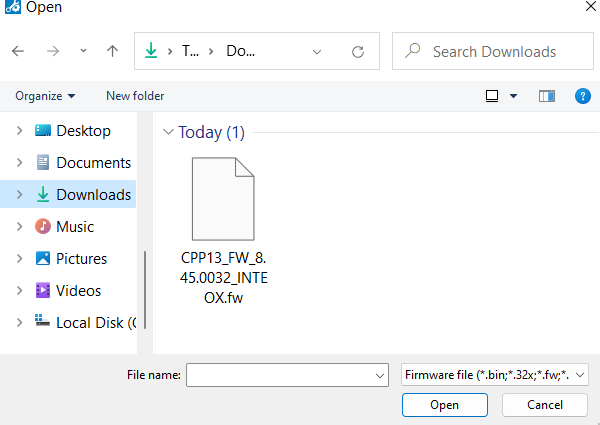
** These 3 cameras form this example are CPP13 and we will upgrade them all to FW 8.45
Important
Before performing the FW upgrade for multiple cameras on the same time, you must ensure that all cameras you have selected in Configuration Manager belong to the same CPP family.
Moreover, if cameras have an older firmware version, an intermediate upgrade step is required to upgrade them to the latest firmware version available on the Download Store.
-
For more details please refer to this article: How to upgrade CPP3/4/5/6/7/7.3 IP cameras from firmware < v6.50 to the latest FW available?
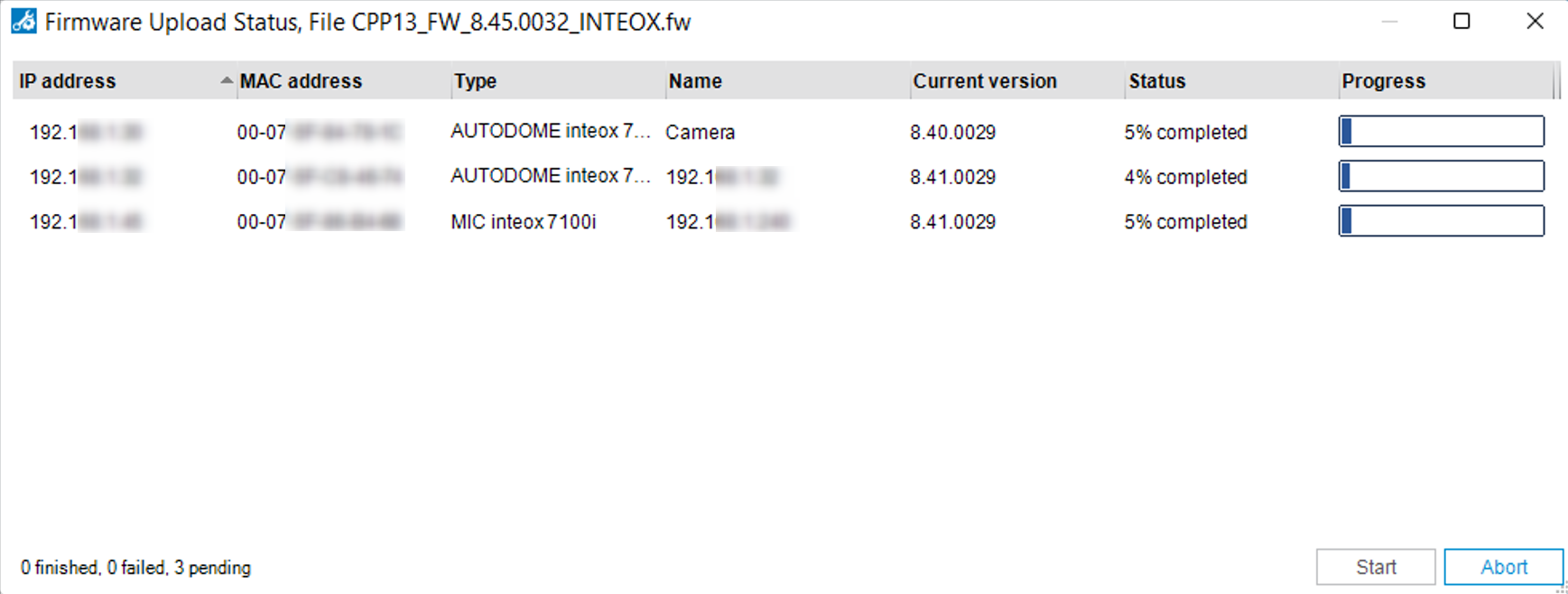
5. Click Start
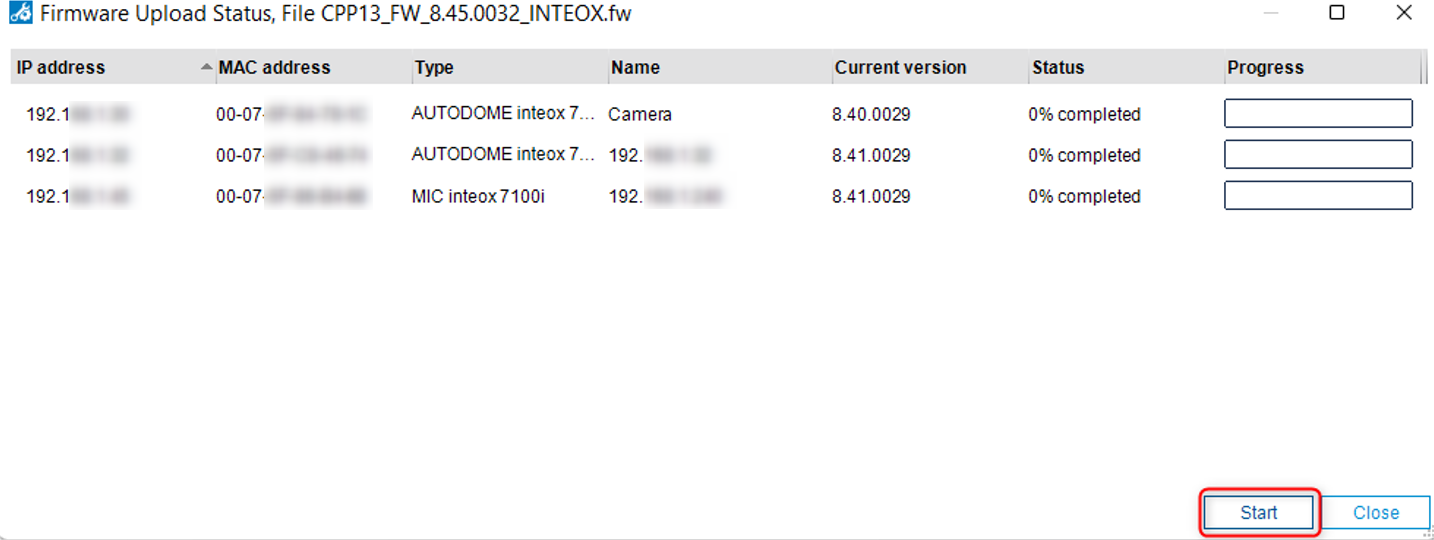
❗Do NOT click Abort even if it seems the process is taking several minutes. Wait for the ‘Abort’ button to change to ‘Close’
-
Click ‘Close’
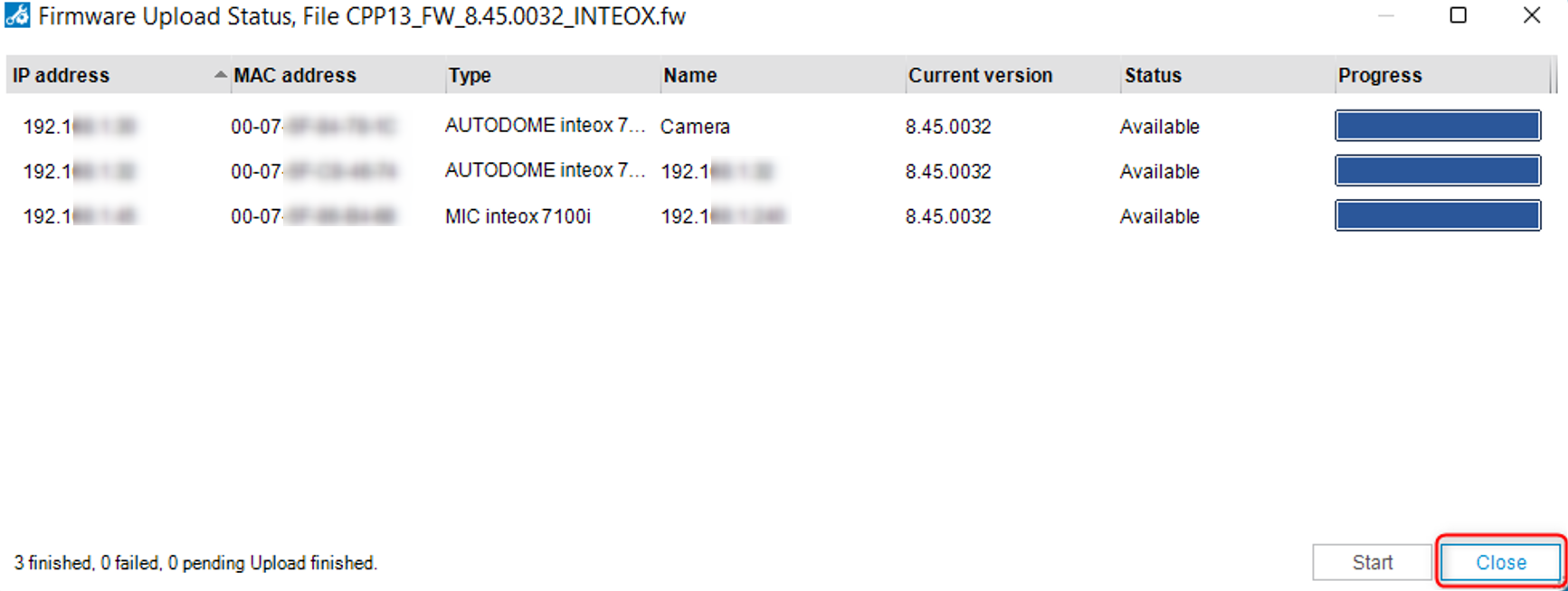
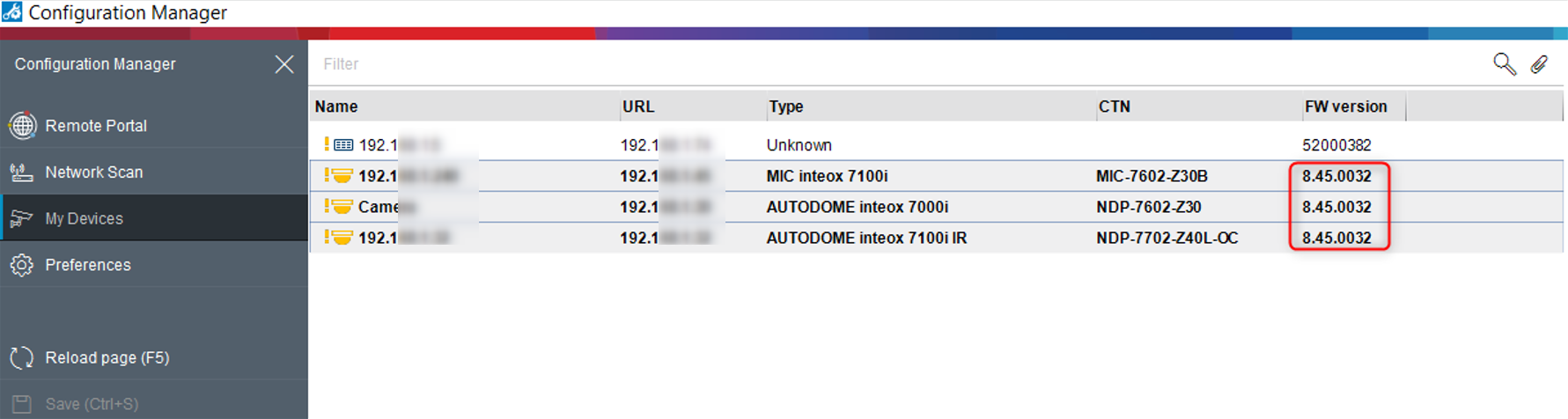
Now, all cameras have been upgraded to FW 8.45: