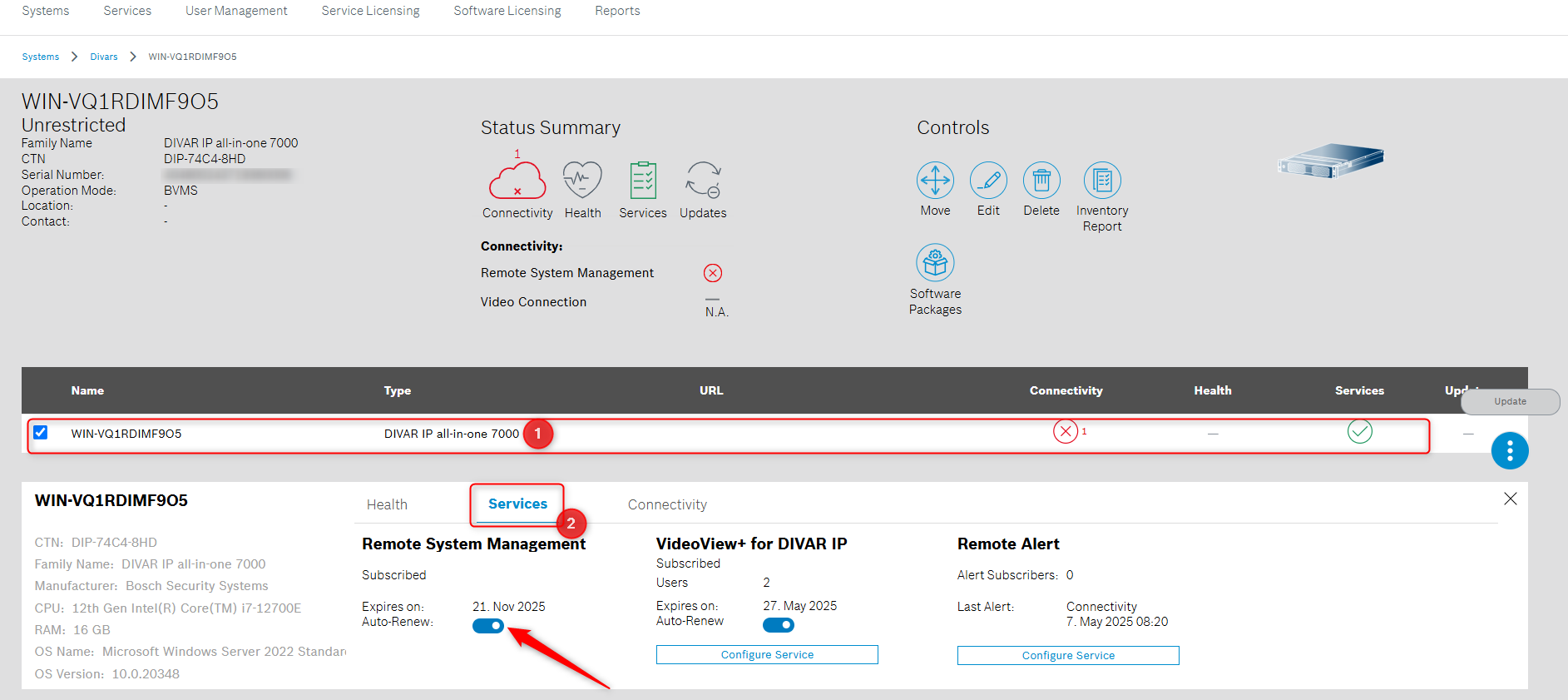
The auto-renew toggle button of VideoView+ for DIP service license is now available in Remote Portal.
Step-by-step guide
Enable this option by following the steps below:
-
Login to your Remote Portal account
-
Select from the Systems menu the DIVAR you want to enable this option for
-
Select your DIVAR from the list > click Services > the Auto-Renew button will be visible and you can enable this option by using the toggle switch button, next to it: