
Possible causes and solution(s)
If you want to control the camera from a DIVAR wired through a VJD 3000, you have to configure the VJD and the DIVAR as well. Below you will find the steps which will help you to set up your devices.
-
Causes
Autodome IP 7000 is not controllable from a DIVAR AN 5000 wired through a VJD 3000.
-
Soultion
The wiring needs to be as follows:
-
DIVAR AN 5000 output RS-485- goes to terminal block TXD and RXD on the VJD 3000
-
DIVAR AN 5000 output RS-485+ goes to terminal block CTS on the VJD 3000
A) Configuration of VJD 3000:
For the VIDEOJET decoder 3000 configuration, there are 2 options
Option 1 - Configuration Manager
-
Open Configuration Manager and connect to your decoder
-
-
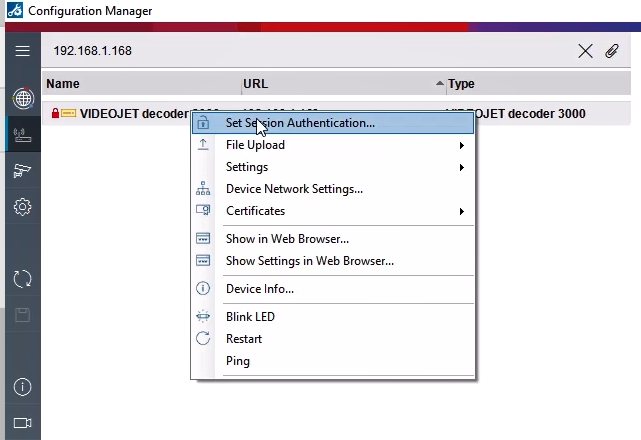
Right click on the VIDEOJET > Select Set Session Authentication
-
-
-
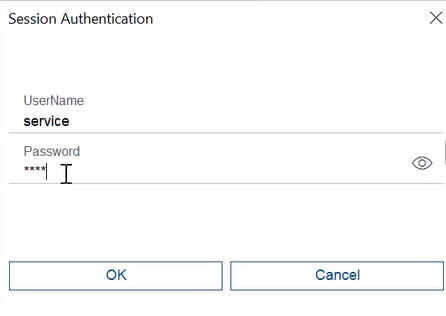
Type the username and the password > OK
-
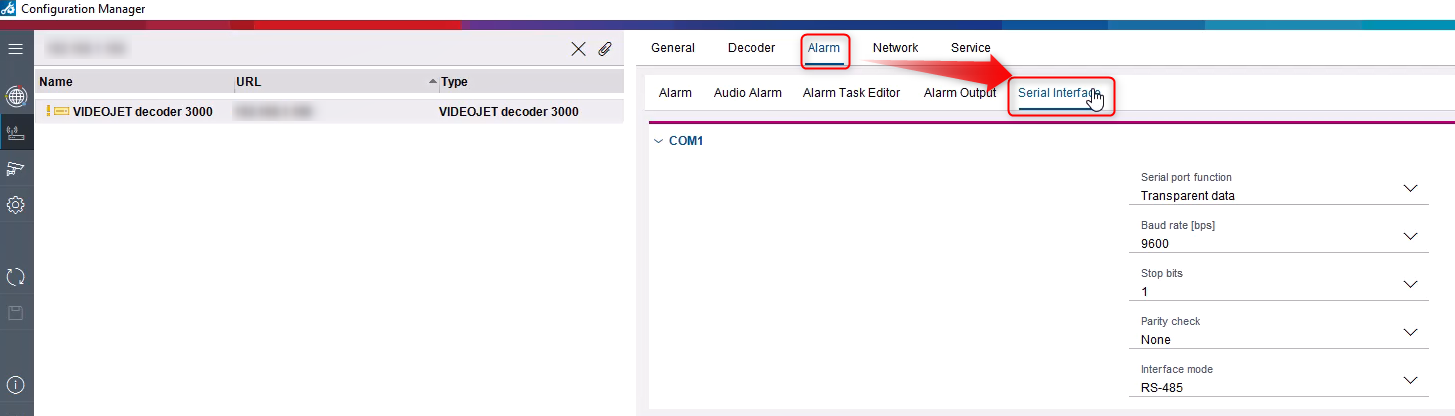
2.Select Serial Interface from Alarm tab and complete the fields with the following details:
-
Serial port function: Transparent
-
Baud rate: 9600
-
Data bits: 8
-
Stop bits: 1
-
Parity check: none
-
Interface Mode: RS-485
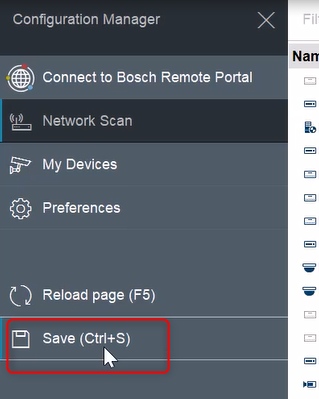
3. Save your changes (ctrl + S) or:
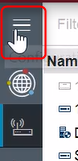
Click the Configuration Manager button > Save
Option 2 - via Web page:
-
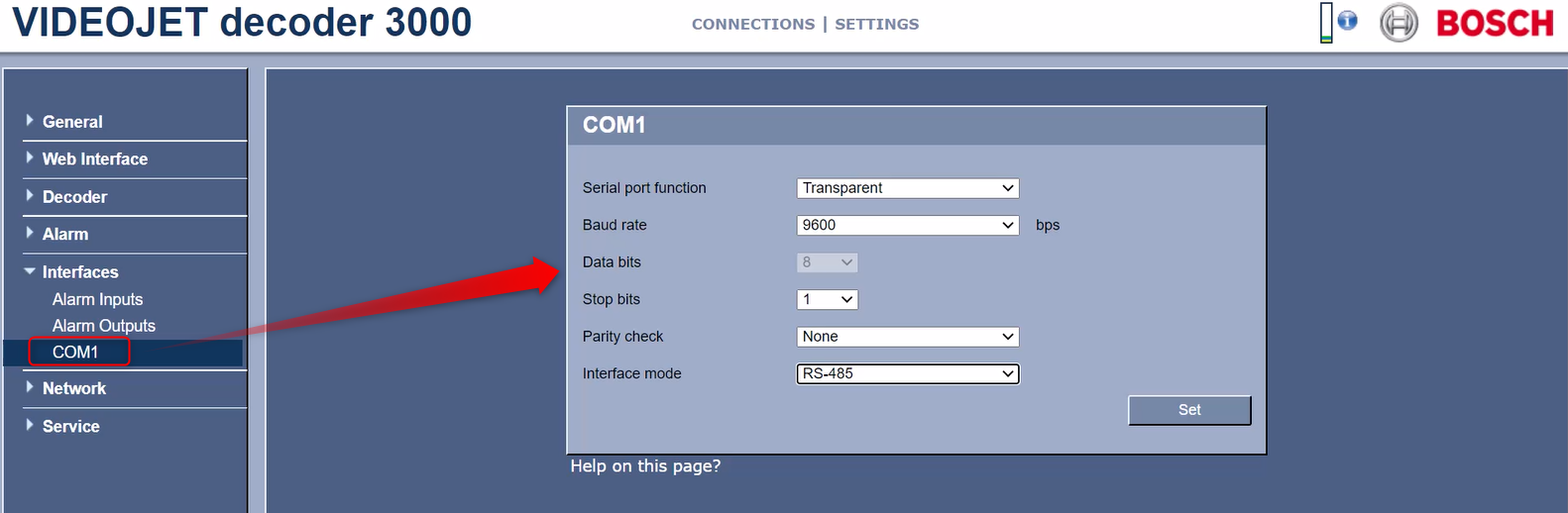
Open the browser and type the IP Adress of the VJD 3000
-
Go to Settings
-
Select COM1 from Interfaces
-
Complete the fields with the details above and click on the Set button
B) Configuration of DIVAR AN 5000 PTZ controls:
The details below must be filled in the DIVAR menu:
-
Main menu > Setting > Pan/Tilt/Zoom
ο Channel #
ο Protocol: Bosch
ο Address: 1
ο Baud Rate: 9600
ο Data bits:8
ο Stop Bits:1
ο Parity:none
ο Comm: RS-485