Your RealShot Manager license might not be activated after a HDD failure or after an Windows upgrade, and the following message could appear:
Error : Your License has expired or is not valid. Verify the current license file and replace it with a valid license.
Step-by-step guide
To obtain a new license key, Sony will be able to provide a new license file for the system.
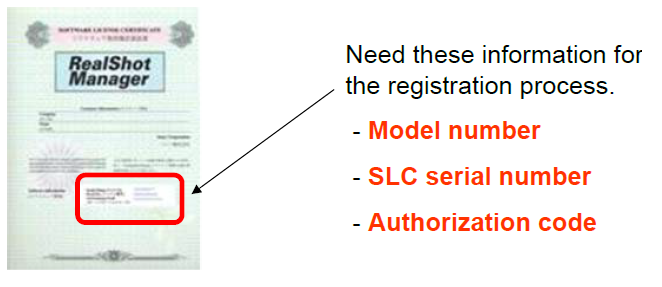
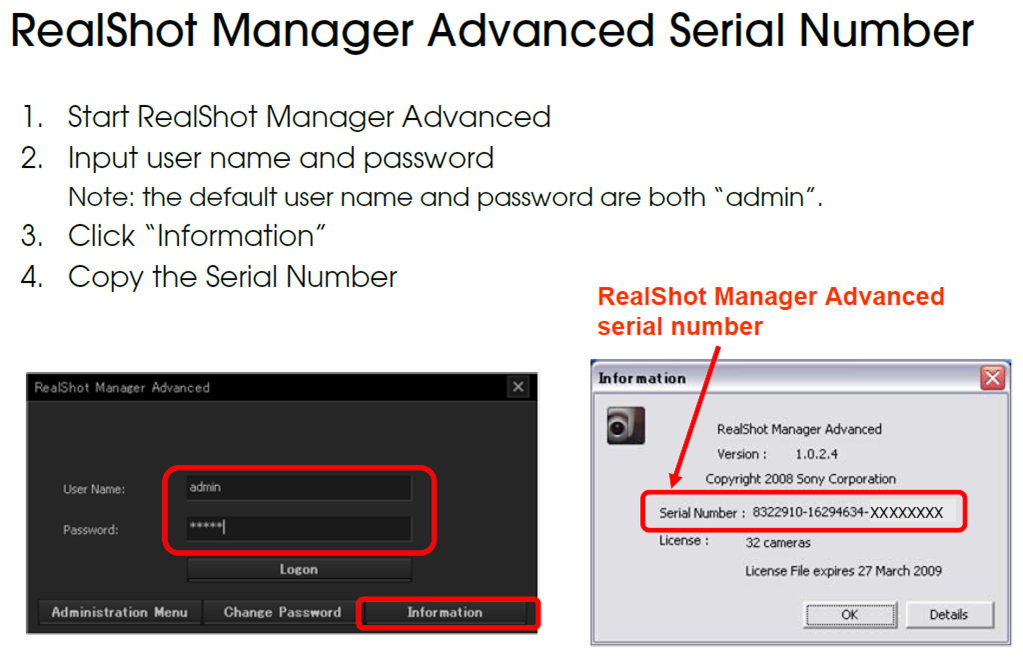
Before asking for assistance, please collect and provide the Central Technical Support Team with the following information:
-
Model number
-
SLC serial number
-
Authorization code supplied with the purchase.
-
RealShot Manager Advanced serial number
-
You could also include the picture with the error message received.