
Question
Can I move a Software license (Software order ID) from a user account to another one in Remote Portal?
Answer
Yes!
If the license was claimed in a wrong Remote Portal account and not activated yet for example you have the option to unclaim it and use it afterwards in the desired account.
-
⚠️ Please be aware that this option allows the installer to unclaim non-activated entitlements e.g. for use in different accounts!
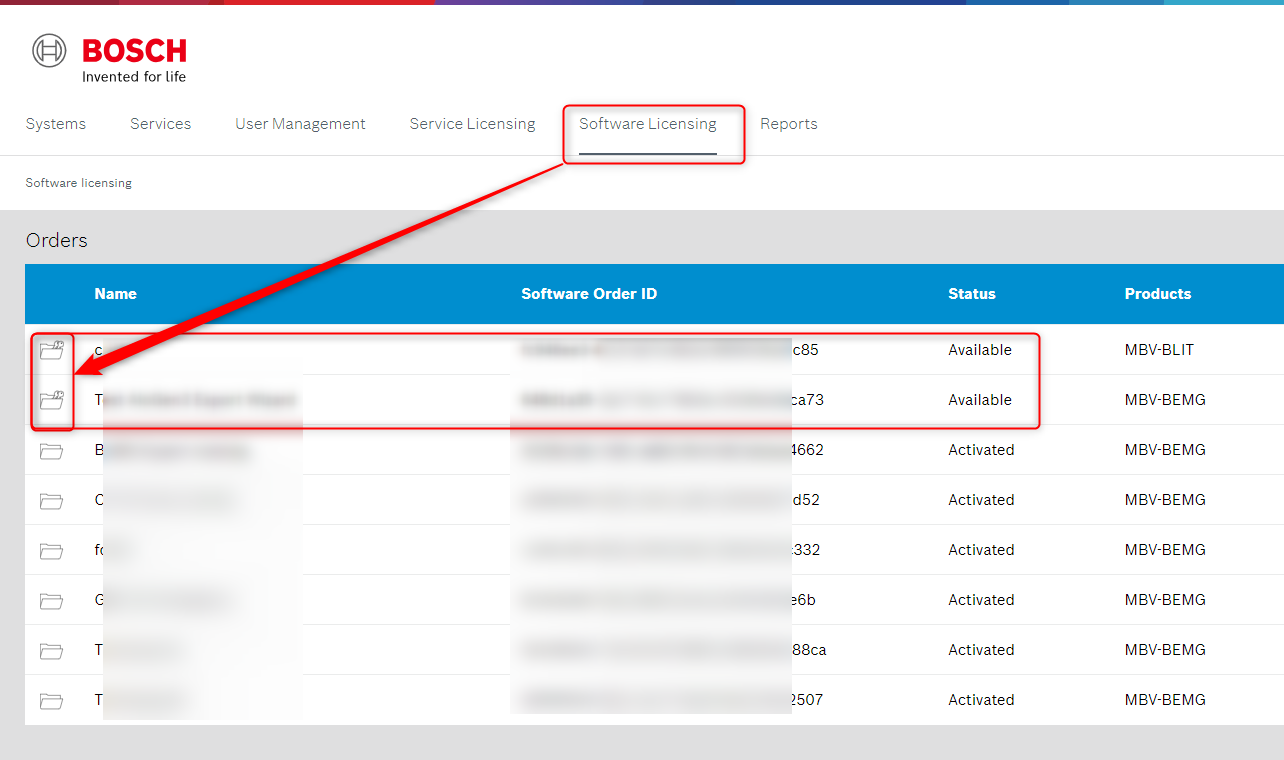
To do that, go to Software Licensing and select one of the software order to be unclaimed:
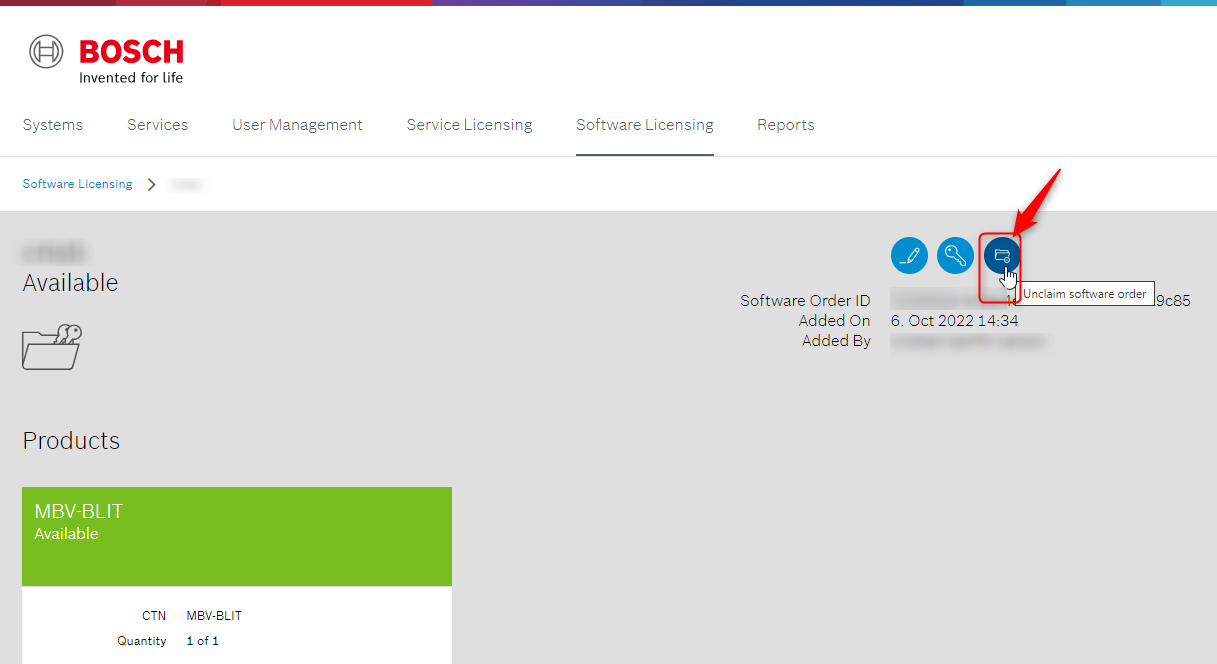
Then, click on the Unclaim software order button:
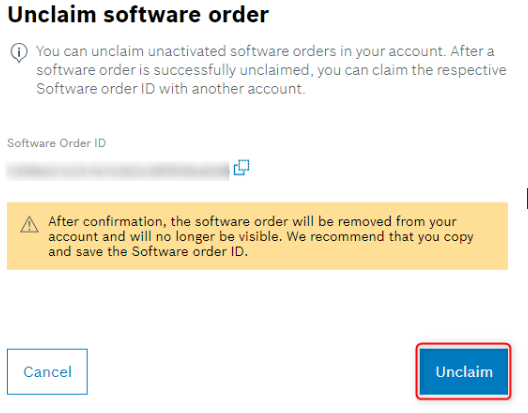
Read carefully the message displayed. Copy the Software order ID, save it in a Notepad for example and click Unclaim afterwards.
Now, you can claim the respective Software order ID with another account.
NOTE!
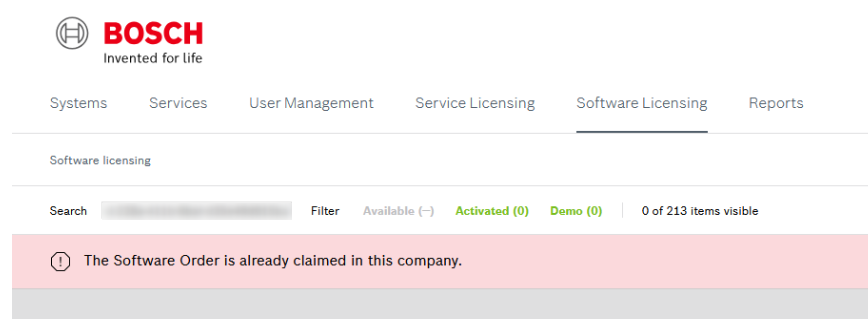
If you cannot add a license to your account due to the message: “The Software Order is already claimed in this company”, this means that the Software Order ID was already claimed into your account.
Please make sure that no filter is applied when searching for the Software Order ID. For example, in the case below, the "Available" filter was selected during the search of Software Order ID. Therefore, please unselect the filter before searching for it.

-
How to move a Service license from a user account to another one in Remote Portal?
-
How to add and keep the purchased licenses in my Remote Portal account?