
Question
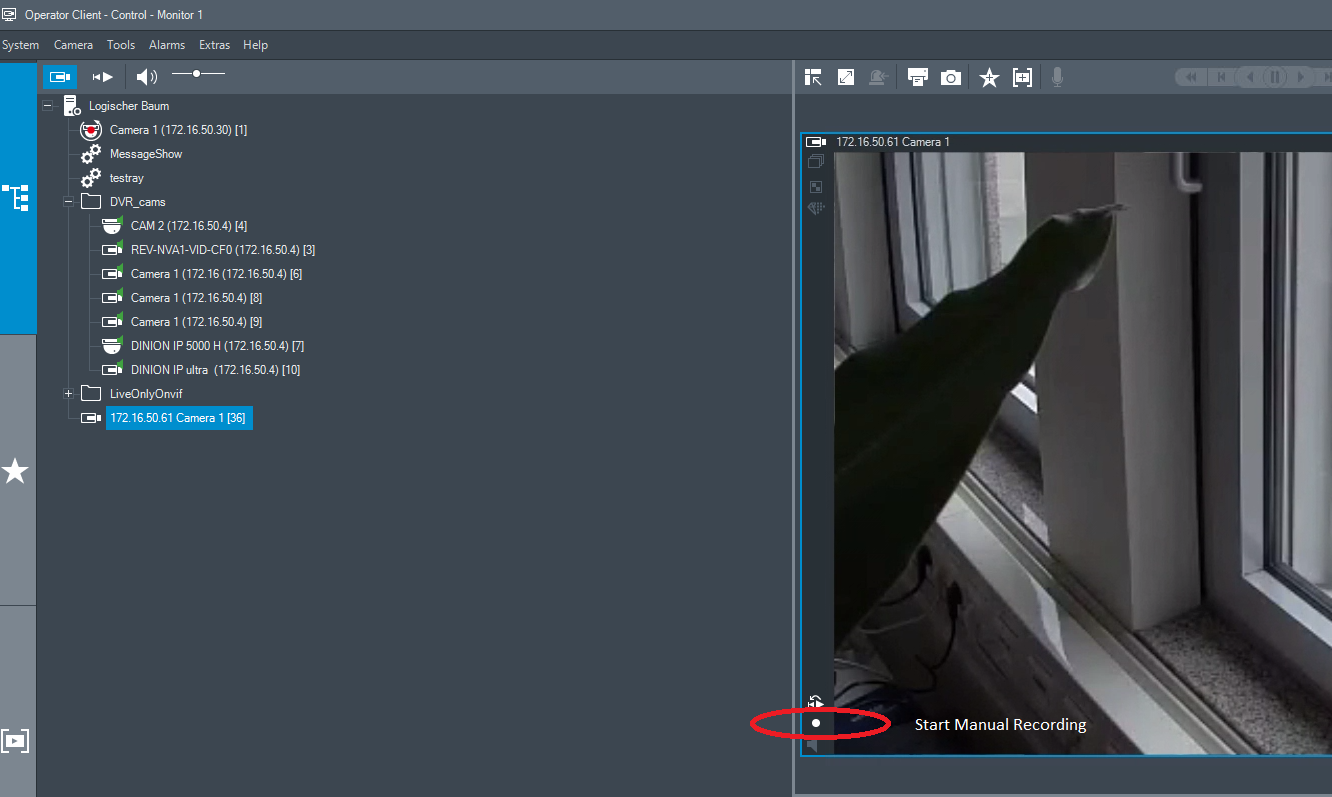
What is the functionality of the Start Manual Recording button of VRM Camera Cameo in BVMS Operator Client?
Answer
Clicking the Start Manual Recording button for a VRM camera is actually an alarm trigger. If an alarm recording is configured for this camera, once the button is clicked an alarm recording will be made for the duration of the button click and the configured pre and post alarm time.
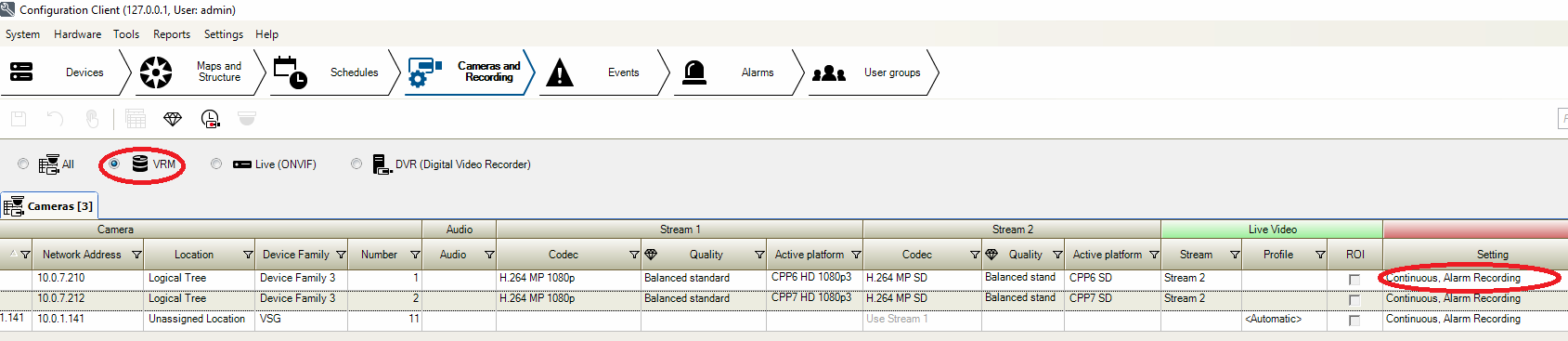
Steps to configure alarm recording in BVMS Configuration Client
-
In Cameras and Recording Tab, filter for VRM cameras only and in the column Recording chose the option Alarm recording or Alarm and Continuous recording
-
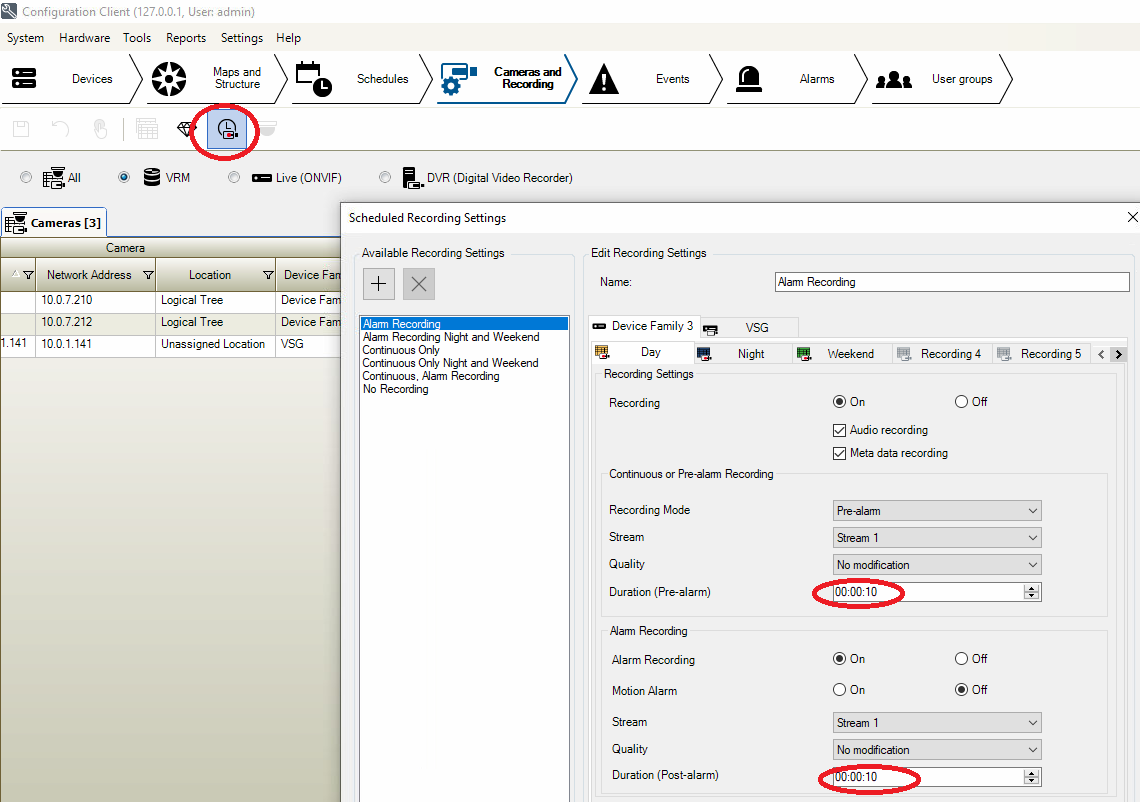
Configure the duration of pre and post alarm
Start Manual Recording:
-
For VRM cameras this is actually Manual Alarm Recording
-
It stops automatically as soon as the alarm trigger is not present anymore. In this particular case the Start Manual Recording is not pressed any more.