🕒This procedure takes in average ~ 5 min to complete
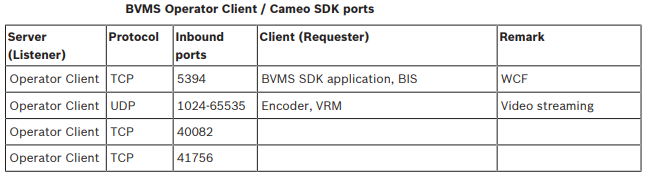
The ports used by the Operator Client/ Cameo SDK/ Management Server/ cameras are detailed in the BVMS configuration manual Configuration Manual.
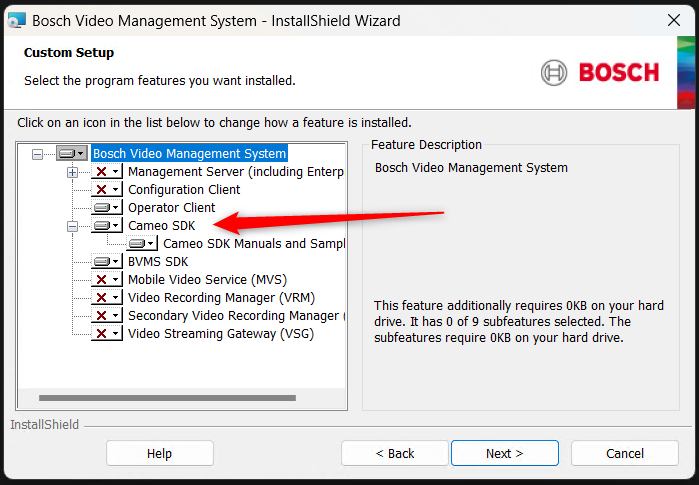
(information) If the CameoSDK application is not found on the unit where the logs have to be extracted, it should be installed from the setup of BVMS Setup:
Step-by-step guide
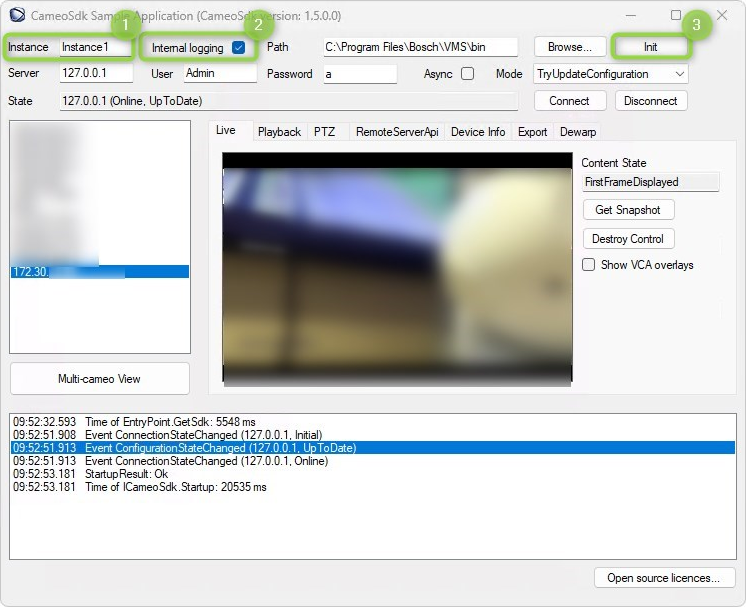
To get the logs for Cameo SDK Test application, first, the Cameo SDK logging needs to be enabled.
The internal logs are directly located in the folder C:\ProgramData\Bosch\VMS\Log and then are named like "CameoSdkLog_Instance1.txt.0".
To activate the Cameo SDK logging, the "Init" button has to be pressed after setting the checkbox "Internal logging" and entering an instance name - then logging is activated with the given instance name (e.g. "Instance1").