
Question
Can I change the camera name in Remote Portal?
Answer
Yes. To change the camera name in Remote Portal, you need to change the camera's Device name.
To change the Device Name perform either of the following steps:
-
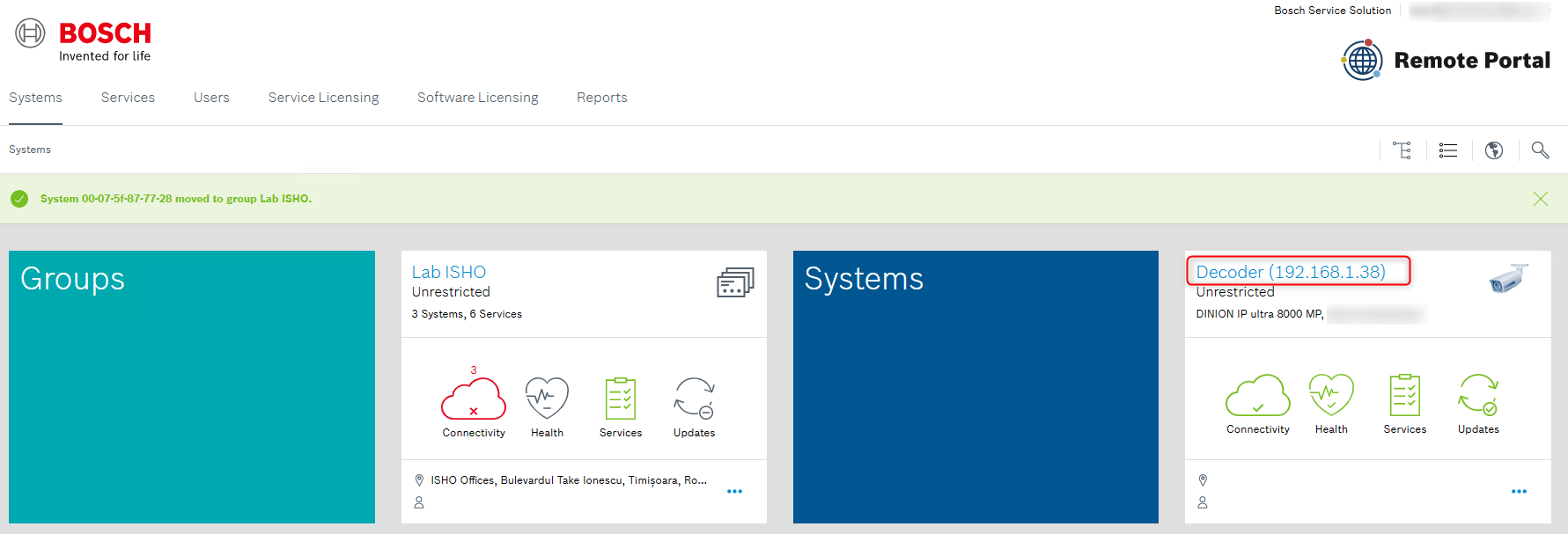
In Remote Portal, click the related camera card
-
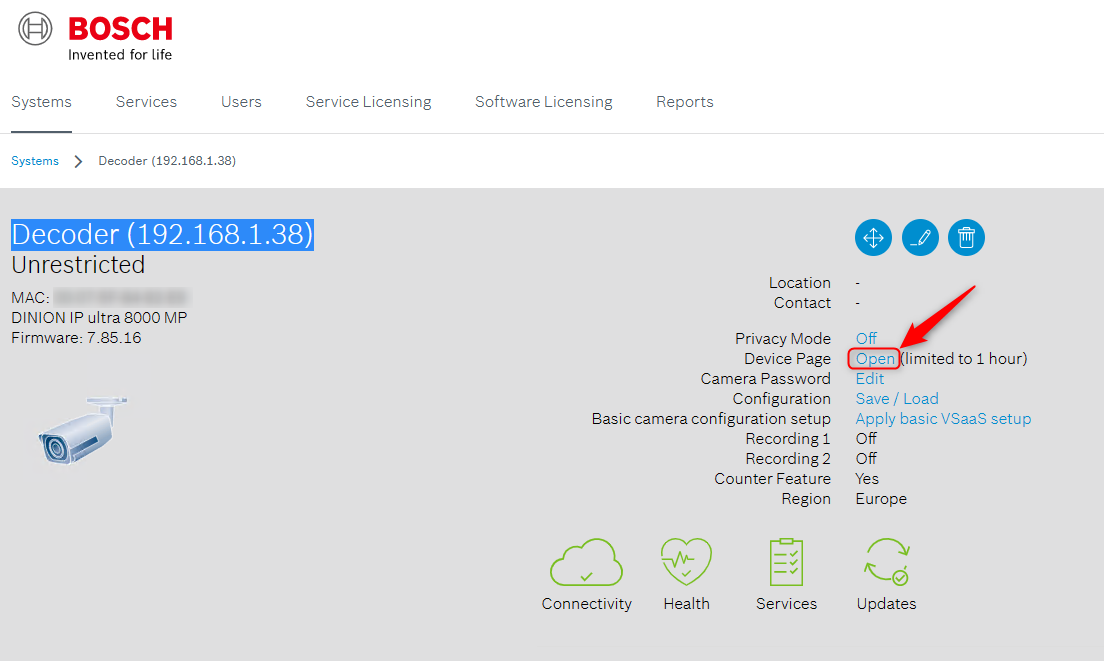
Open the Device page
-
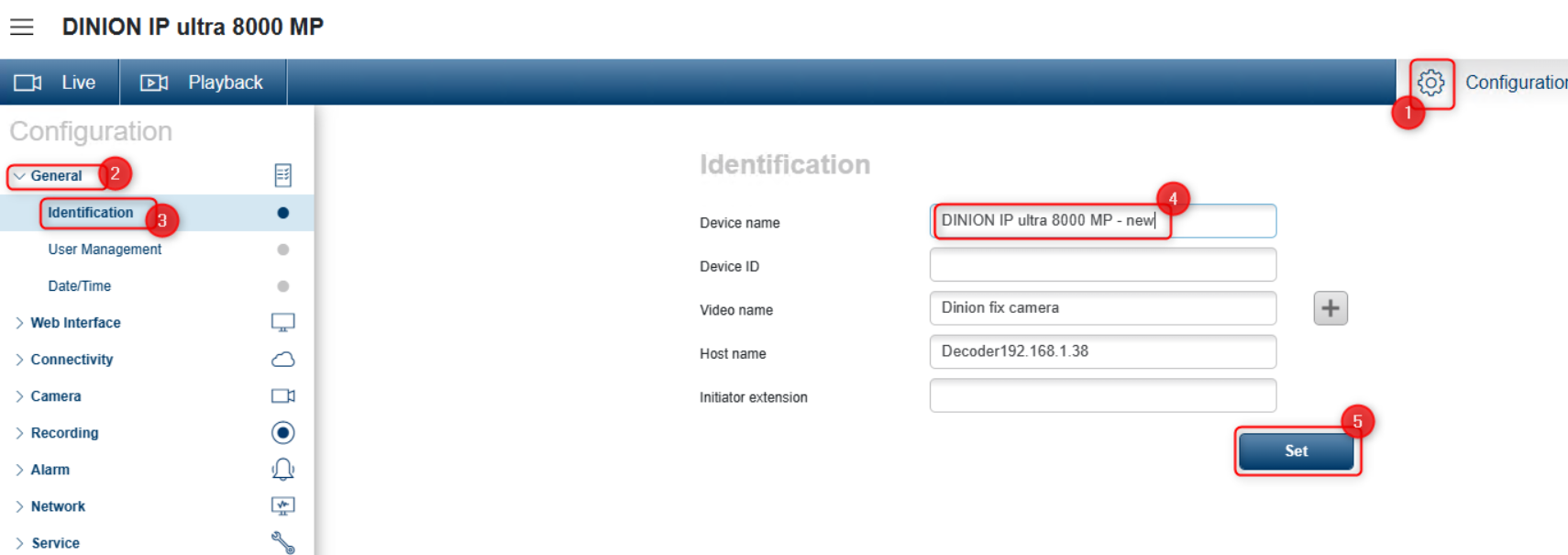
Navigate to Configuration > General > Identification
-
Change Camera name (Device name) > click Set
-
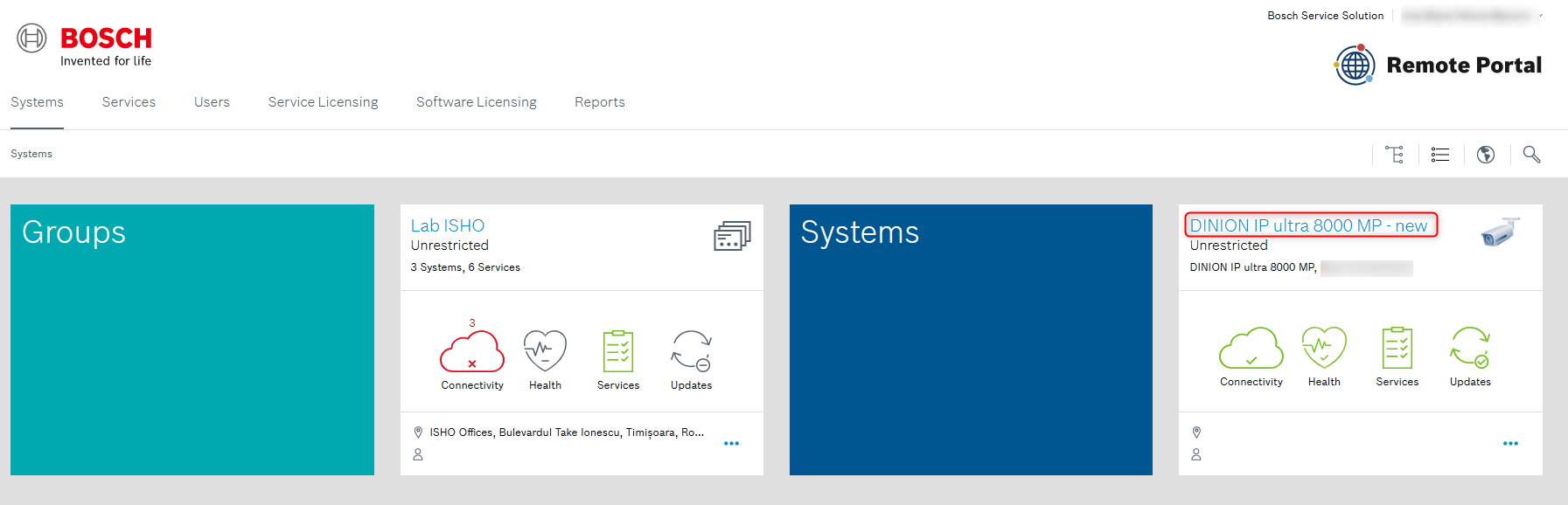
After a few seconds, the new name is transferred to the Remote Portal. Refresh the website with <F5> key, the changed camera name is displayed.
Notes:
Please visit the article Troubleshooting Camera Connectivity & Remote Portal if the camera fails to connect.