Possible causes and solution(s)
Symptoms
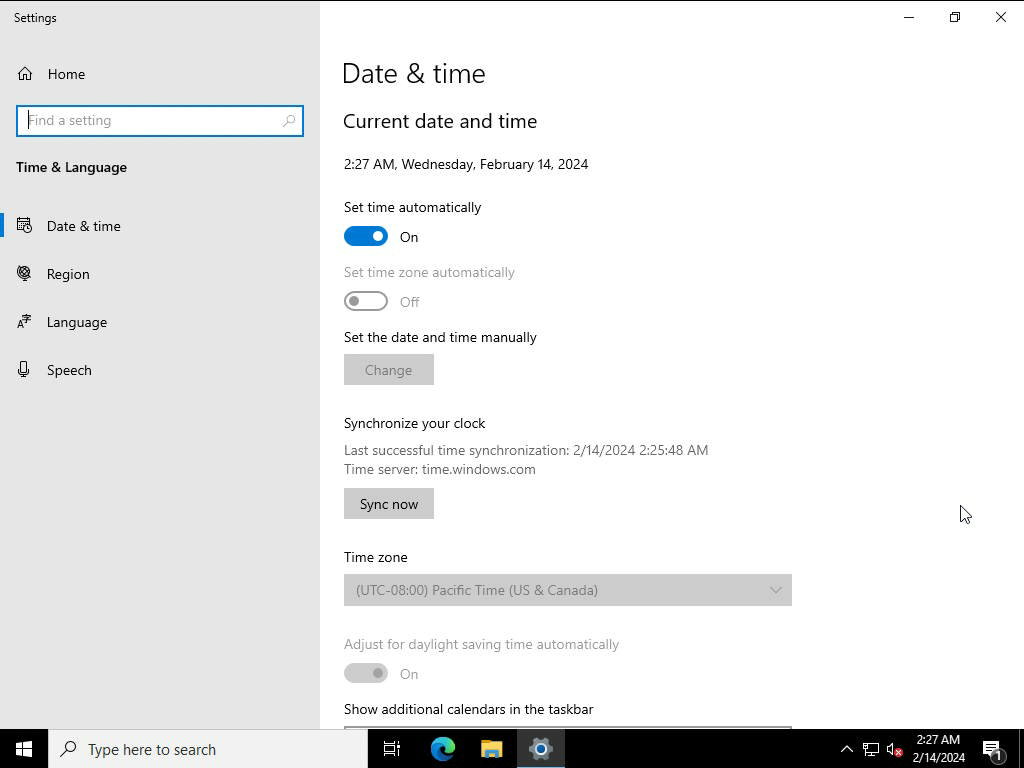
Time zone drop down is greyed out and it's not possible to reconfigure the Time Zone on the DIP-44/64/73 after installing BVMS v12.1 or v12.3 and enabling UAC.
Solution
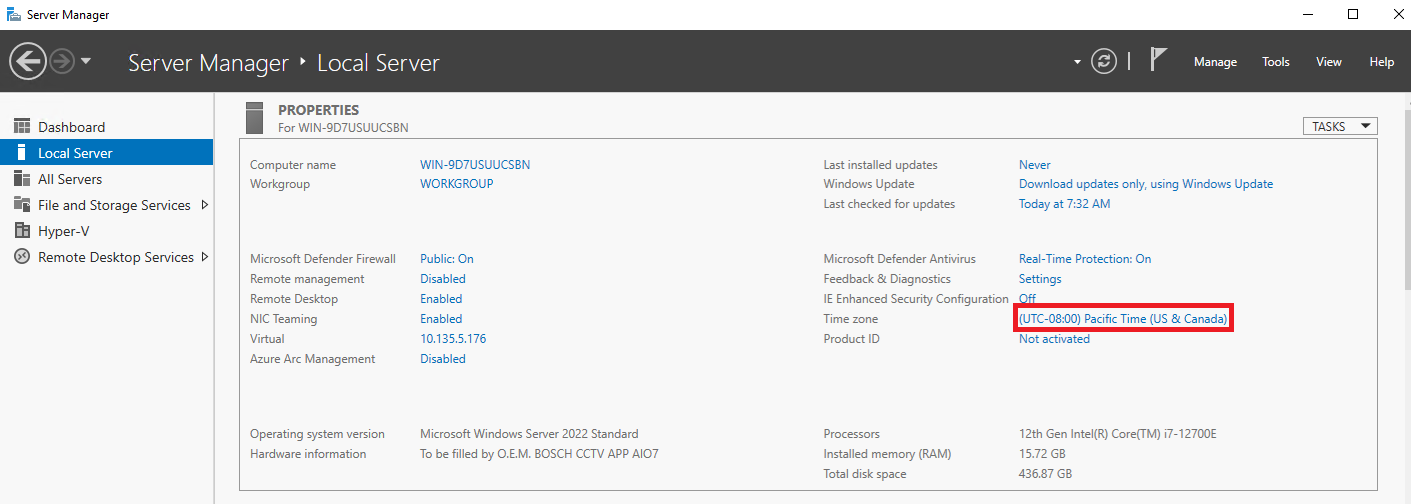
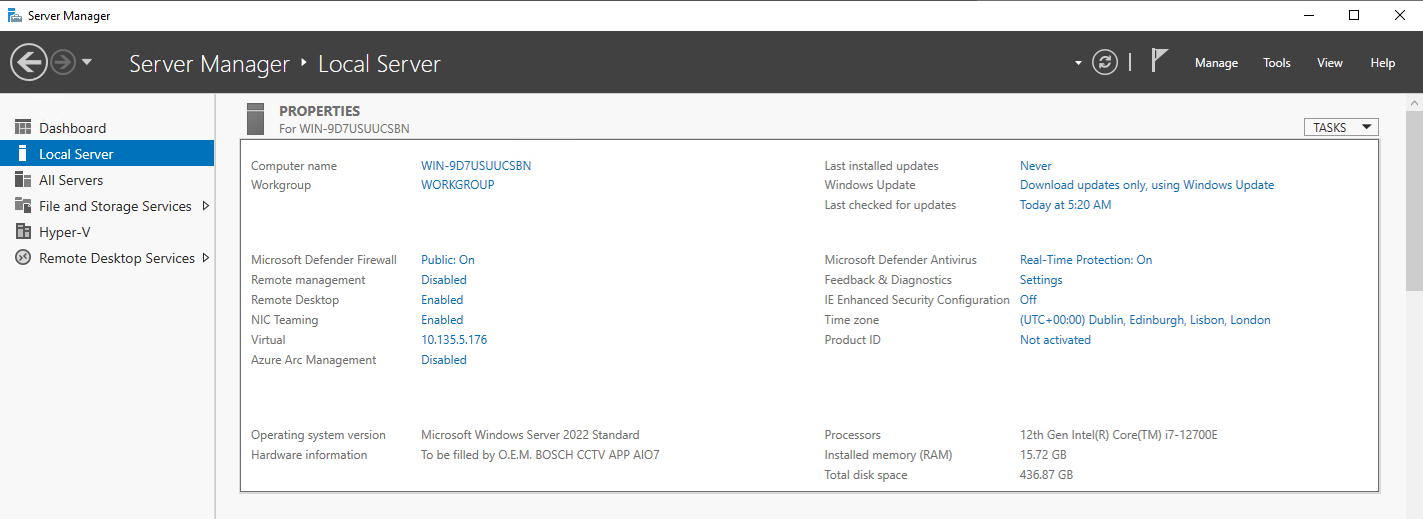
Step1: Go to Server Manager main Dashboard > Local Server on left panel, then select the time zone on right side:
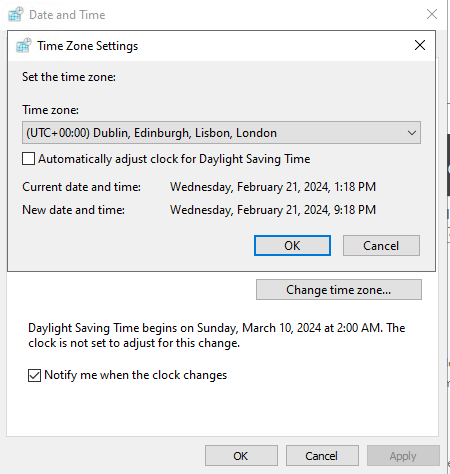
Step2: Click on "Change time zone..."
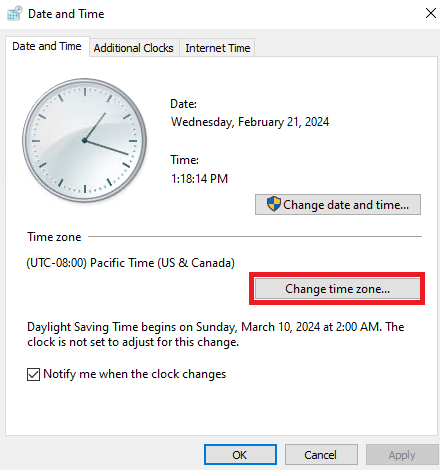
Step3: Select the desired option, then select OK
Step4: Go backing to Server Manager main Dashboard, do refresh and new time zone is shown:
Another way for the Time Zone to be changed is through Configuration Wizard: