
Question
Is it possible to manage the license plate lists directly through the camera’s webpage?
Answer
Yes!
When BVMS is not available for a customer project, you can use the latest camera firmware for the list management feature. License plate lists can be managed directly through the camera’s webpage.
-
Each list is automatically linked to its own VCA alarm, with up to 16 lists/alarms supported.
-
Using ATSL task scripting, each list can activate a camera relay, which can then be connected to a third-party device such as a gate.
Note: The camera’s list management does not currently support vehicle make and model data.
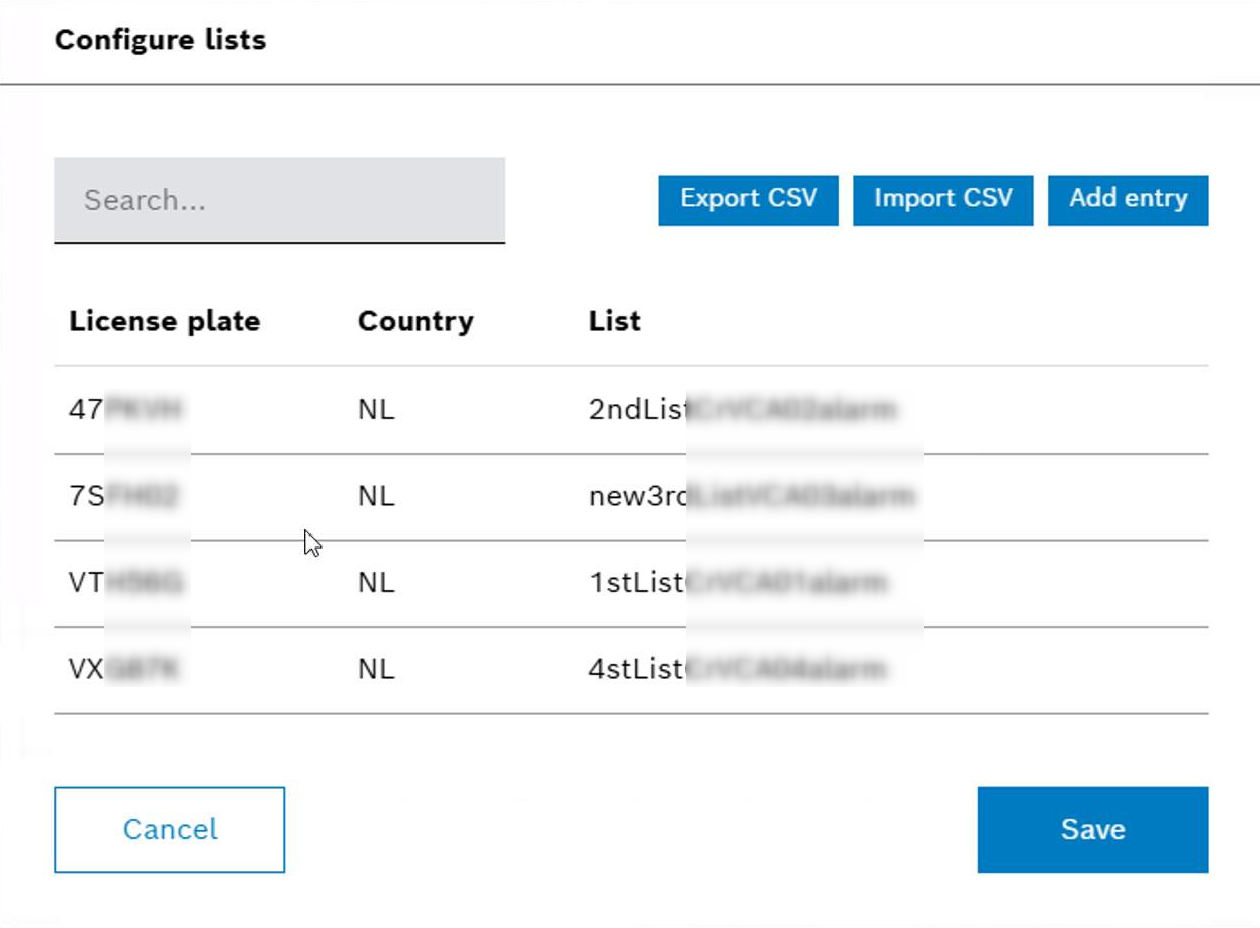
List Management configuration page in the camera:
-
Create lists → they receive VCA alarms in order (VCA01–VCA16).
-
Delete a list → that VCA alarm becomes free.
-
Create a new list → it fills the lowest free VCA alarm slot
Assigning a list to a specific IVA (VCA) camera alarm works automatically. The order in which you create lists determines their alarm number (VCA01–VCA16).
-
The first list you create is assigned to VCA01, the next to VCA02,
-
and so on.
-
If you delete a list, its VCA alarm becomes free. All other list–alarm assignments stay the same.
-
When you create a new list, it automatically takes the lowest available VCA alarm. Example: If the 3rd list was deleted, the next new list will receive VCA03.
Note:
In firmware 7.80.0087, removing a list (for example, list 1 out of 3) may cause the VCA alarm assignments of the remaining lists to be reorganized, such as the VCA alarms for lists 2 and 3 shift up to alarms 1 and 2.
In firmware versions higher than 7.80, this behavior has been improved so that existing list-to-VCA alarm assignments no longer change.