
Question
What does mean the led color & status of DINION 7100s camera?
Answer
LED status
The device includes a status LED. The LED can be seen in the back of the camera.
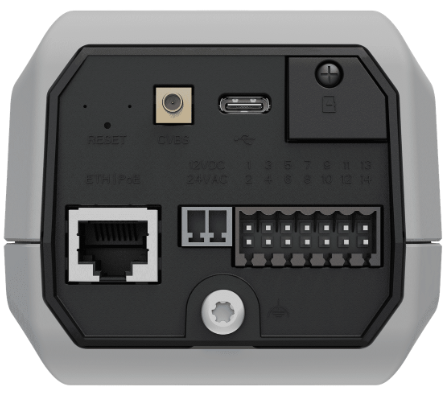
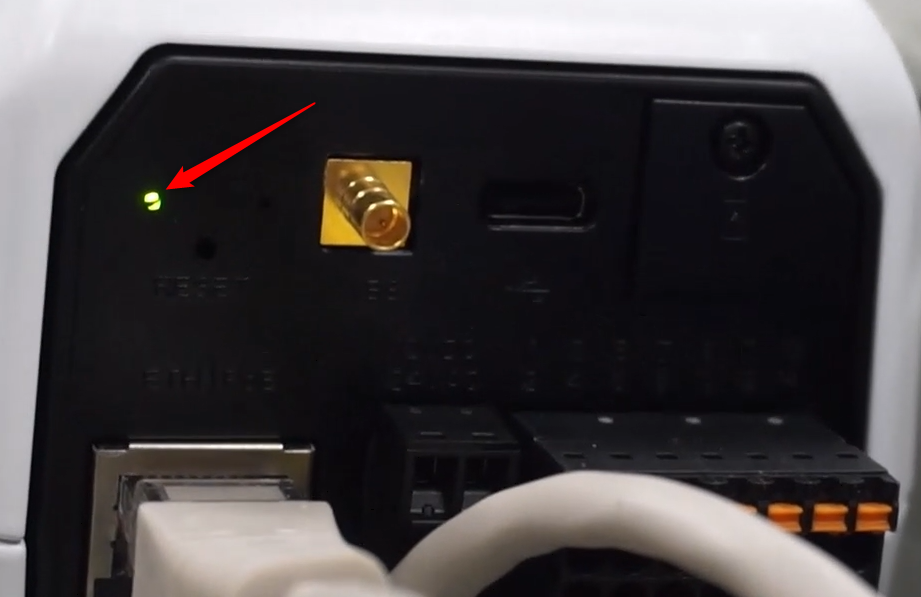
Refer to the table below for the different status LED functions.
|
Status LED |
Meaning |
|
Red |
Booting |
|
Blinking red |
Resetting |
|
Green |
Working, but stream is not being watched or recorded |
|
Blinking green |
Stream is being watched and/or recorded |
Disable the status LED in the camera settings, if necessary.
-
Select Camera
-
Select Installer menu
-
Select Disabled in Camera LED
