
🕒 This procedure takes in average ~ 2 min to complete
Question:
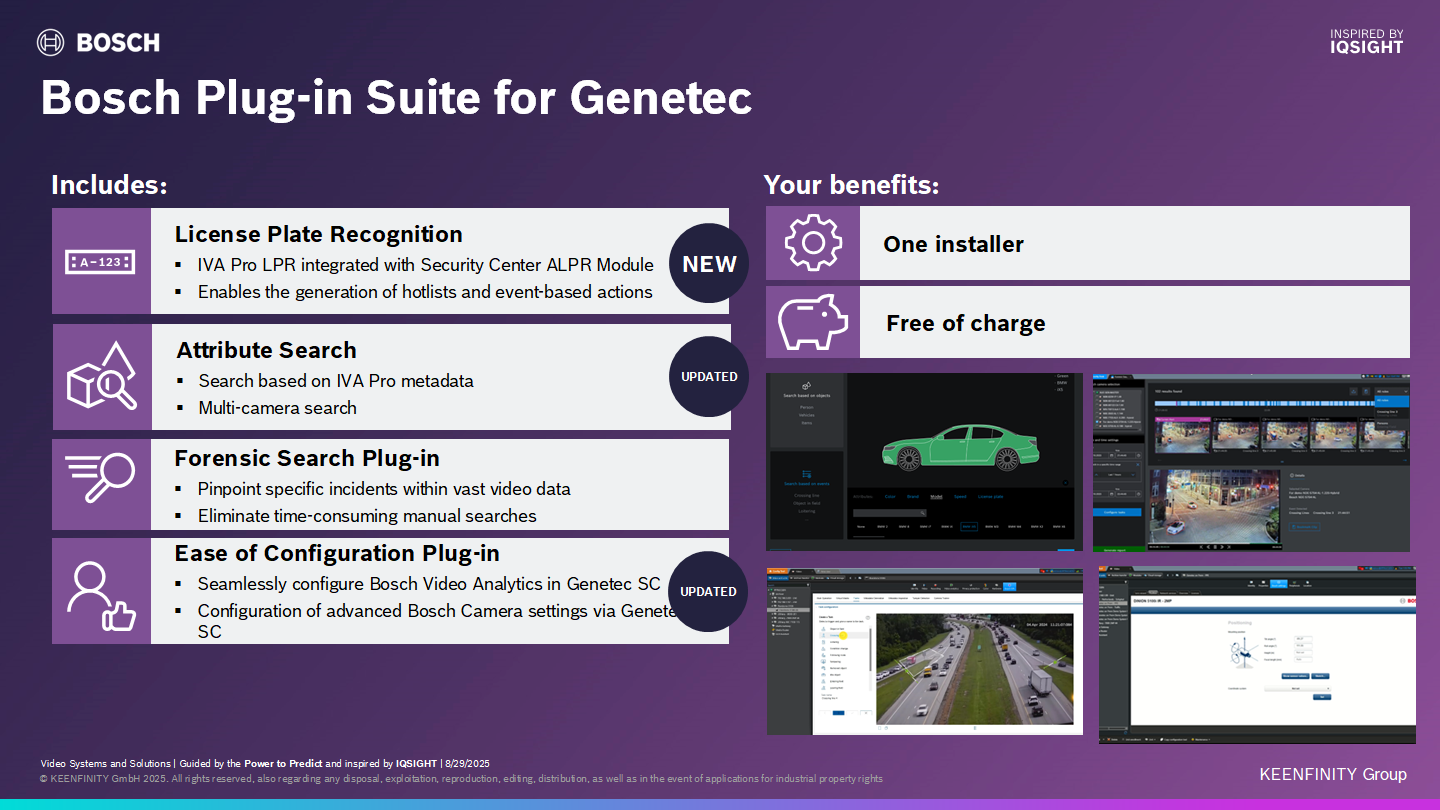
What is the Bosch Plug-in Suite for Genetec?
Answer:
“The Bosch Plug-in Suite for Genetec complements the existing integration by unlocking advanced Bosch functionalities and enabling broader solution possibilities.”
Where to download:
via Keenfinity download store: Bosch Plug-in Suite for Genetec
Requirements:
More details in Bosch Release letter Plug-in Suite Genetec 2.2.0.
|
Minimum System Requirements |
Description |
|---|---|
|
Operating System |
|
|
Genetec Security Center |
|
|
Camera |
A Bosch analytics camera (with firmware version 6.32 or above), connected to the Genetec Security Center |
Bosch Plug-in Suite for Genetec – Features and Solutions
✅ One installer
✅ No extra cost for Bosch Plug-in Suite
✅ Full end2end secure environment
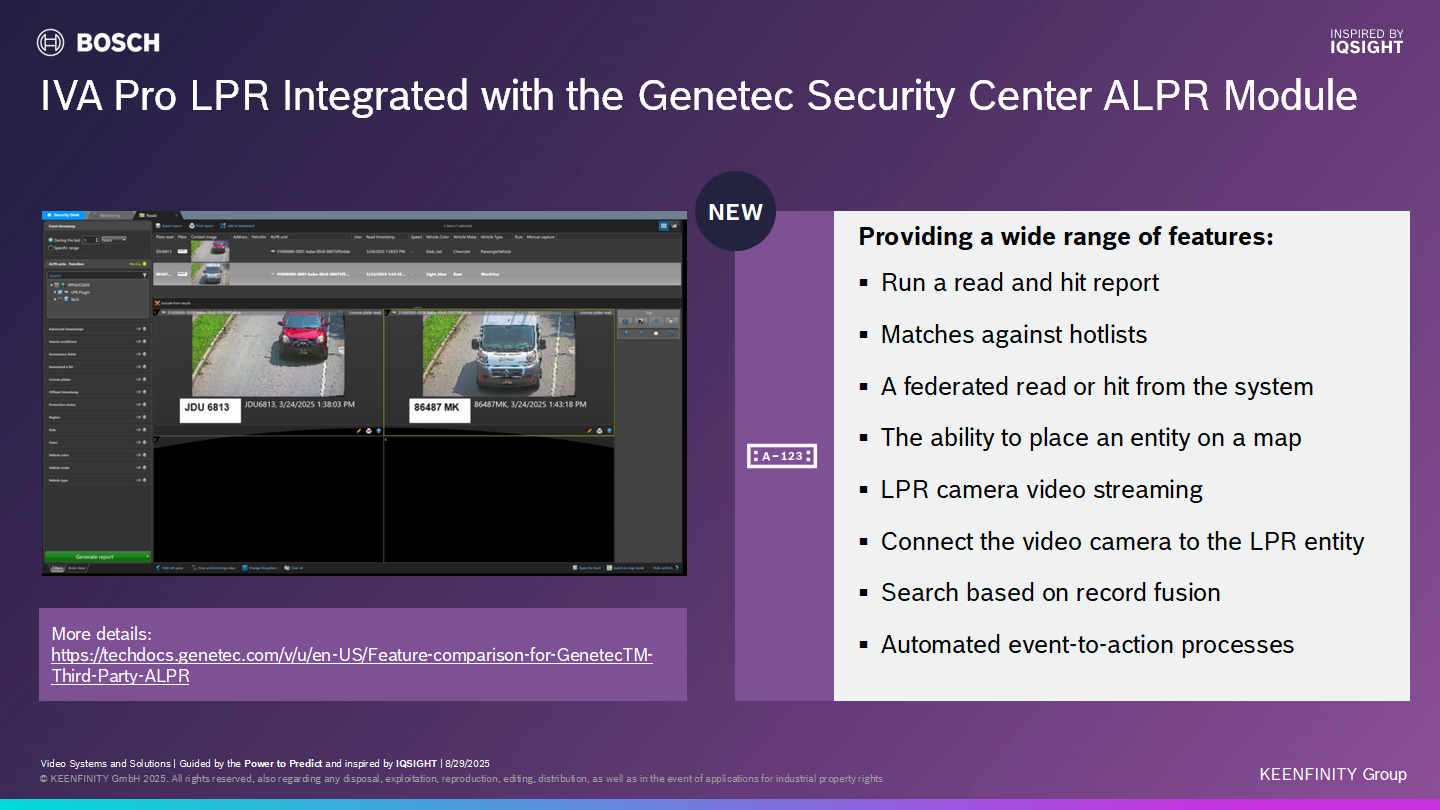
IVA Pro LPR Integrated with the Genetec Security Center ALPR Module
The plugin ingests edge-generated LPR reads from Bosch cameras into Genetec’s ALPR module.
More information on Genetec ALPR Module: https://techdocs.genetec.com/v/u/en-US/Feature-comparison-for-GenetecTM-Third-Party-ALPR
-
Learn how to setup the LPR ingestion module in this Knowledge Base article.
-
How-to-do Video: https://www.youtube.com/watch?v=E0d01Yb9wvw
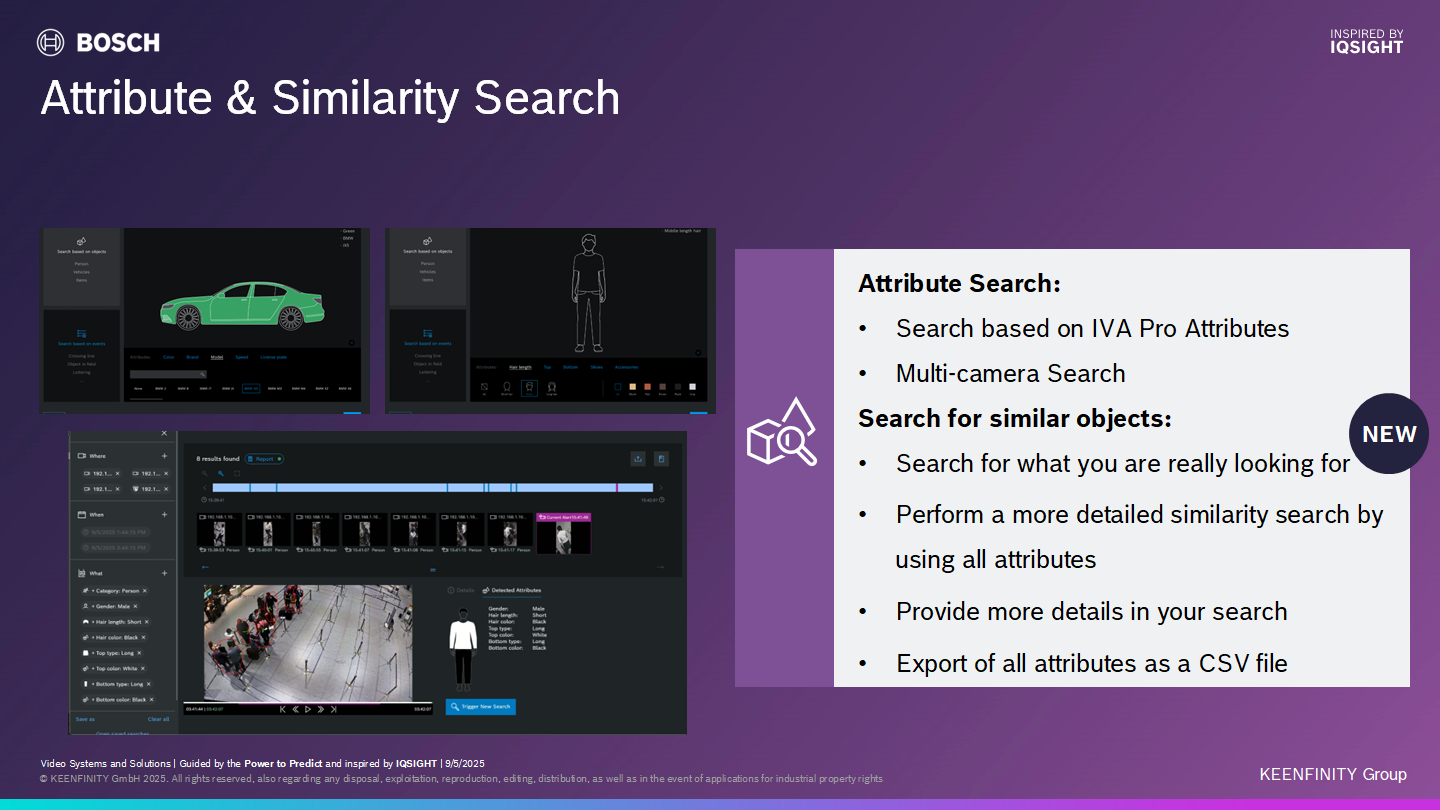
The Attribute & Similarity Search
Ease of configuration enables setup of Bosch edge analytics and advanced Bosch features within a fully end-to-end secure Genetec Security Center environment
More details on the Bosch edge analytic capabilities: Bosch | Intelligent Video Analytics Pro | Intelligente Analyse
-
How-to-do Video: https://youtu.be/HwwUzfjCdHA?si=XpxLekax_NeAItGh
-
Marketing Video: https://www.youtube.com/watch?v=oEEy9yO0E84
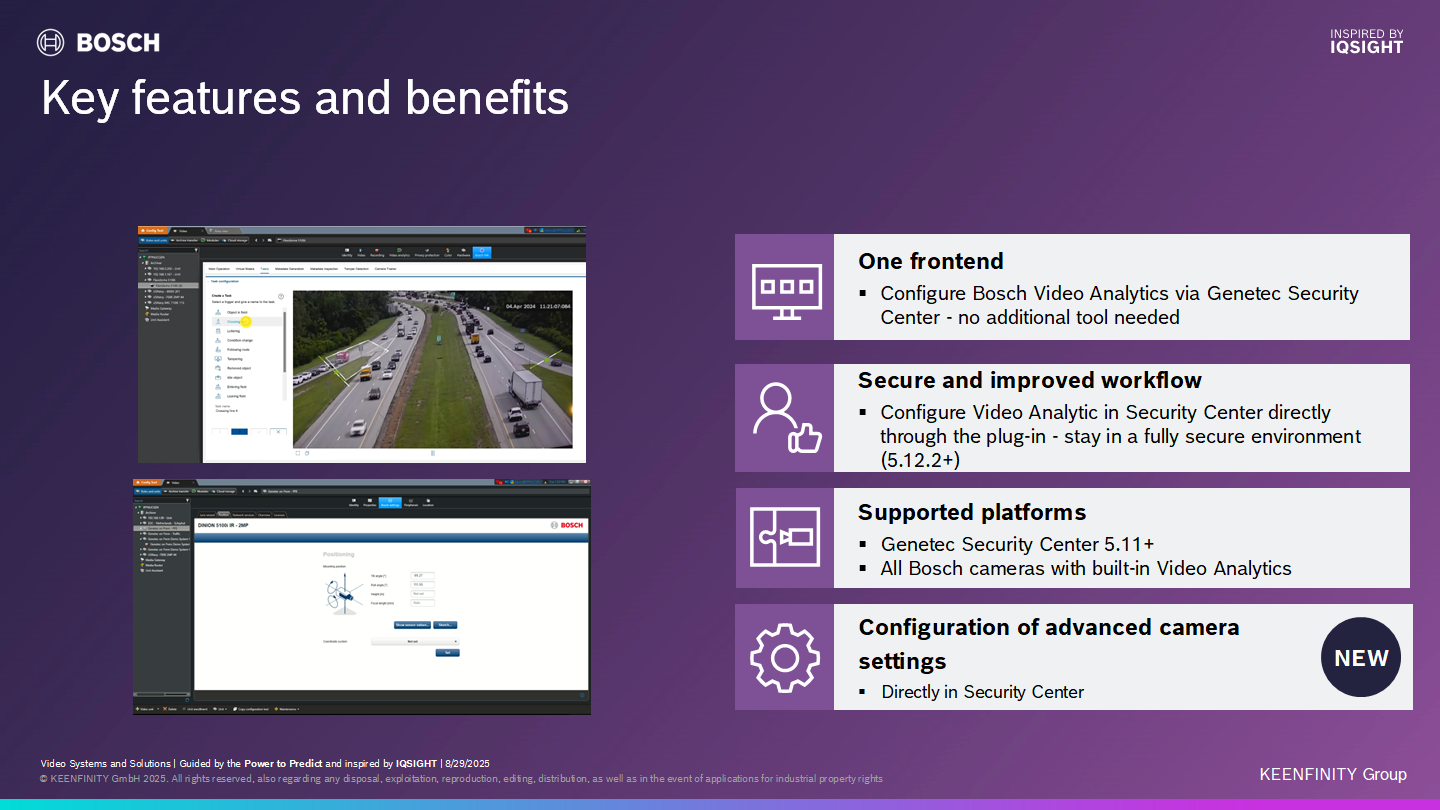
Ease of Configuration
The Ease of configuration enables to configure the Bosch edge analytics inducing the Analytic Rule engine and advanced Bosch features within a fully end-to-end secure Genetec Security Center environment
Analytic configuration:
-
How-to-video analytic rule configuration: https://www.youtube.com/watch?v=bkm88YWsD5Y
-
How-to-video Bosch advanced camera settings : https://www.youtube.com/watch?v=VMfksZfqus0
Configuration of Bosch Advanced camera settings: Lens wizard, Display stamping, Scene mode selection & scheduler, Stream setting*, Advanced encoder setting*, Encoder statistic, Privacy mask, Position of camera, Network settings*, Activate Licenses, System Overview
* Use the plugin only for settings not supported by the native integration.