
Question
What port should be used when adding a Tattile VEGA II camera to BVMS?
Answer
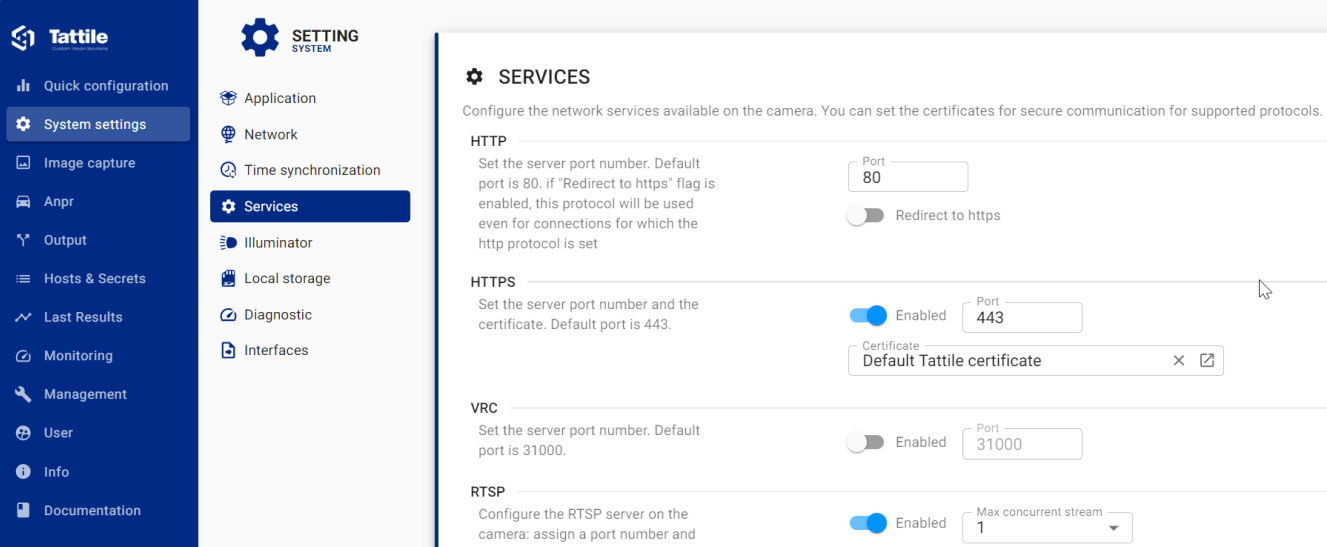
To add a Tattile VEGA II camera to BVMS, use HTTPS port 443. Ensure that HTTPS is enabled on the camera under System Settings → Services.
Important
-
To be able to add Tattile camera to BVMS configuration, set a user with ADMIN status. Please note that only one admin connection is available at a time to a camera (except of web-interface).
-
When trying to add the Tattile camera to BVMS configuration, also make sure that the camera is part of the same network as your BVMS system. You can check the camera's network configuration under System Settings → Network.