
What to check if the KBD-Digital cannot be connected to the BVMS workstation?

Question

What to check if the KBD-Digital cannot be connected to the BVMS workstation?

Answer

1. Validate if the KBD-Digital Protocol is set correctly

  • Click on the Keyboard Control button aa.png and ensure that it is showing Protocol RS-485 bb.png.

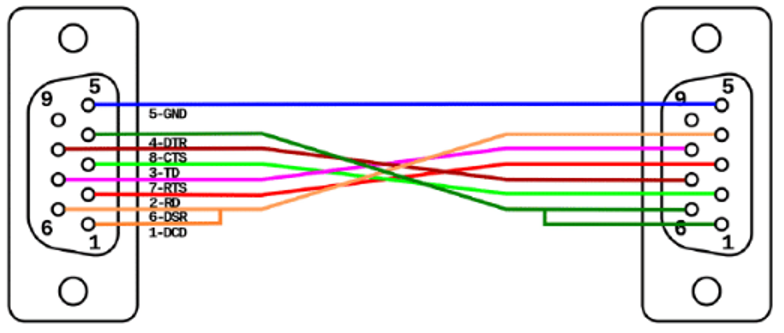
2. Validate that the null modem cable is using the following termination:
JavaScript errors detected

Please note, these errors can depend on your browser setup.

If this problem persists, please contact our support.