
Question
Why does the ‘All licenses found in the text input are invalid or already assigned to an account’ message occur?
Answer
During the VideoView+ license activation process in Remote Portal, the following message may appear:
“All licenses found in the text input are invalid or already assigned to an account. Enter a valid and unassigned license.”
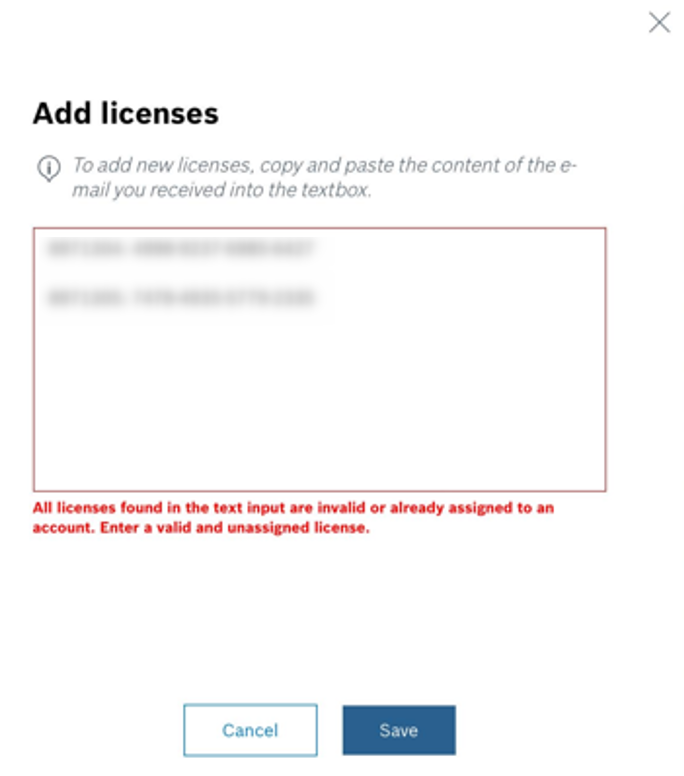
One possible reason for this message is that the correct license information was not copied from the Order Desk email.
Please ensure that you copy all the information between the dashed lines exactly as provided.
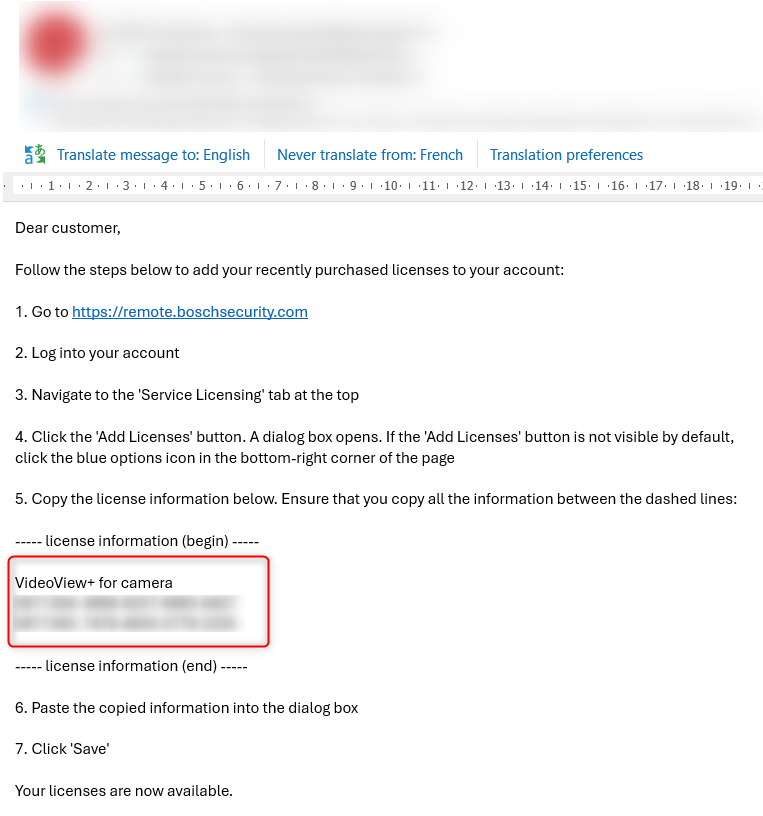
For detailed activation steps, refer to: How to: VideoView+ License activation.
If the message persists, another possible reason is that the licenses have already been claimed by another user in a different account. In this case, please contact the Central Technical Support Team to identify the account where the licenses were claimed.
You can then unclaim the licenses from that account and reclaim them in the correct account, if necessary.
For step-by-step instructions, refer to the following article: Can I move a Software license from a user account to another one in Remote Portal?
Note
This option allows installers to unclaim non-activated entitlements only (e.g., to use them in a different account).