
Possible causes and solution(s)
Symptoms
The decoders and monitor groups are successfully added and configured. They can be fully controlled via the Operator Client.
When the Monitor Group (MG) layout is modified in the Operator Client, the changes are immediately reflected on the physical video wall. This confirms that authentication and system communication are functioning correctly.
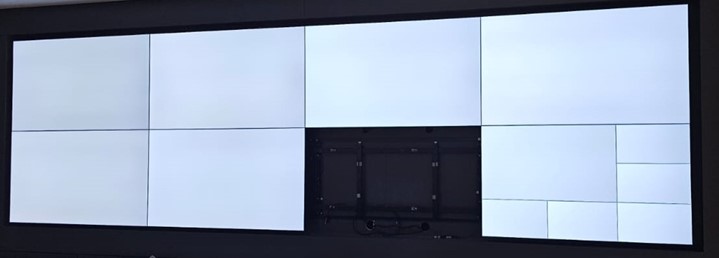
An issue is occurring with the live video display on the video wall. When cameras are added to the Monitor Groups, the live streams appear correctly in the Operator Client. However, they do not display on the physical video wall.
Although layout changes are applied successfully from the Operator Client, the assigned cameras do not play live video on the video wall itself.
Solution
Important Prerequisites
-
Verify Licensing
Ensure that the required Monitor Wall licenses are installed and active.
Without the proper licenses, live video will not render correctly on the wall, even if configuration appears correct.
-
Recommended Configuration Tool
Use Configuration Manager for setup and validation.
If you encounter a similar situation, reviewing these settings should be your first step.
-
Disable Secure Connection on the Decoder
-
Open the Decoder settings
-
Uncheck Secure Connection
-
Enable RCP+ on Cameras
-
Access each camera configuration
-
Enable RCP+
-
Use the Verified Working Combination
After applying:
-
Secure Connection disabled (Decoder)
-
RCP+ enabled (Camera)
Live video began displaying correctly on the physical Monitor Wall.
Therefore, the following configuration successfully restored live video on the Monitor Wall, where authentication and access protection settings between decoder and camera were aligned correctly.
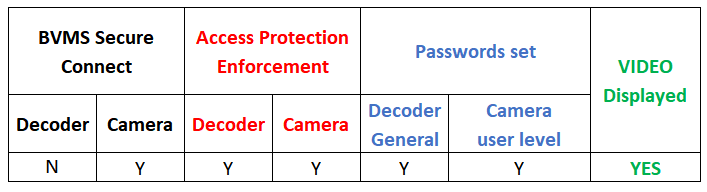
With this configuration:
-
Layout control from Operator Client continued to work
-
Cameras displayed live video in Operator Client
-
Live video successfully rendered on the physical Monitor Wall