
Question
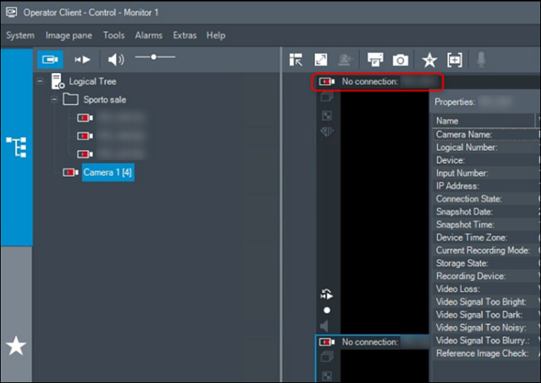
Why does the "No Connection" message appear in the Operator Client, blocking live view and playback?
Answer
The "No Connection" message may appear if the camera's password contains special characters that are not supported in BVMS.
This issue may occur in the following scenarios:
-
the cameras are recording, but live view and playback are unavailable in the Operator Client. Playback from the encoder shows no timeline and is not working.
-
live view and playback are accessible directly from the camera's webpage, confirming that the camera itself is functioning correctly.
-
when enabling a secure connection for VRM and cameras in BVMS Configuration Client, the below message will appear regarding the camera’s password.
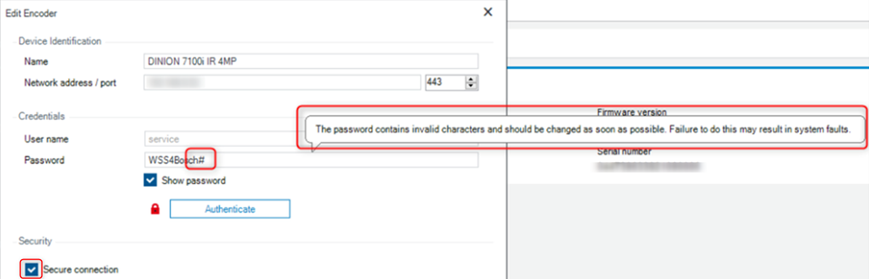
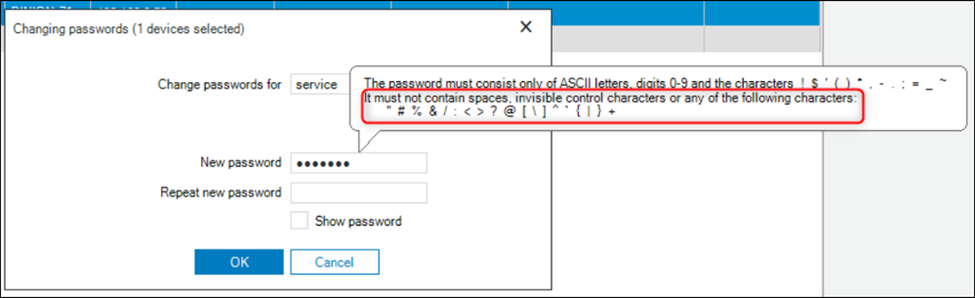
In BVMS Configuration Client, when changing the password, there is a clear warning indicating that certain special characters should not be used.
These restricted characters are: “ # % & / : < > ? @ [ \ ] ^ ` { | } +
See also:
-
Can I use hash tag # as special character in BVMS or camera’s password?
-
What special characters are allowed to be used for Bosch CPP7 cameras password?