
Question
Can I configure separate alarm events and schedules for motion detection and loitering in VCA?
Answer
Yes, this can be achieved by creating two separate VCA profiles and tasks, each with its own task configuration.
For example, if motion detection must run 24/7 while loitering should only be active during specific hours, the following steps can be followed:
For Motion Detection:
-
Open Configuration Manager go to VCA tab.
-
Select Profile 1 for Operating mode and choose MOTION+ as the Analysis type
-
Go to Tasks and configure the task as desired
-
Save the settings
-
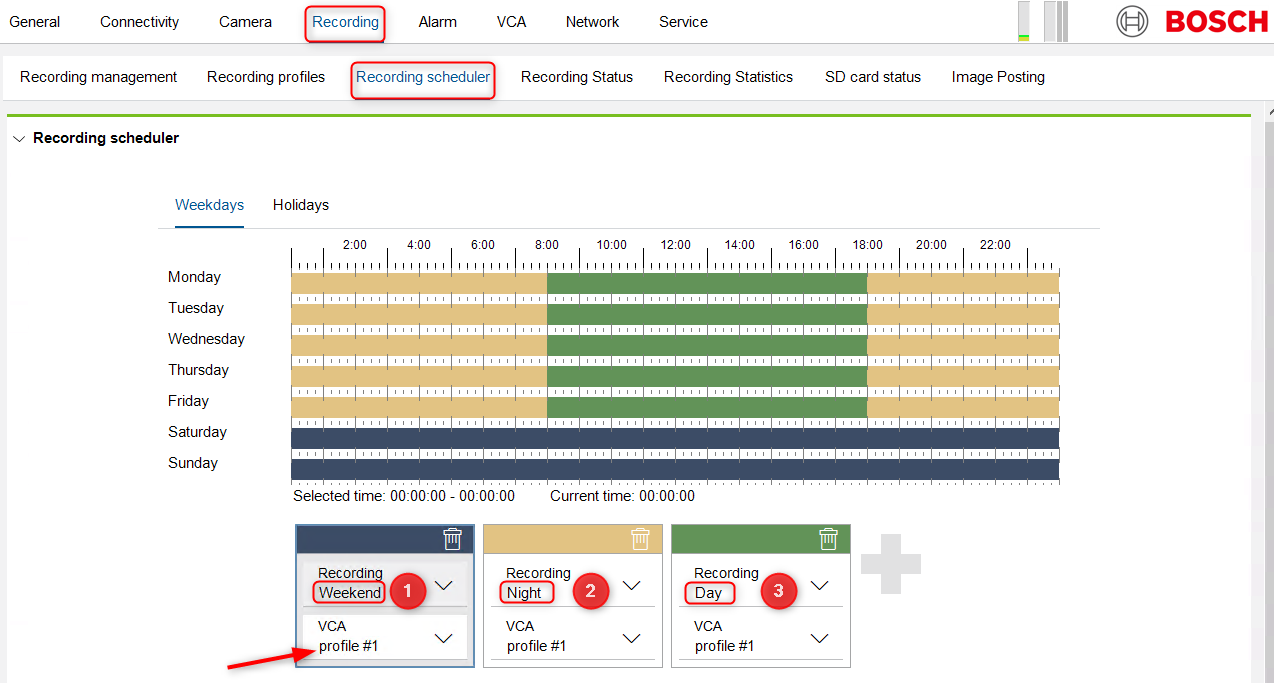
Then go to Recording tab → Recording Scheduler
-
A timeline/grid will appear. To ensure motion detection is active 24/7, make sure all three recording types—Day, Night, and Weekend—are enabled.
-
Verify that the selected recording types cover all hours.
-
If not, select the desired recording type and click and drag across the timeline to assign the required recording hours.
For Loitering Detection:
-
Open Configuration Manager go to VCA tab.
-
Select Profile 2 as the Operating mode. The analysis type will automatically be set to IVA Pro Buildings.
-
Go to Tasks and click New to create a loitering task.
-
Configure the task as needed.
-
Save the settings.
-
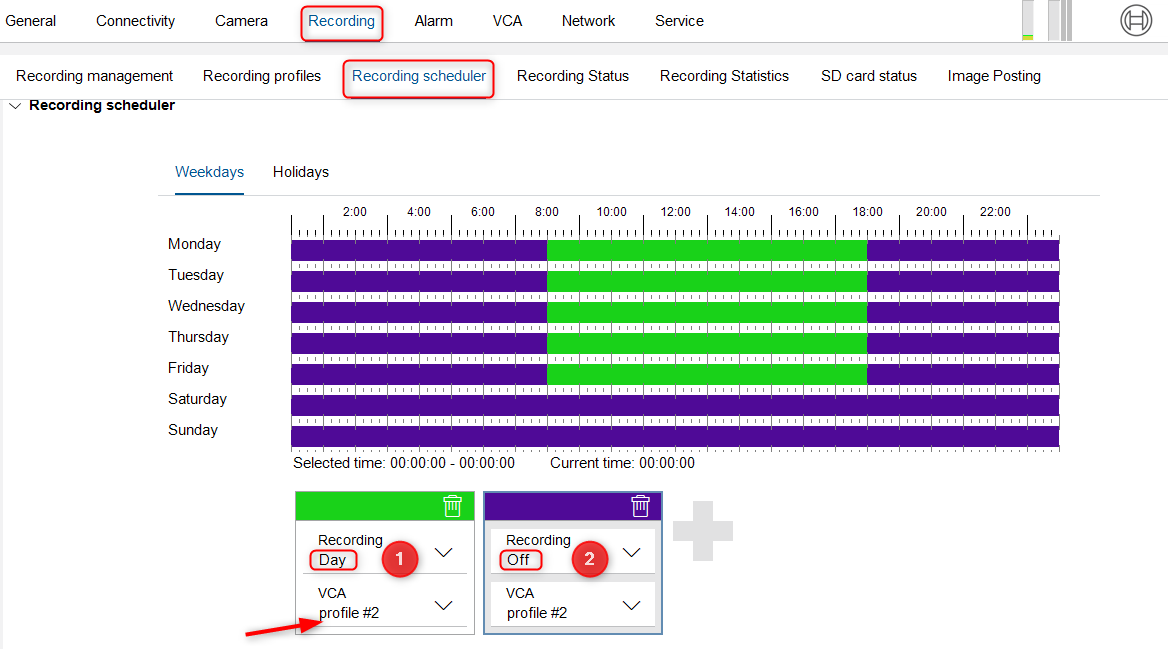
Then go to Recording tab → Recording Scheduler
-
A timeline/grid will appear. To ensure loitering detection is active only during specific hours, assign the appropriate recording types (Day, Night, Weekend) to those time periods, and set Off for the hours when it is not needed.
-
To adjust the schedule, click and drag across the timeline to select the desired recording hours.