Question
Can I subscribe to VideoView+ service in Remote Portal to extend the availability of camera's VV+ license?
Answer
Yes!
You may encounter the “It’s time to renew my license” message when trying to access a camera in Video Security Client / App:
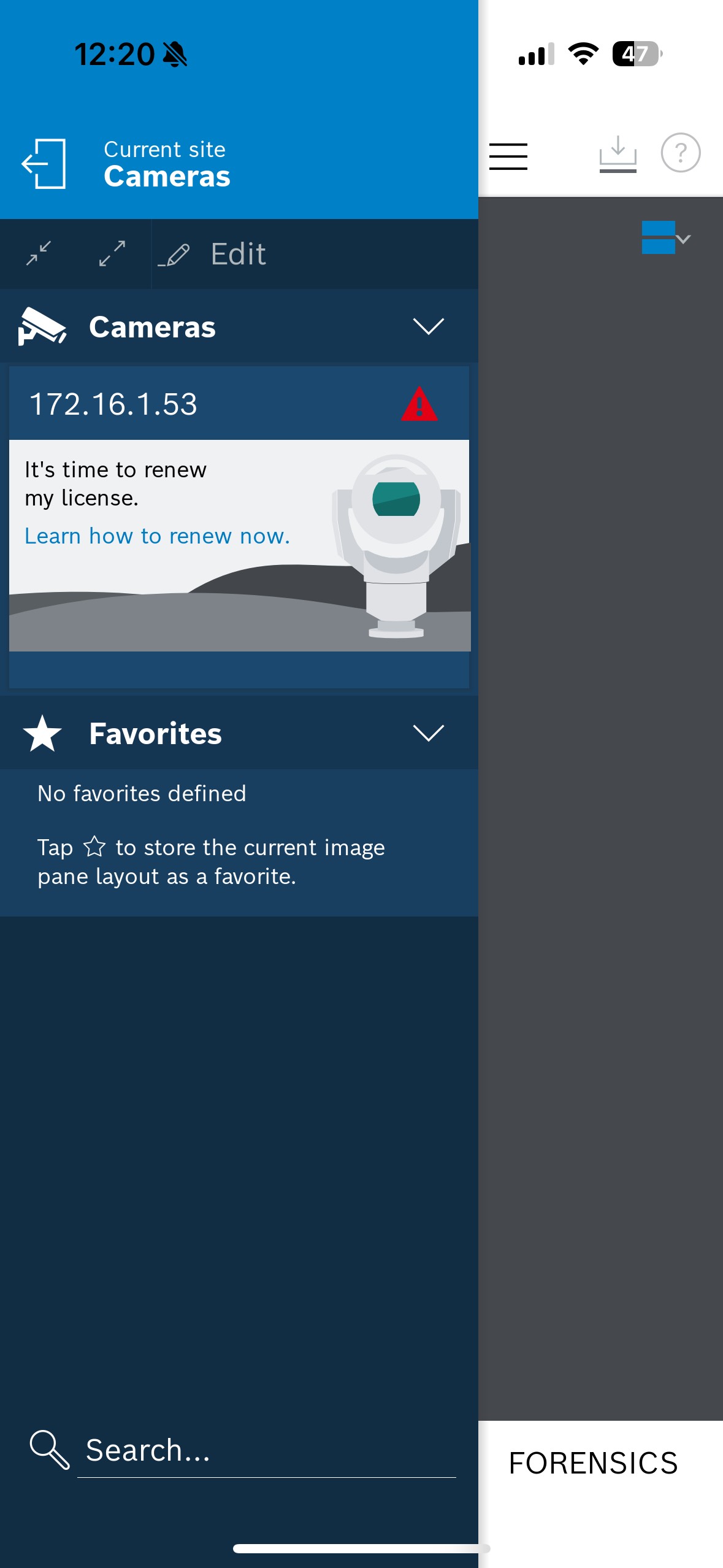
This message indicates that the VideoView+ license has expired and that the Auto-Renew option was not enabled.
In this case, the easiest way to restore access to the camera in Video Security Client / App is to log in to your Remote Portal account, navigate to Systems, and search for your camera:
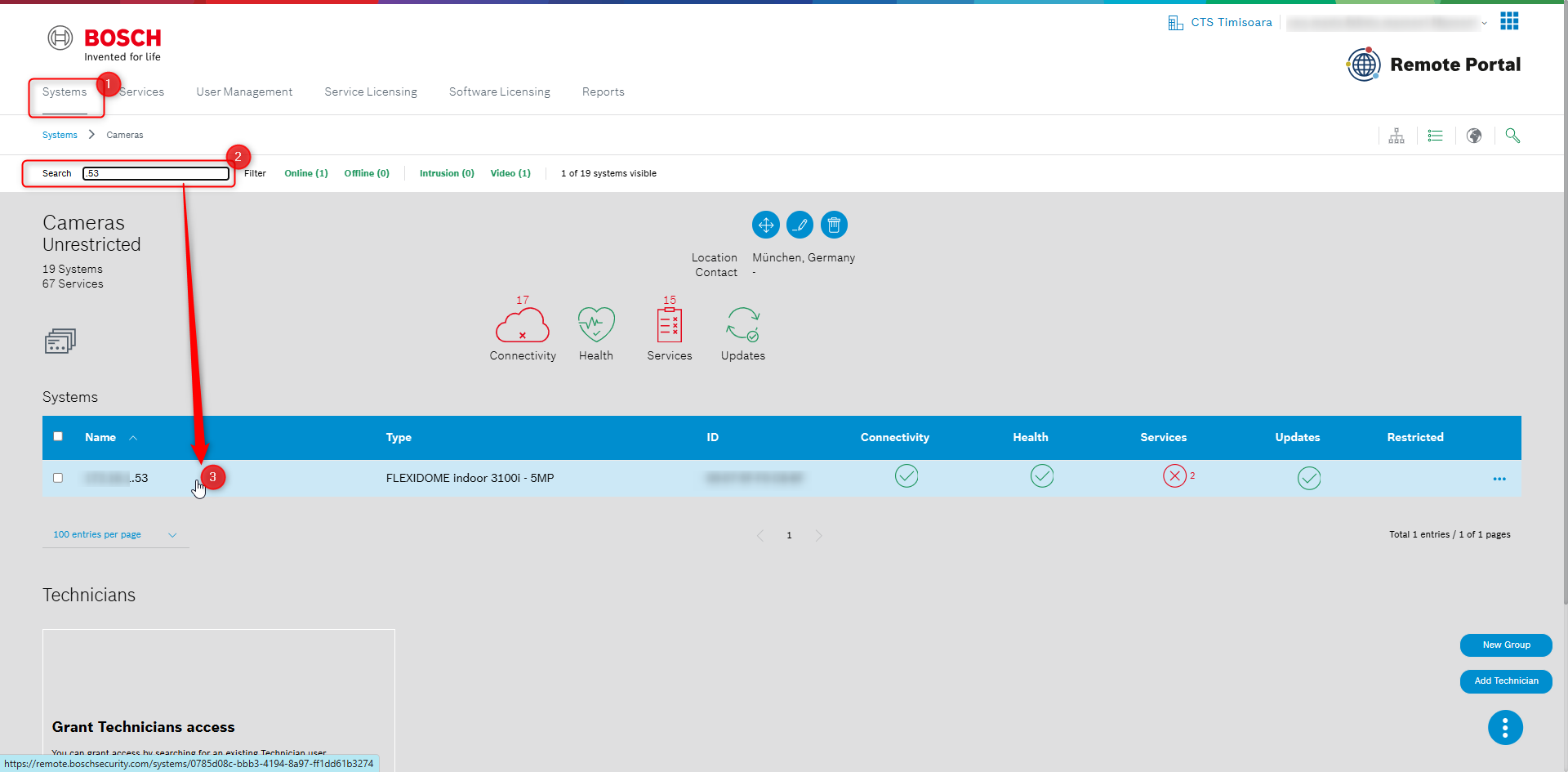
Click the Subscribe button in the VideoView+ tile.
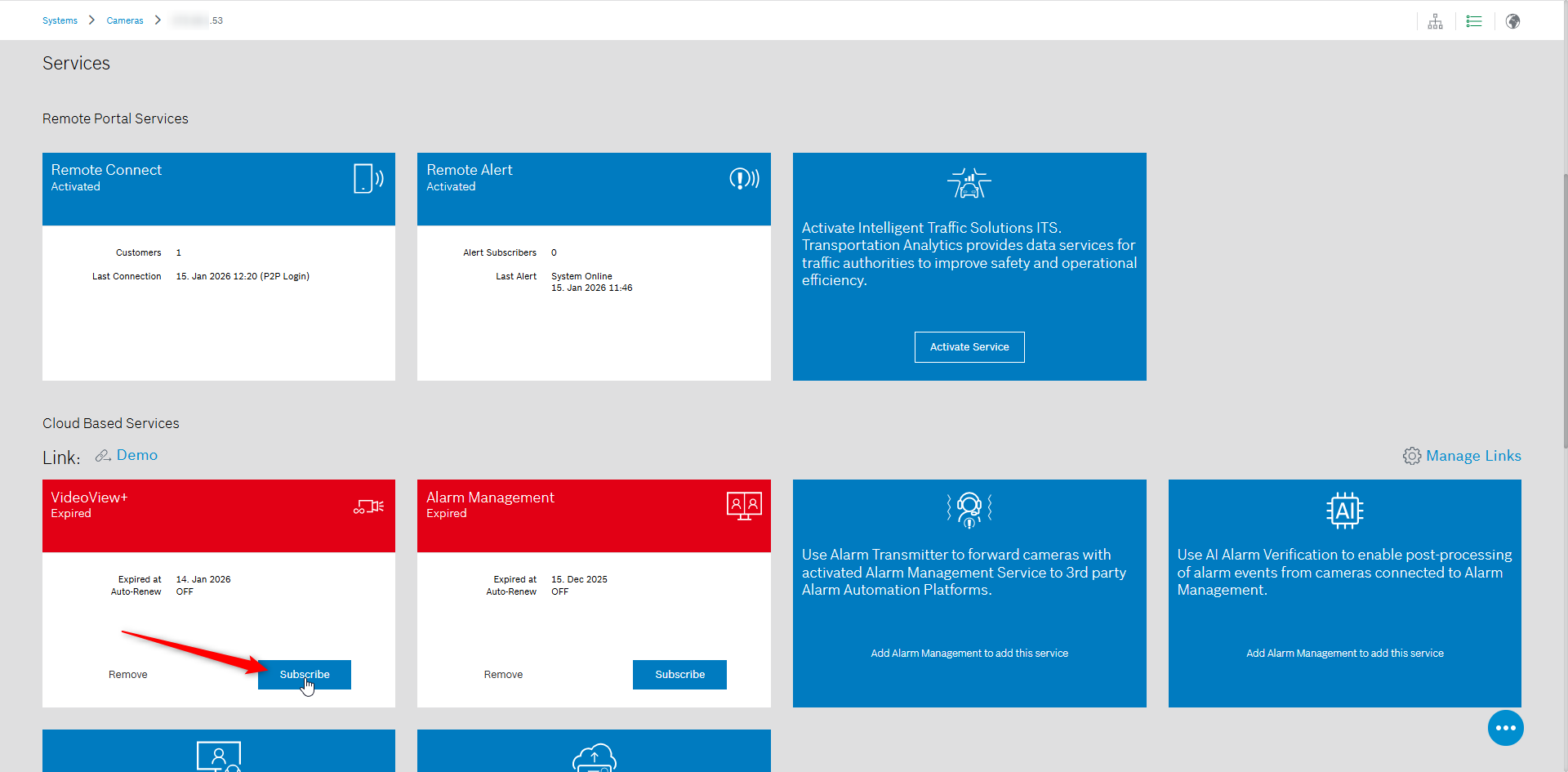
Please be sure that a VideoView+ for camera license is available in your account, in the Service Licensing menu, that is not assigned to any other camera yet.
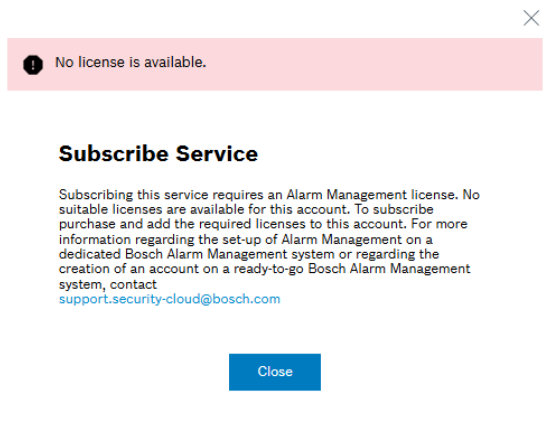
If no license is available, the message “No license is available” will be displayed when attempting to subscribe, as shown below:
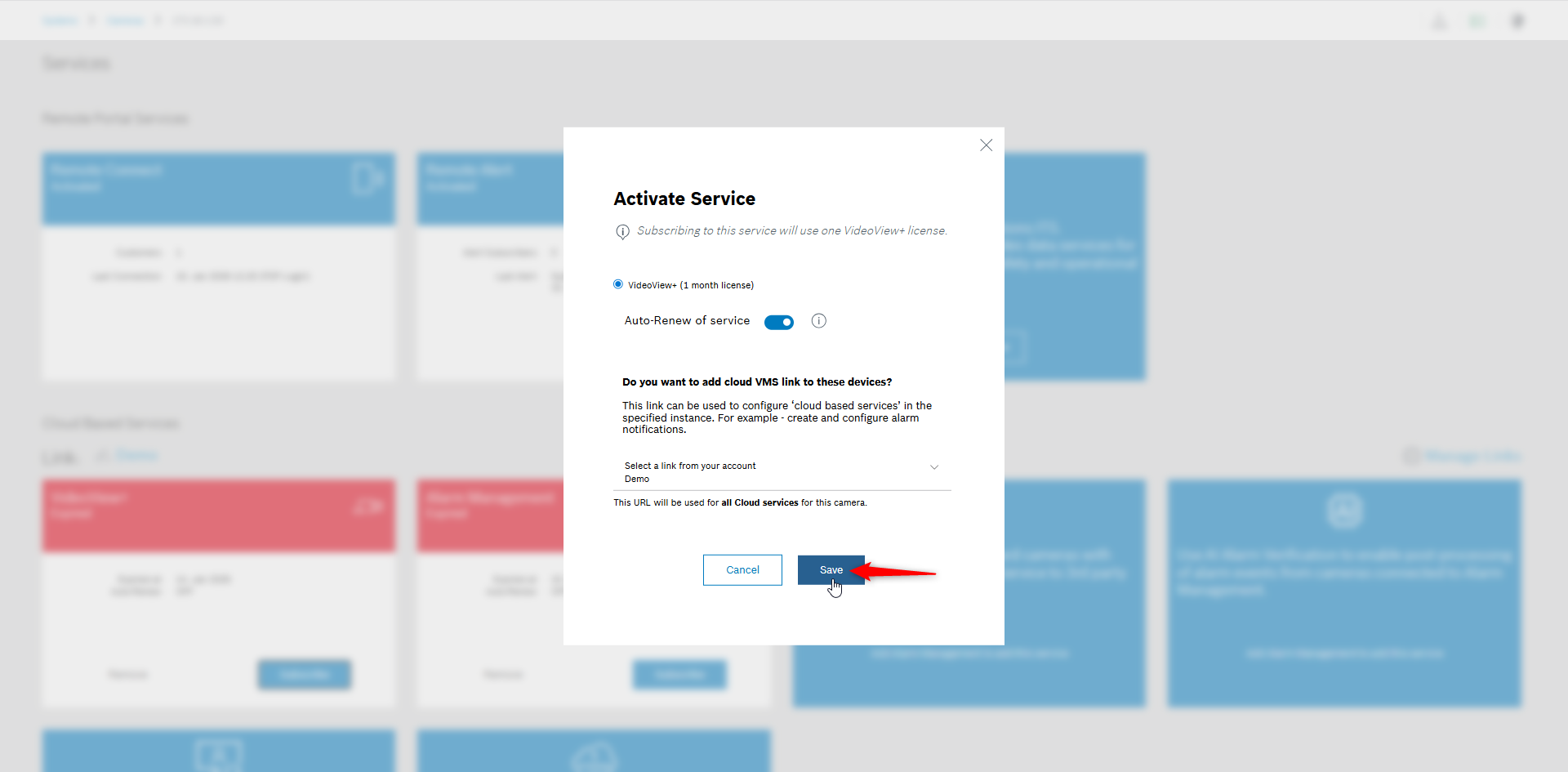
Enable Auto-Renew option if desired, and click Save after selecting the link from your account in the drop-down list:
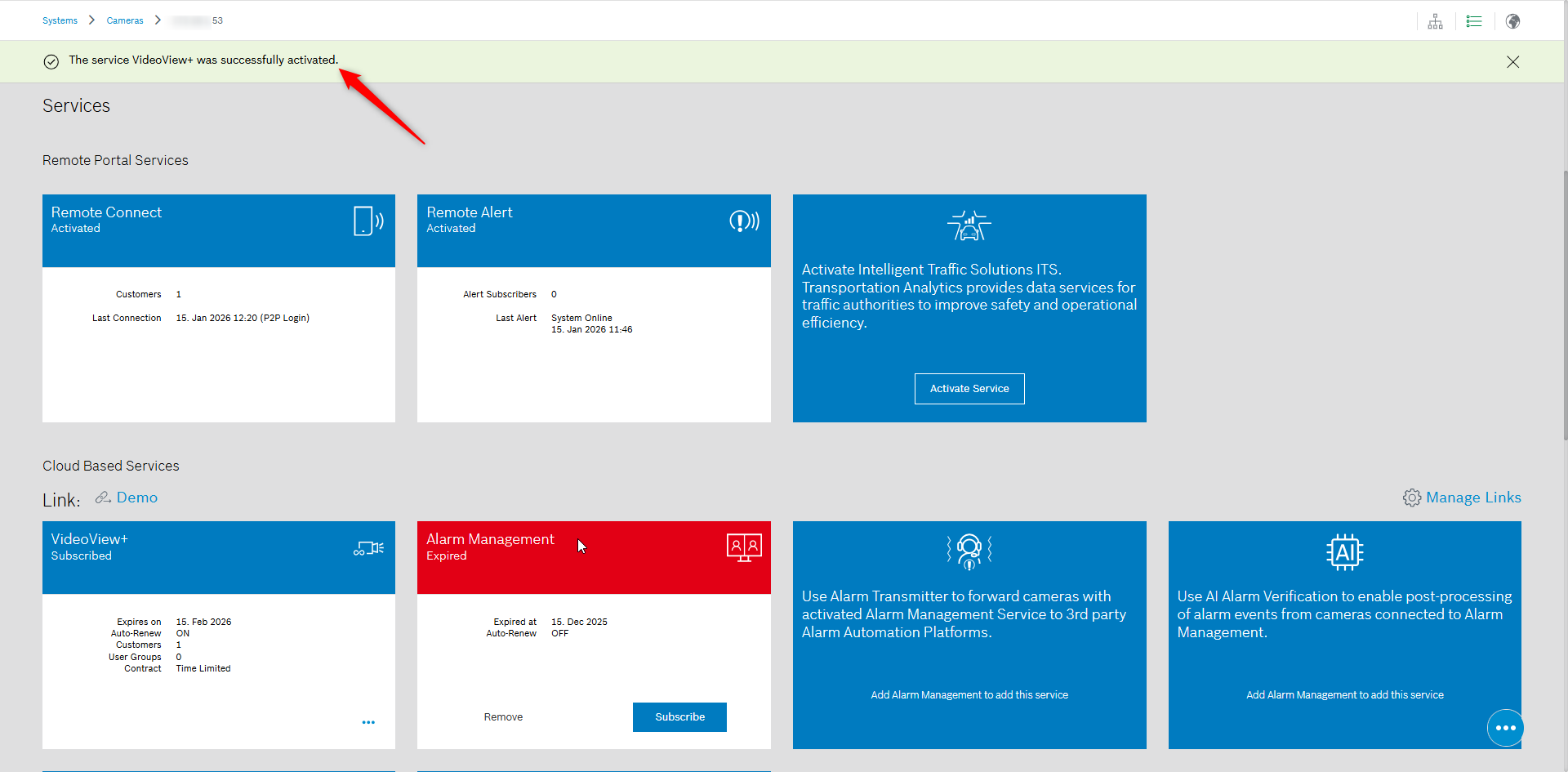
A confirmation message “The service VideoView+ was successfully activated” will be displayed. You will also see that the license availability has been extended, depending on the license type activated in your account
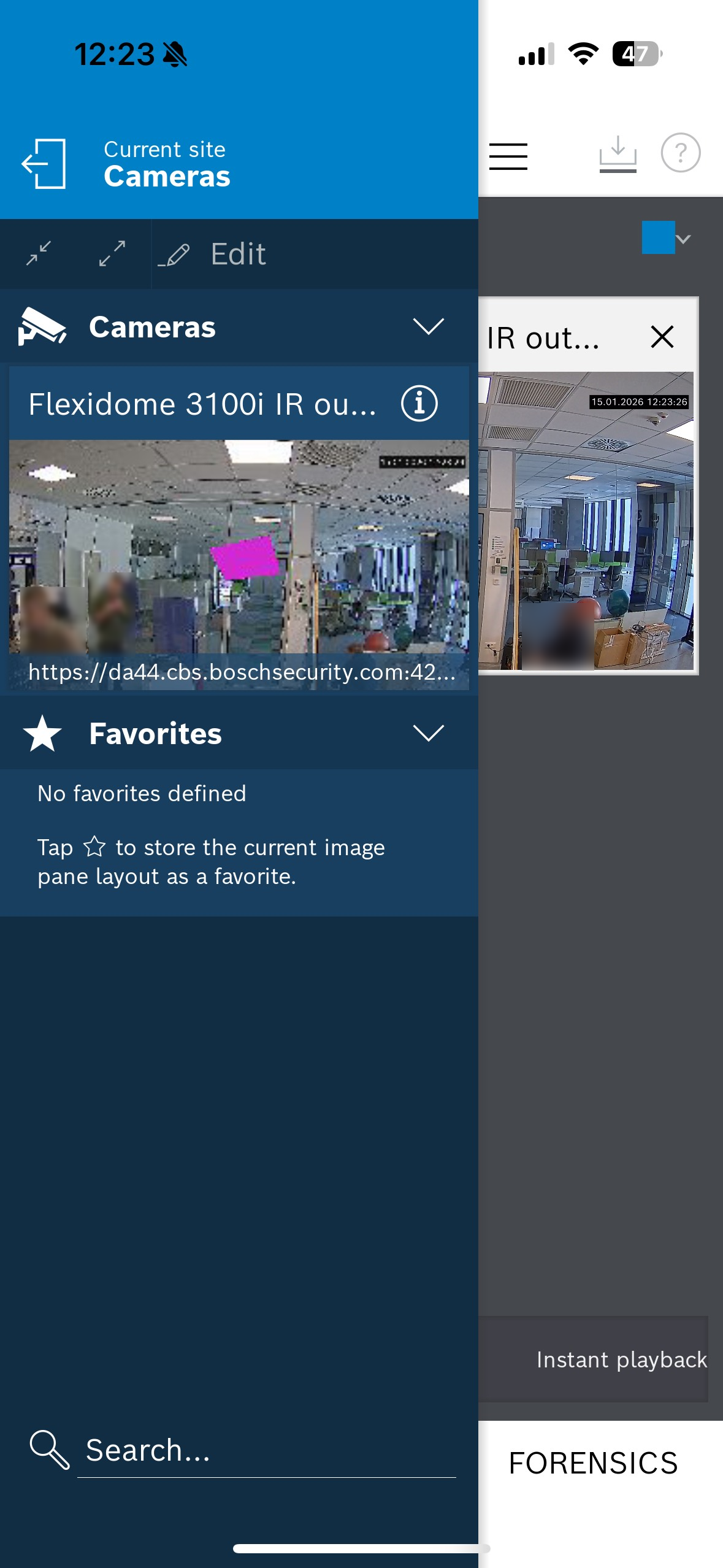
Return to Video Security Client / App. If the camera image is not displayed immediately, exit the site where you attempted to access the camera and open it again.
You should now see the camera image available.