
Question
What should I do if longitude cannot be set beyond ±90 degrees in BVMS 13.0?
|
Longitude under ±90 degrees |
Longitude over ±90 degrees |
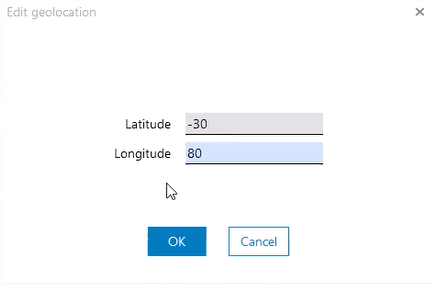
|
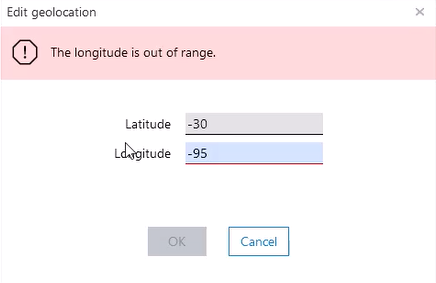
|
Answer
When configuring Geolocation values beyond ±90 degrees in Configuration Client → Map & Structure, the longitude value is shown as out of range.
In BVMS 13.0 the longitude values are incorrectly limited to ±90 degrees instead of the correct ±180 degree range.
To resolve this issue, upgrade to BVMS 13.1, where the problem has been fixed.
If upgrading is not possible, you may try to use the following workaround:
-
Configure the Geolocation directly on the camera before adding it to BVMS.
-
After the camera is added, the Geolocation will be displayed correctly on the map.