
Possible causes and solution(s)
Symptoms
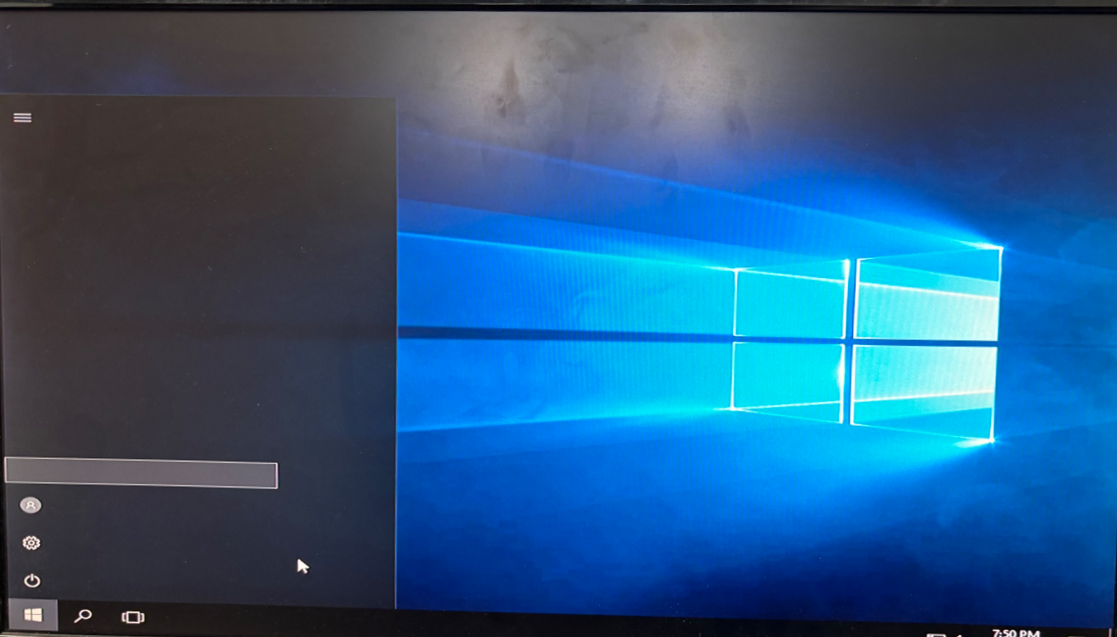
When upgrading a DIVAR IP 7000 AIO (DIP-72xx) or DIP 5000 AIO unit from BVMS v11.1.1 to BVMS v12.0.1, the system may reboot directly into Limited User mode instead of Kiosk Mode.
Additional symptoms include:
-
The unit no longer starts the expected Kiosk interface after the upgrade.
-
Re-imaging, factory defaulting, and reinstalling BVMS do not resolve the behavior.
-
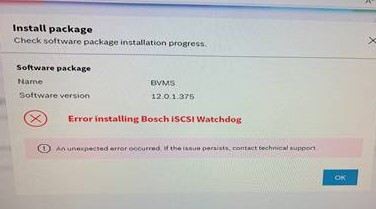
In some cases, installing System Manager 2.5.0 triggers an error:
“Error installing Bosch iSCSI Watchdog.”
Tests indicate:
-
The issue appears on DIVAR IP 7000 AIO (DIP-72xx) and DIP 5000 AIO models when upgrading to BVMS v12.0.1.
-
The issue does not occur on DIP 6000 AIO when installing the same software version.
-
BVMS v12.0.1 used together with System Manager v2.3.0 or v2.5.0 on DIVAR IP 7000 AIO (DIP-72xx) and DIP 5000 AIO can result in the unit booting into Limited User mode.
-
Using System Manager v2.1.0 with BVMS v12.0.1 on DIVAR IP 7000 AIO (DIP-72xx) allows Kiosk mode to load normally.
These tests confirm that the behavior is limited to upgrade process (not clean installations) on specific DIP models.
Causes
The root cause is a Watchdog service that is not being stopped automatically during the upgrade process to BVMS v12.0.1.
-
The issue occurs only during upgrades to BVMS v12.0.1, not during clean installations.
-
The problem is not caused by the System Manager version, although different versions may show different symptoms.
-
The underlying issue is within the service-update package of BVMS v12.0.1.
-
The Watchdog service continues running during the upgrade, which results in:
-
Failed installation of the Watchdog component for BVMS v12.0.1
-
The system failing to launch Kiosk Mode
-
The machine booting into Limited User mode
-
This issue was corrected in later software versions.
Solution
There are two valid solutions to resolve or avoid this behavior:
-
Upgrade to a BVMS version higher than v12.0.1
This is the recommended, long-term fix.
Testing shows:
-
Upgrading from v11.1.1 → v12.3 using System Manager v2.5.0 successfully loads Kiosk Mode.
-
DIP 6000 AIO models also install BVMS v12.0.1 without issues, confirming that the problem is specific to BVMS v12.0.1 upgrades on certain DIP models.
If possible, proceed with upgrading directly to a newer BVMS version (e.g., v12.3 or higher).
BVMS upgrades should follow version-step progression to avoid compatibility gaps.
For example: BVMS 9.0 → BVMS 10.1.1 → BVMS 11.1.1 → target version
-
BVMS 9.0: 17.08.2018
-
BVMS 10.1: 21.08.2020
-
BVMS 11.1.1: 03.06.2022
-
BVMS 12.0.1: 30.06.2023
-
DIP 72xx devices may automatically recover to BVMS v9.0, so stepping through supported intermediate versions is necessary.
-
Differences in operating system versions across DIP 5000, 6000, and 7000 AIO units explain why only certain models encounter the issue.
-
Manually stop the Watchdog Service before installing BVMS v12.0.1
If upgrading to a higher version is not an option, the following method works:
-
Ensure the unit is fully accessible in Windows mode.
-
Manually stop the iSCSI Watchdog service before initiating the upgrade to BVMS v12.0.1.
-
Run the upgrade again.
Stopping the Watchdog service ensures the installer can update the required components.