
Question
How can I configure the IR illuminator of the FLEXIDOME 8100i IR camera using the camera's web interface?
Answer
The illuminator can be set manually or automatically, depending on the installation requirements.
To configure the IR illuminator via a web browser, navigate to:
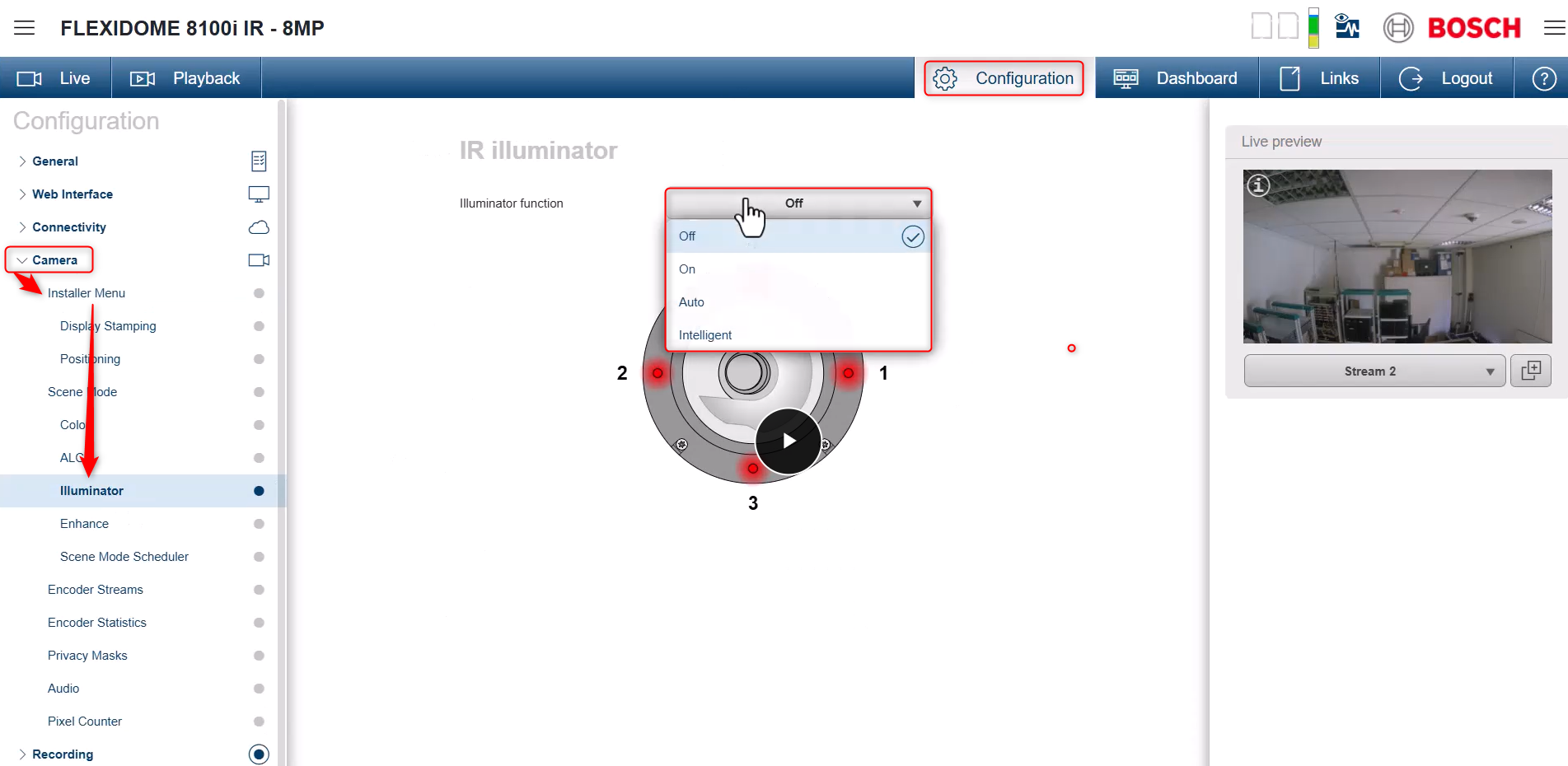
Configuration -> Camera -> Installer Menu -> Illuminator
Here, you will find the following IR illuminator functions:
-
Off - IR power is off
-
On - IR is enabled
-
Auto - camera switches IR ON when light lower or higher than ALC switchover. It also adjusts LED intensity automatically depending on the scene
-
Intelligent - the camera changes each of the four IR LED s intensity depending on camera installation position, orientation and field of view.
For On, Auto and Intelligent functions:
-
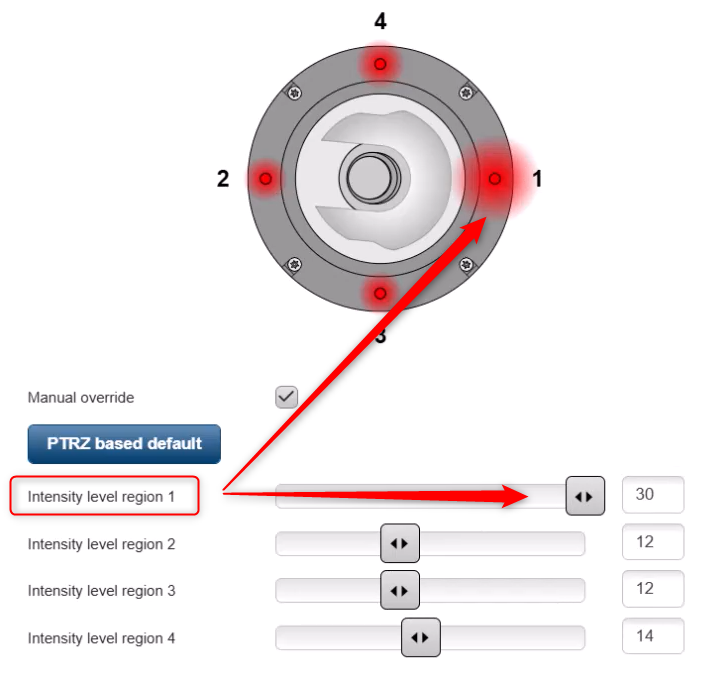
Manual override checked - allow manual adjustment of IR intensity levels for each region
-
PTRZ based default - reverts IR intensity to the default for that position
-
Intensity level - by changing the LED intensity level from 0 to 30, influences the image view. A circle will appear around the selected LED when adjusting intensity.
-
-
Manual override unchecked - only a global LED intensity level adjustment is available, between 0 to 30

-
Wall mount is recommended for a longer IR range.
-
The camera should not be installed too close to reflective surfaces or walls, especially indoors.

