
Question
How can I install and configure a microSD card for the FLEXIDOME dual 7100i IR?
Answer
The following steps explain how to properly install and configure a microSD card in the FLEXIDOME dual 7100i IR.
Unlike some other cameras that use standard SD cards, this model requires a microSD card for local storage.
Install the microSD card
-
Remove the bubble cover of the camera.
-
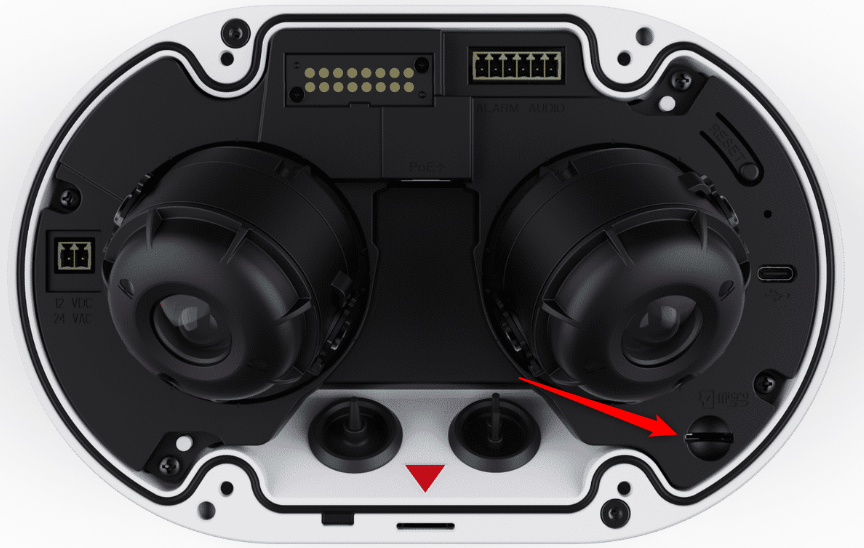
Locate the microSD card slot on the camera module and insert the microSD card
-
Press the microSD card firmly until it clicks into place
-
Put the bubble cover back on the camera
Configure Local Storage
-
Log in to the camera via its web interface
The web interface menu has a new look starting with the new CPP16 and camera firmware version 10.60.88
-
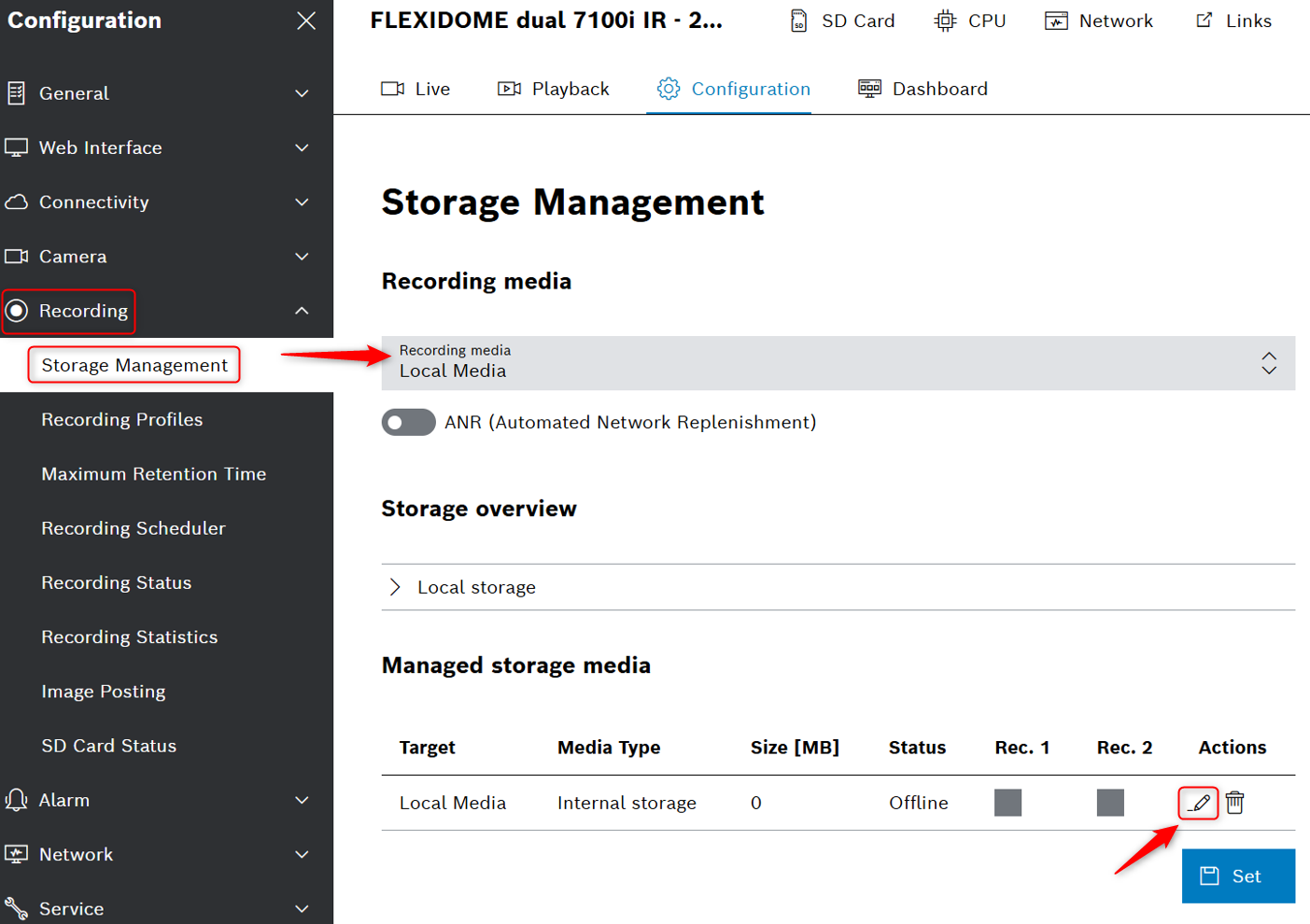
In the Configuration menu

-
Under Recording Media and select Local media
-
Click the Pen icon to open the Storage device window
-
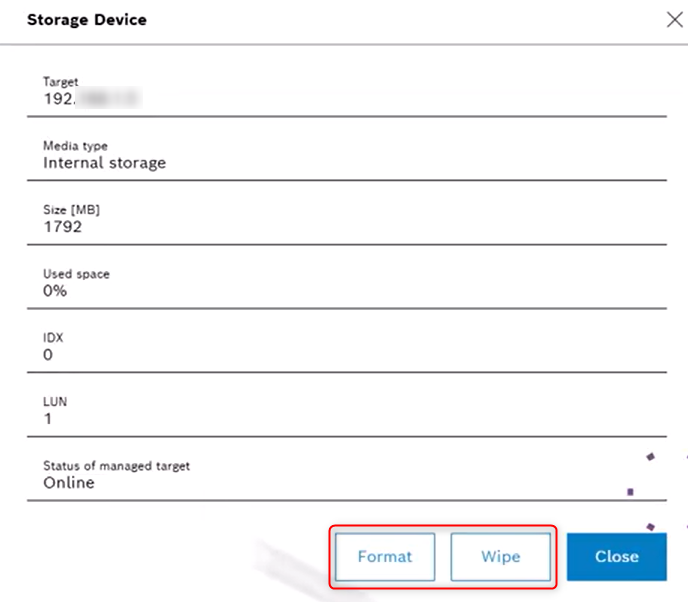
Click Format or Wipe to delete any existing recordings in the storage media
-
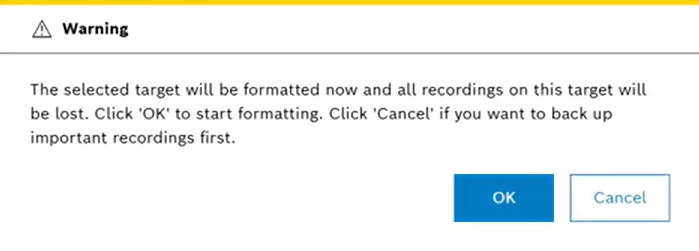
In the pop-up warning message, click OK.
-
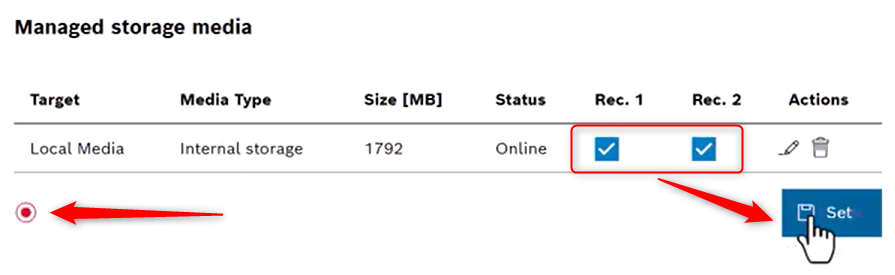
You can choose if the recoding to be recorded just for one of the imager or for both.
-
Click Set to activate the changes in the managed storage media list.
-
The small grey circle will turn red, indicating that recording is active.
Check SD card details
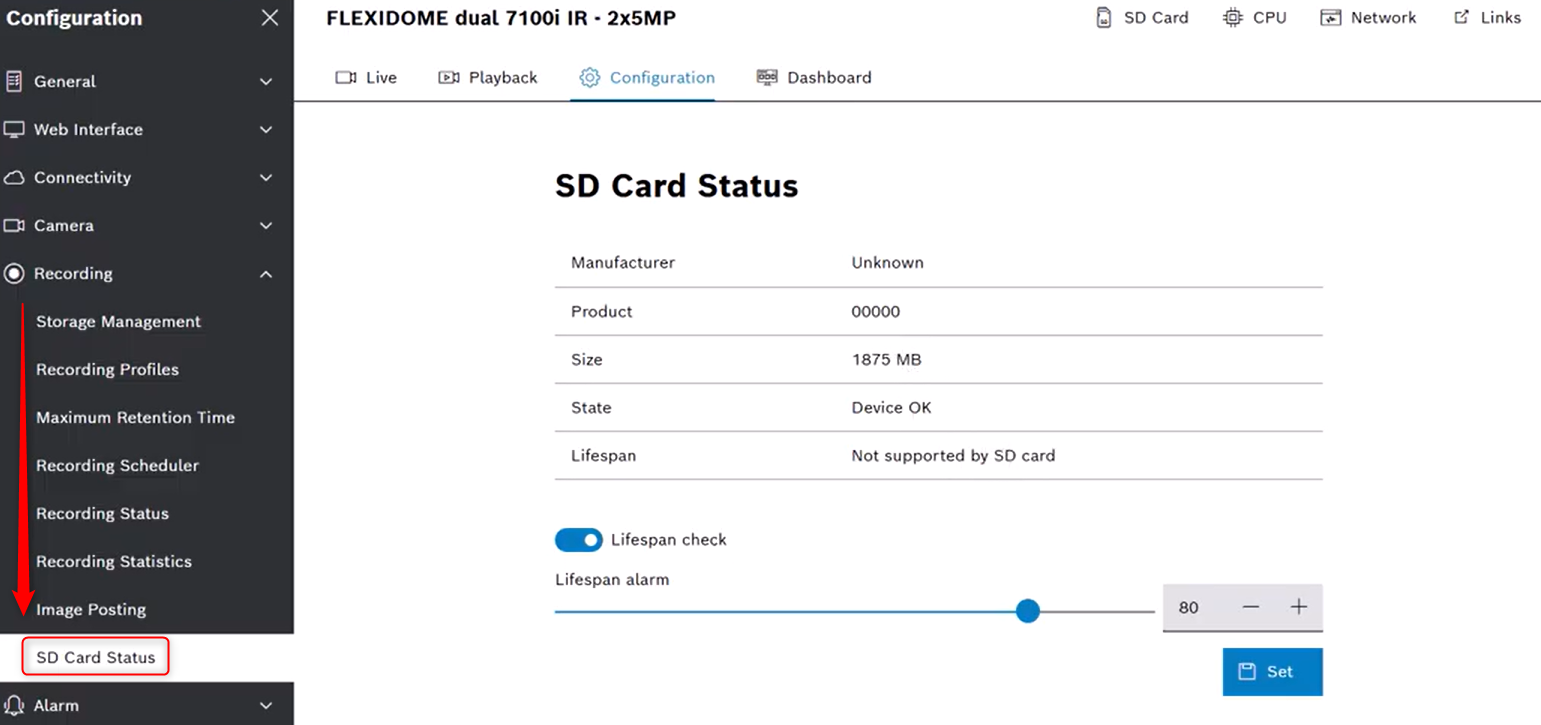
Go to SD card status, under the Recording tab
Here you can view details about the installed microSD card, such us manufacturer, product size, state, lifespan.
-
For non industrial micro SD cards, the lifespan options are not available.
-
When it's checked, the lifespan status is shown in the details of the micro SD cards.
-
If a micro SD card is not installed, “SD card not found” message is shown.
