Question
How can I export dewarped video for multiple panoramic cameras from Operator Client BVMS 14.0?
Answer
Export via Timeline:
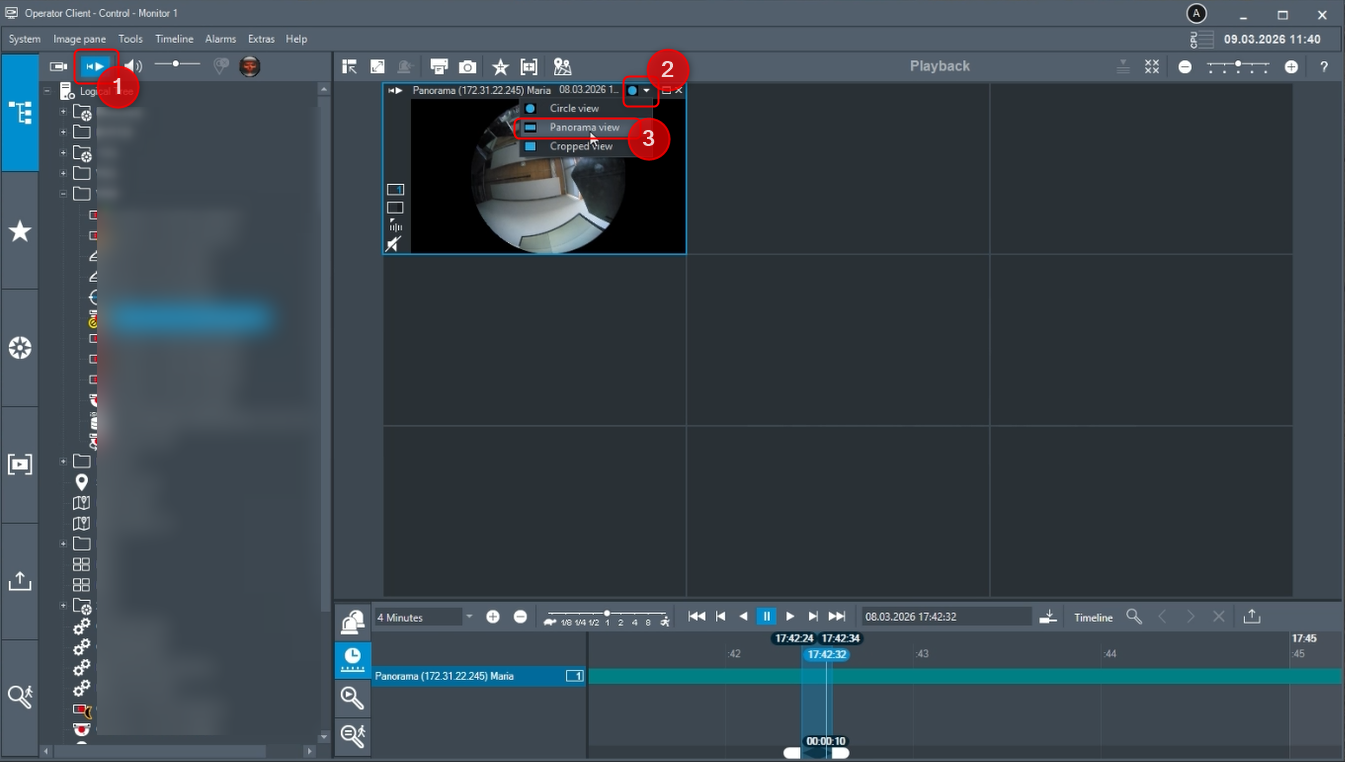
Go in Playback > add the Panoramic camera to the Cameo and set it to Panoramic view:
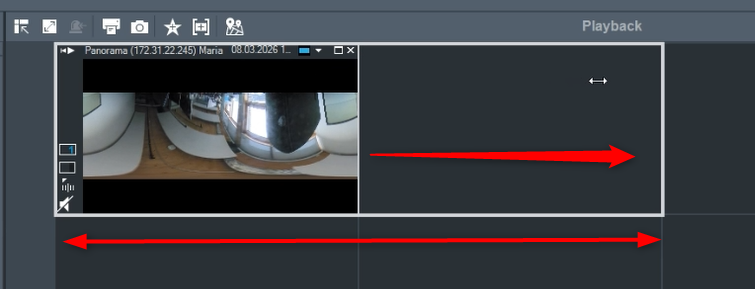
You can expand the camera’s image panoramic view by dragging the image to the left/right as shown below:
Add another Panoramic camera to the cameo:
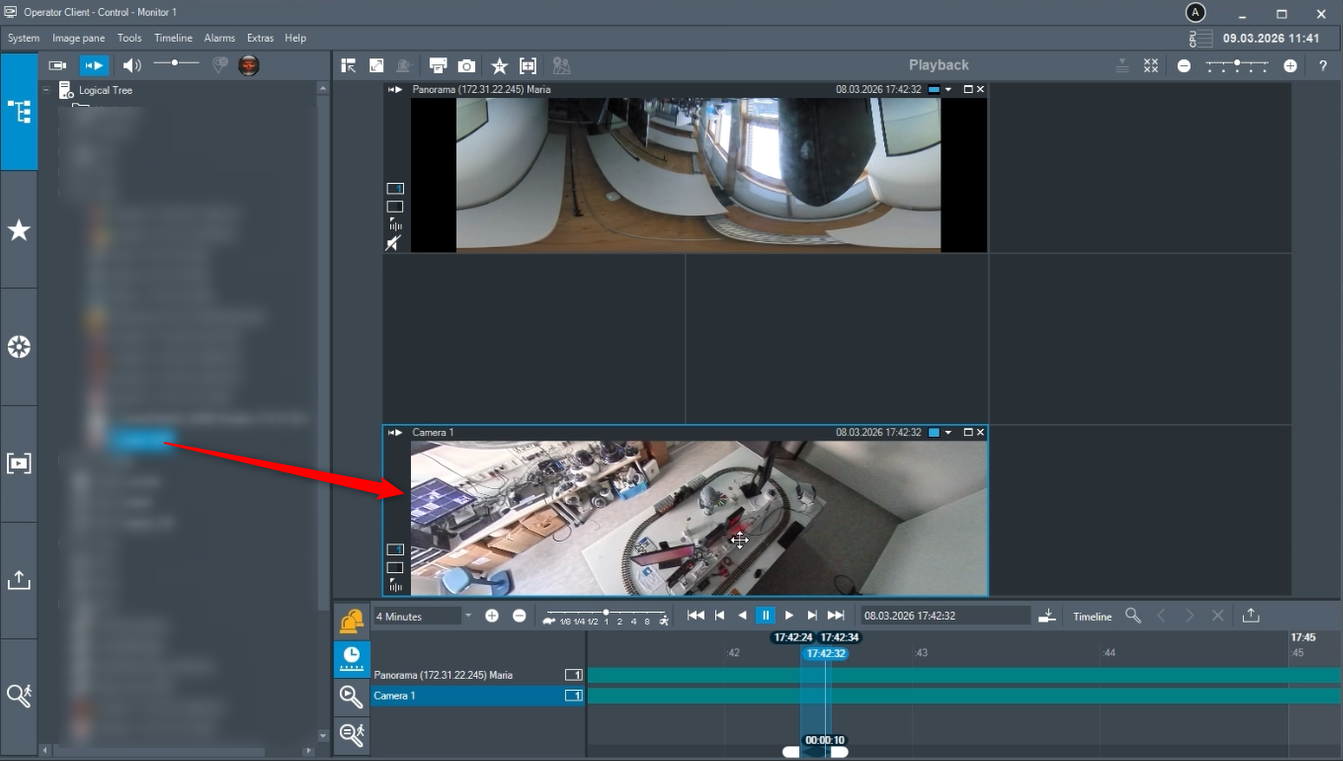
Select the time frame you want to export video for and click the Export icon:

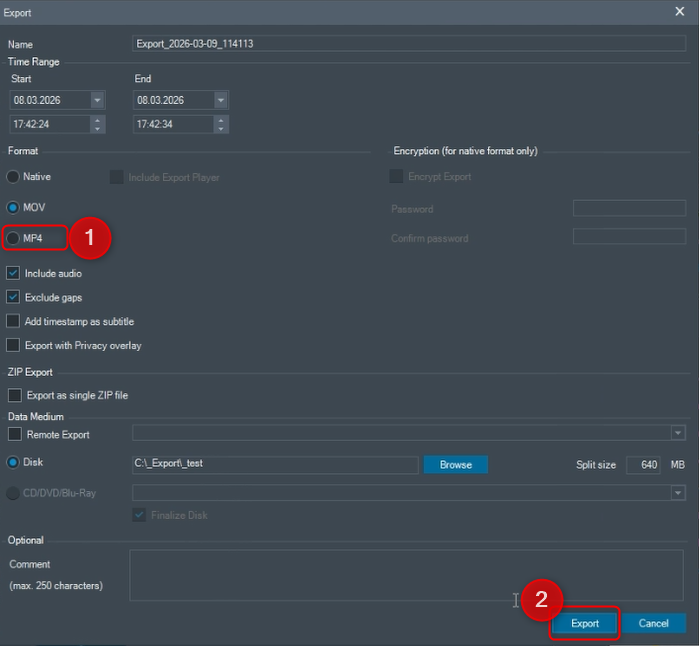
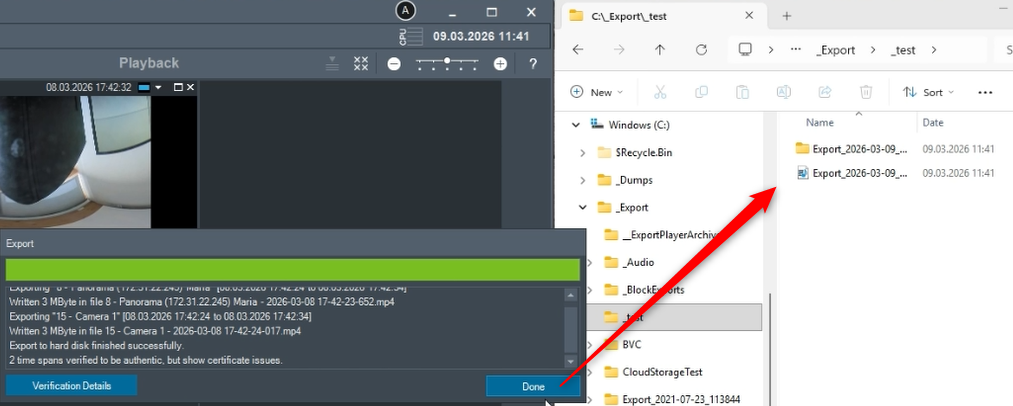
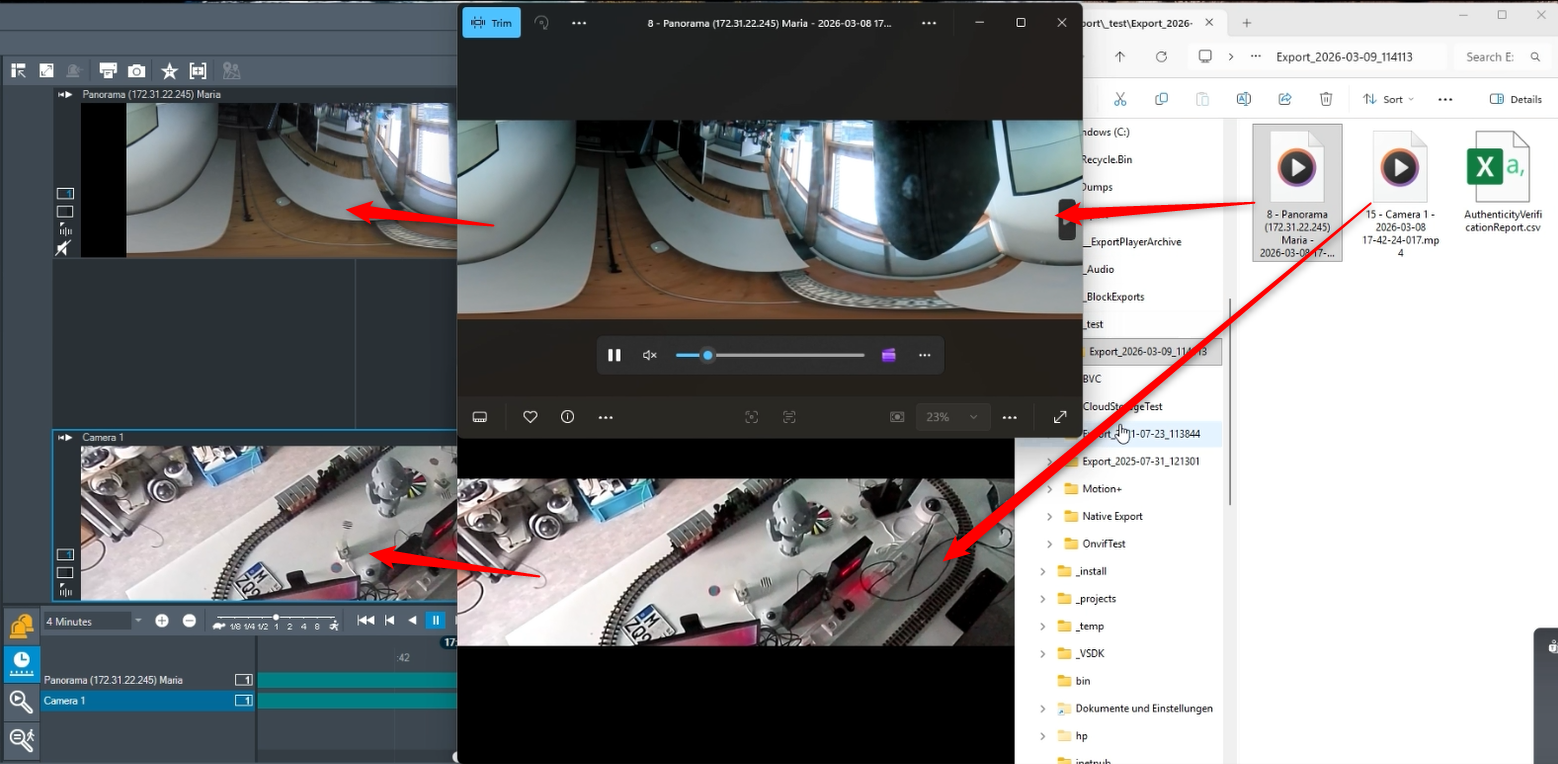
The video will be exported for both cameras in the destination folder as set: