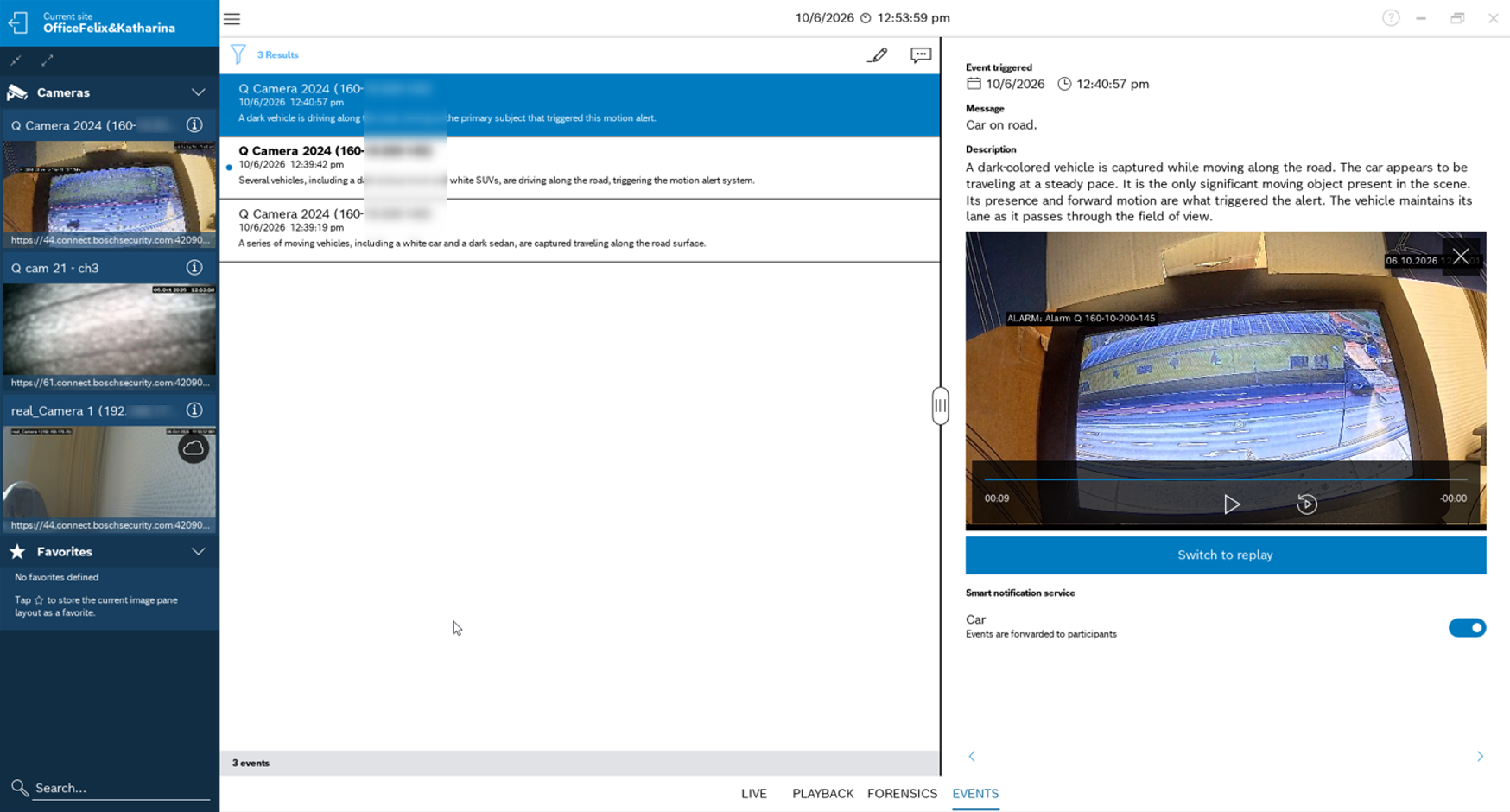
VideoView+ allows to receive push notification with text messages generated by artificial intelligence, the so-called AI event descriptions. A slightly longer version of the AI event descriptions are also shown in the event list in VSC.
AI Event Descriptions as push notifications and in the event list are automatically generated by an LLM based on the alarm frame and a fixed prompt.
Step-by-step guide
-
Configure push notification for VideoView+ as described in How to configure the VideoView+ service incl. push alarm notification?
-
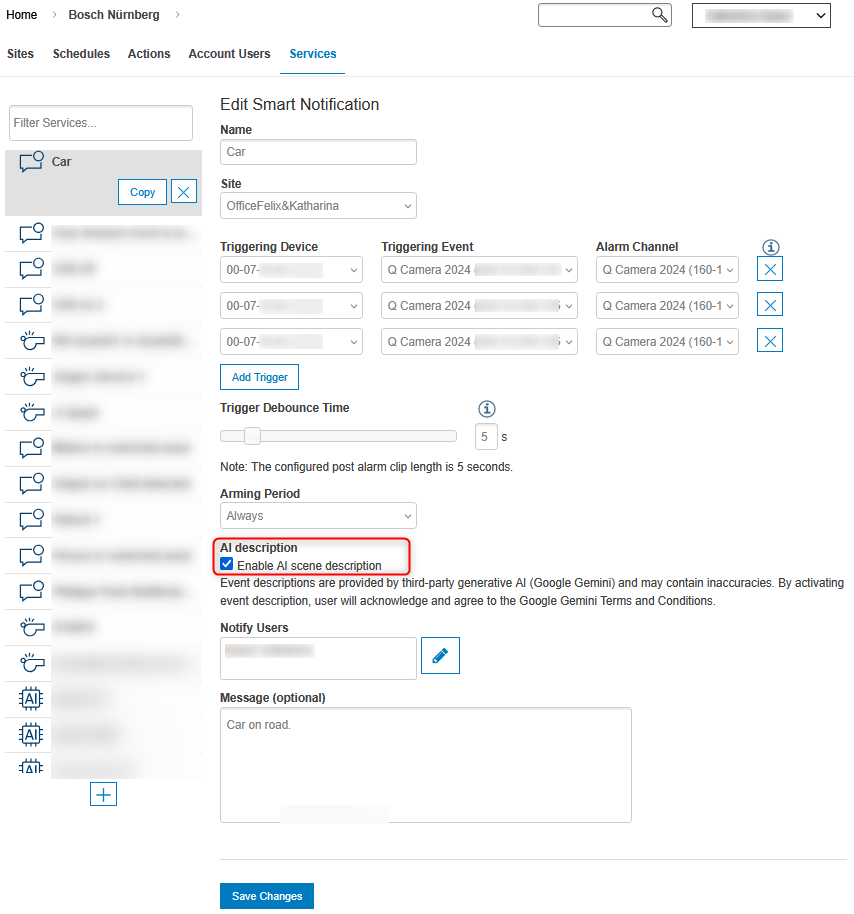
To activate the AI event descriptions, simply click under AI description the checkbox to enable AI scene description.
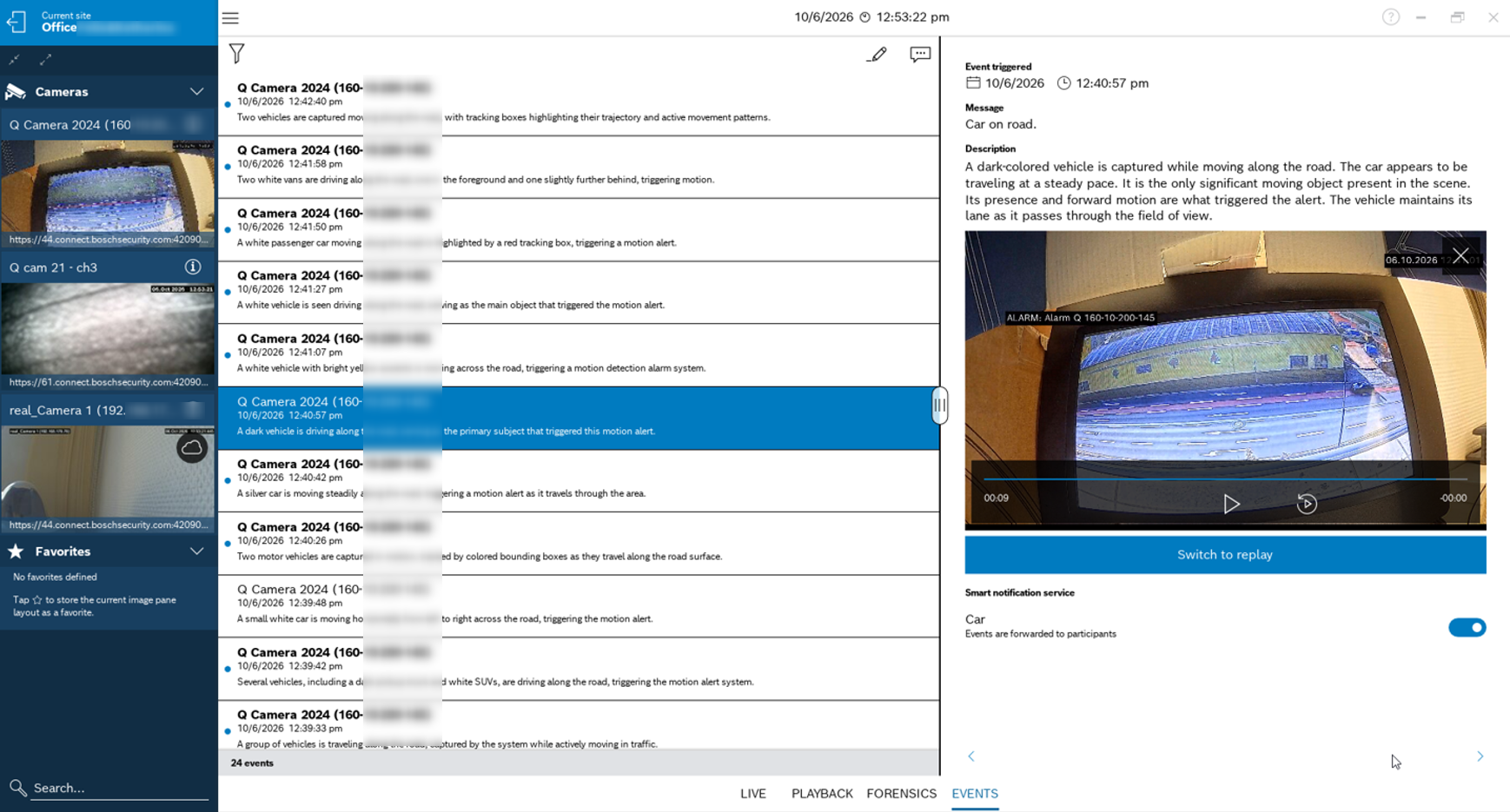
When you have connected your Alarm Management account in Video Security Client or Video Security app, you’ll see the alarms with the AI description in the event list and on mobile devices you’ll receive the push notification including the same AI description as message text. When selecting a specific event a longer AI event description is shown above the event clip describing the triggering event.
The event list can also be filtered using the filter function.
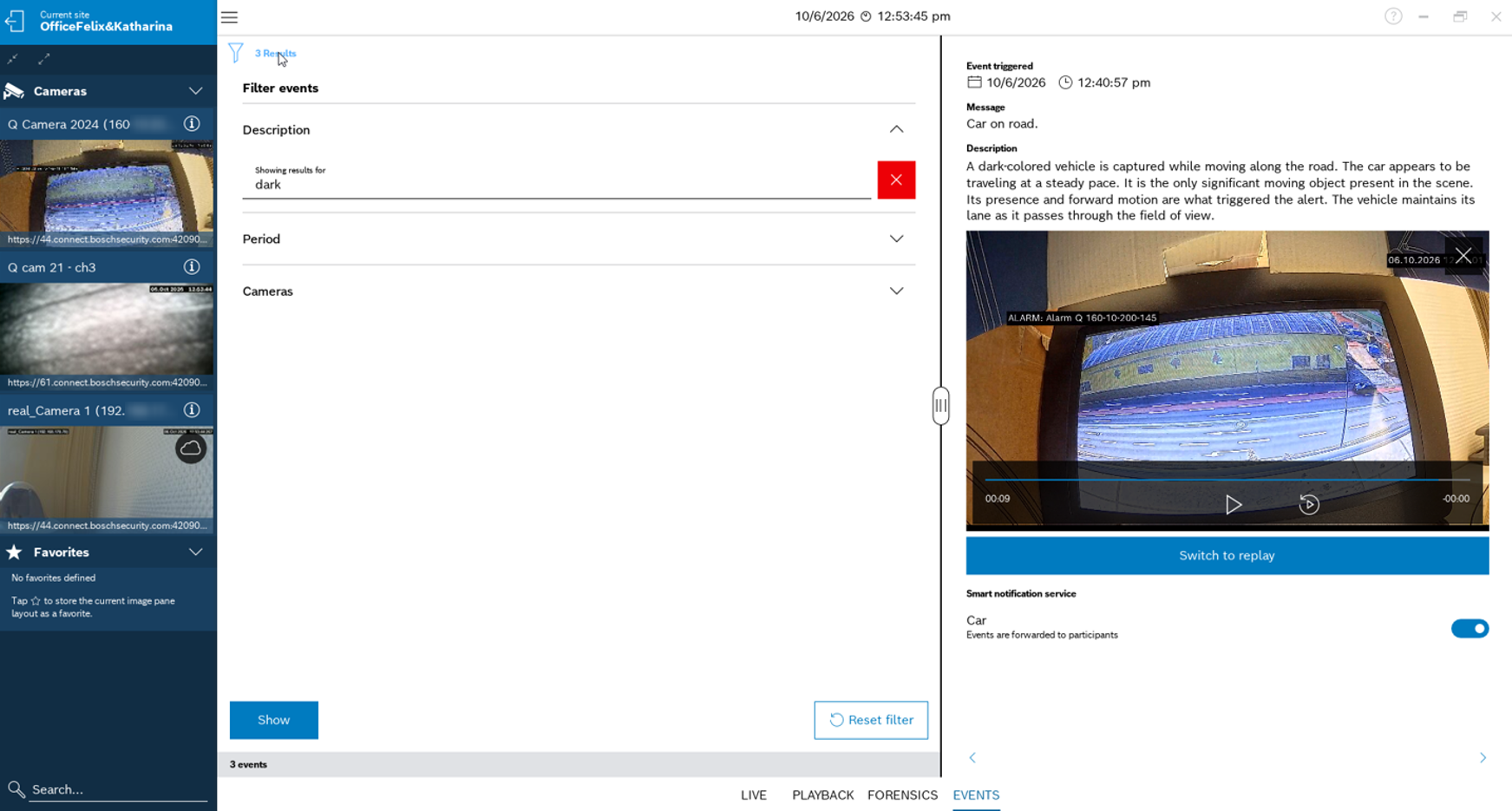
As a result only events with AI event description containing the filtered key word will be listed.