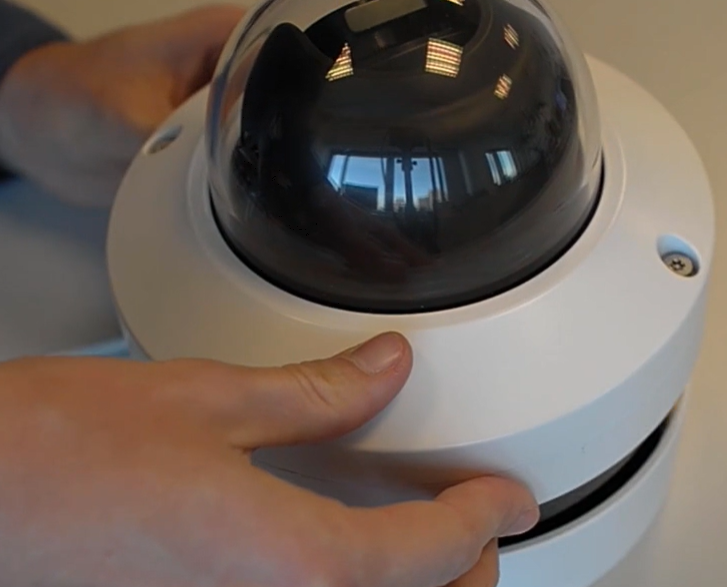
The FLEXIDOME IP starlight 8000i is a high-performance, intelligent camera known for its low-light capabilities and advanced features. Over time, there may be situations where a factory reset is necessary, whether for troubleshooting, restoring default settings, or preparing the camera for redeployment. One of the simplest methods to achieve this is through a hard reset using the built-in reset button.
In this guide, we’ll walk you through the steps to factory default the FLEXIDOME IP starlight 8000i camera with the reset button, ensuring you can quickly and efficiently restore your device to its original configuration.
Step-by-step guide
-
Dismount the mounted camera
-
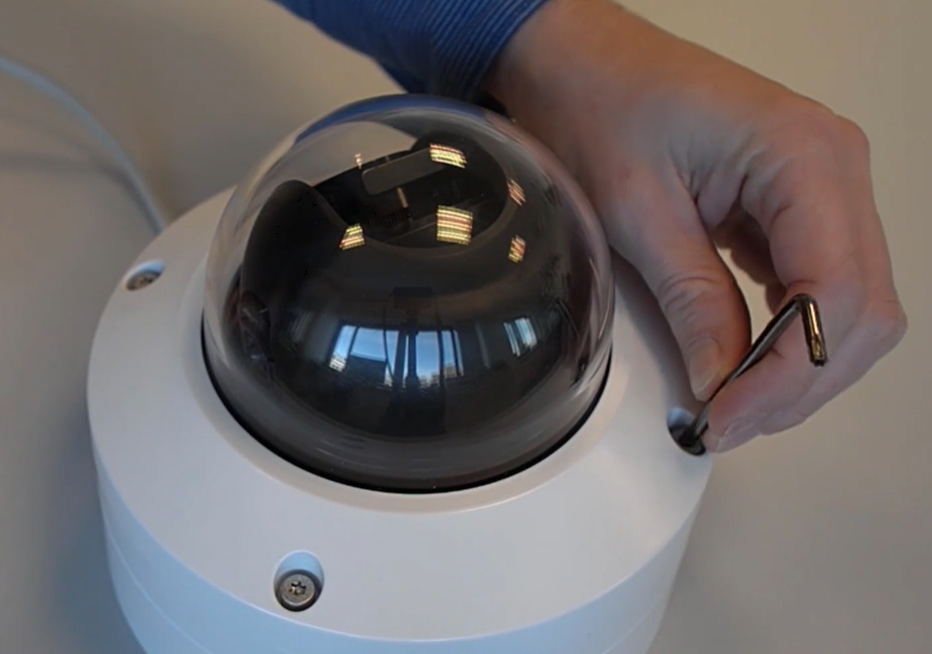
Remove the camera module from the camera base by unscrewing the 4 bolds
-
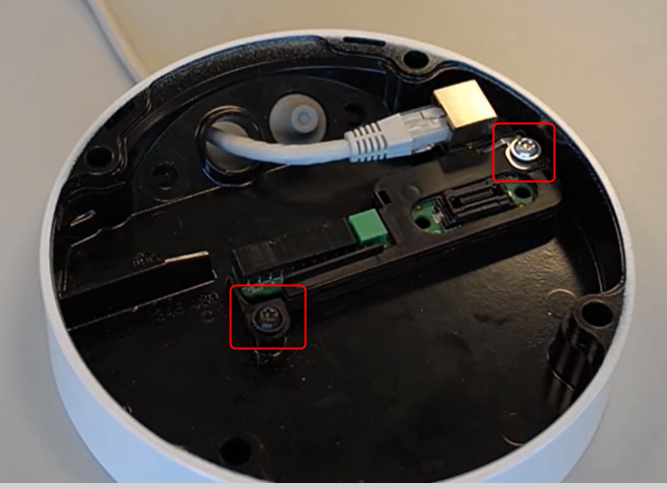
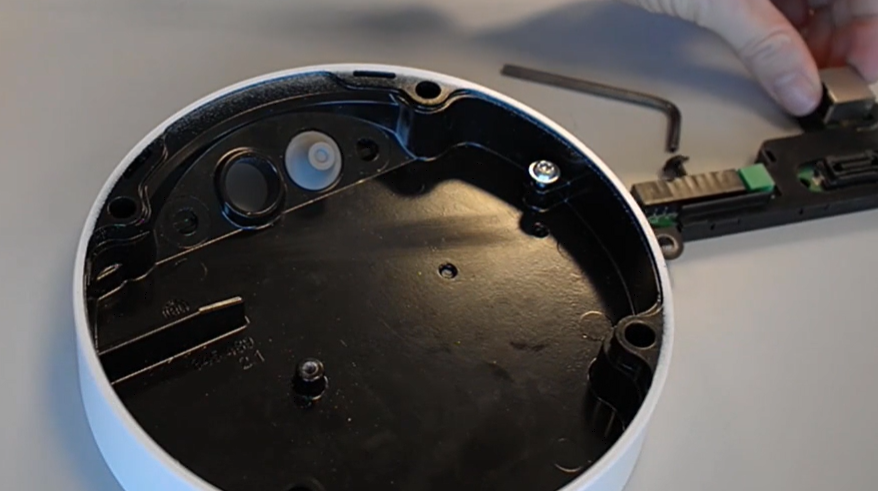
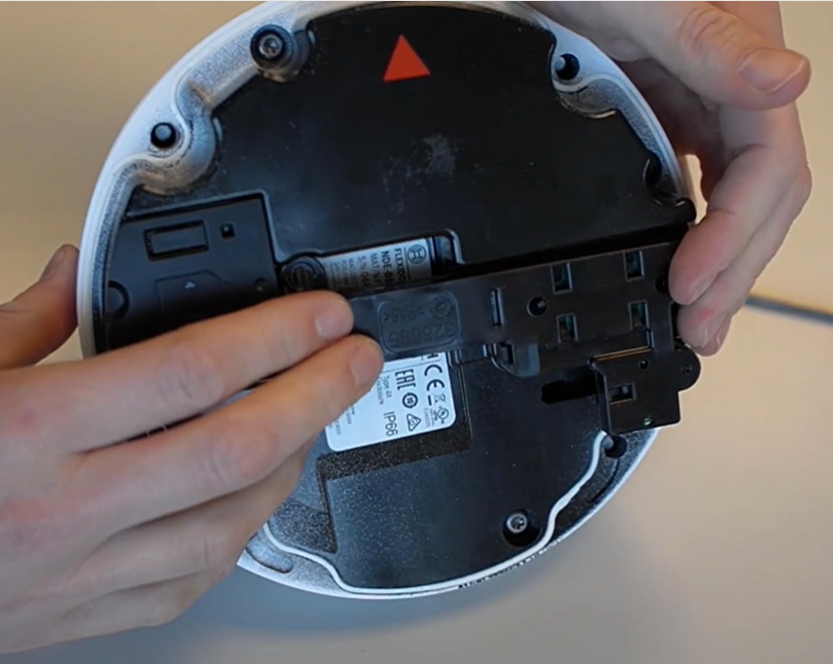
Remove the PoE cable and remove the print (connection PCB) by unscrewing the 2 screws that keep the print on its place
-
Place the print directly on the camera
-
Connect the network cable with PoE or a 24V AC / 12-26V DC cable to power the camera module and wait until the red led is off.
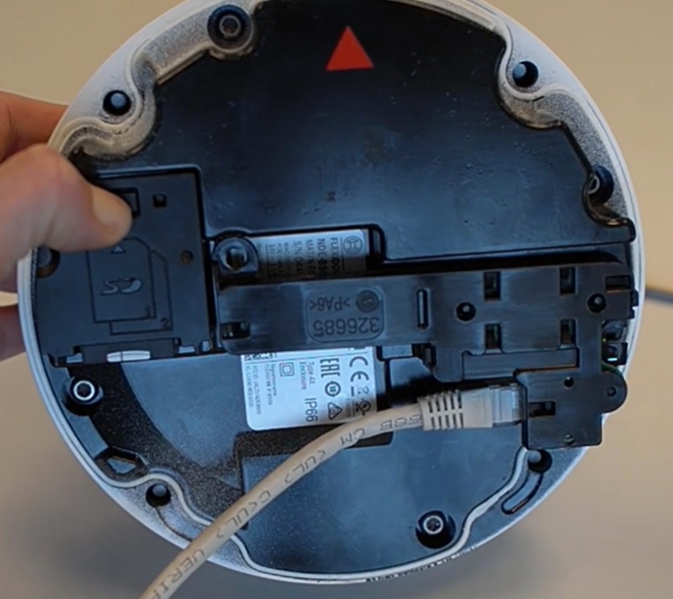
Then, press tightly and hold the reset button on top of the SD card slot for 15 seconds until the red LED starts blinking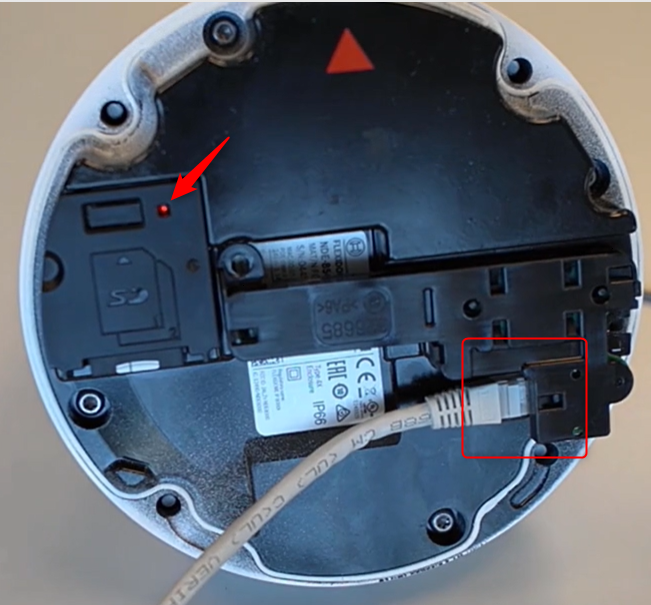
-
Release the reset button and wait 60 seconds for the LED light to turn off and for the reset to be complete.
-
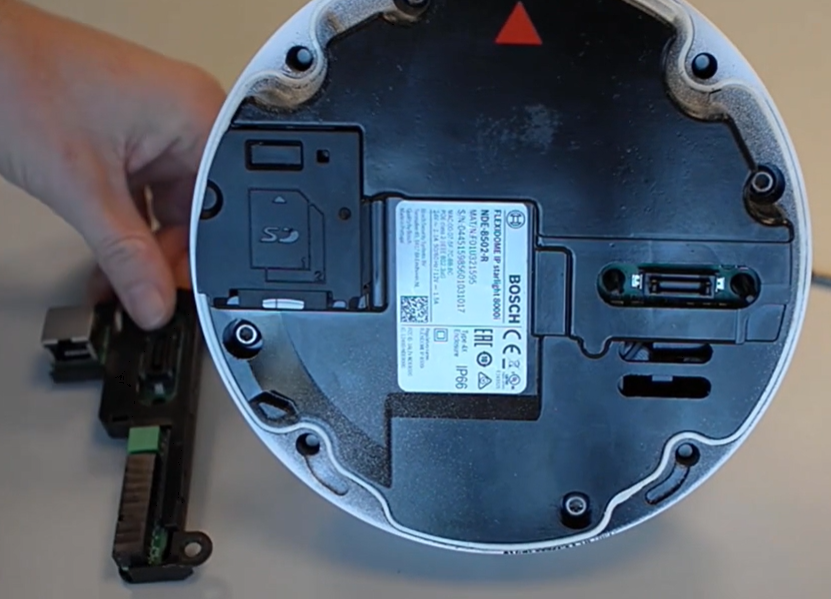
Just only after the LED is out, you can remove the connection PCB from the camera module. Disconnect the network or power cable from the camera module.
-
Now, place the print back into the mounting plate
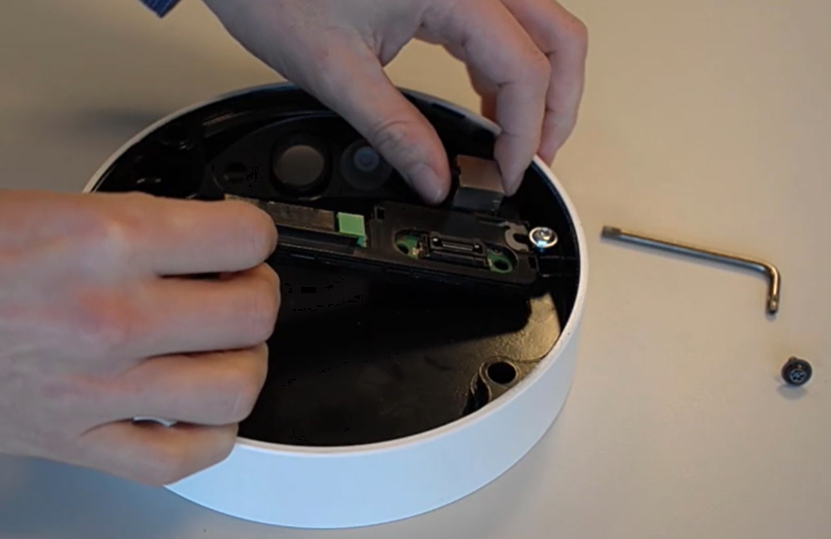
-
Place the mounting plate back and connect the network cable
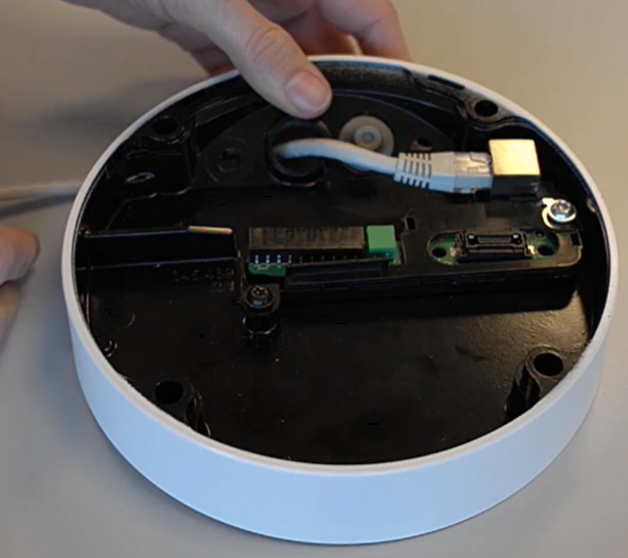
-
Place the camera module back and secure the 4 bolts