
🕒 This procedure takes in average ~ 5 min to complete
The motorized PTRZ (pan-tilt-roll-zoom) feature allows operators to adjust remotely the camera’s field of view without physically accessing the installation area, eliminating the need for additional site visits.
Step-by-step guide
The PTRZ can be configured in two ways: via the camera’s web interface or through the Bosch Project Assistant app.
Via web browser:
-
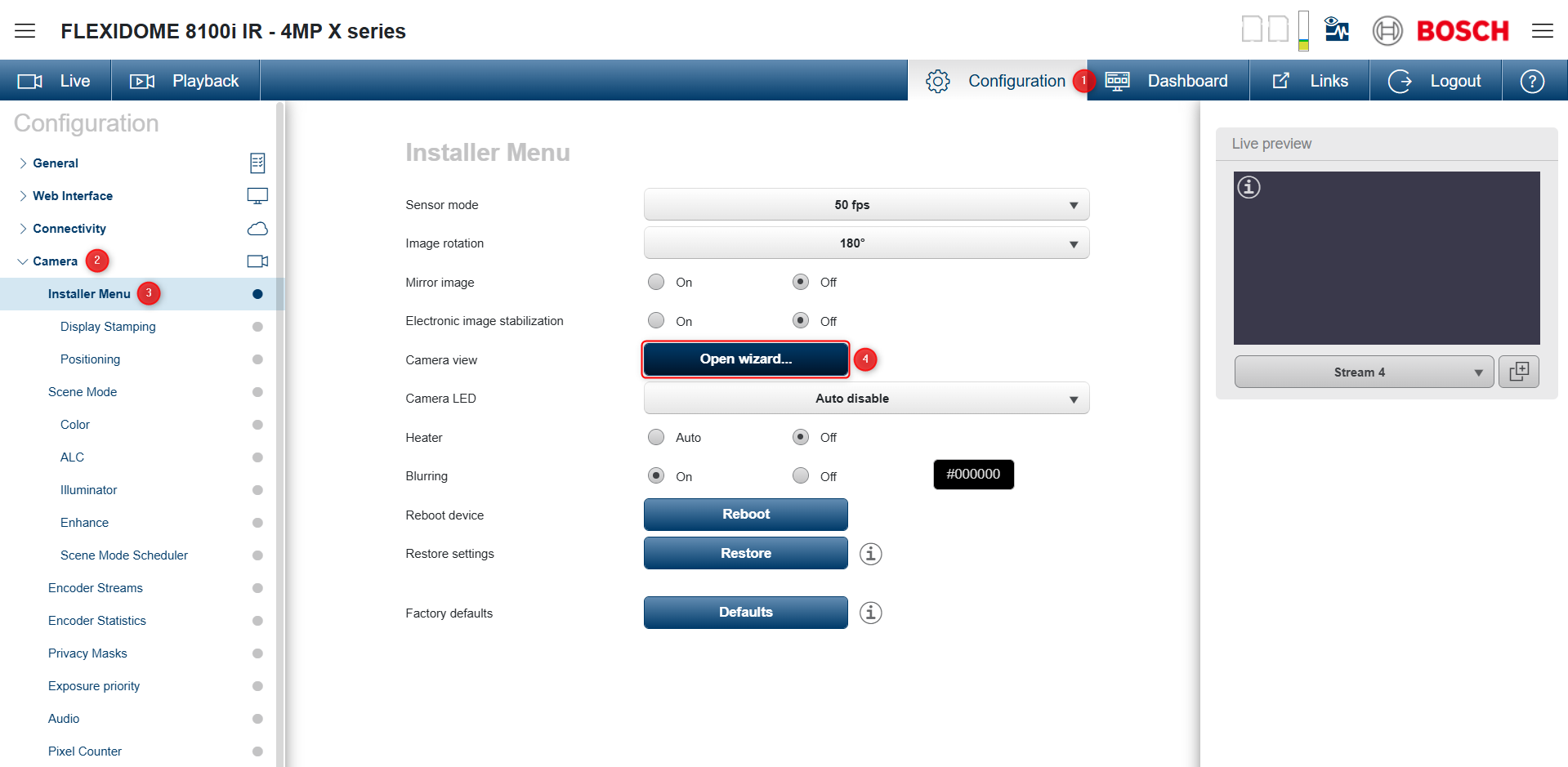
Open the camera’s web interface and navigate to:
Configuration -> Camera -> Installer Menu -> Camera view -> Open Wizard
-
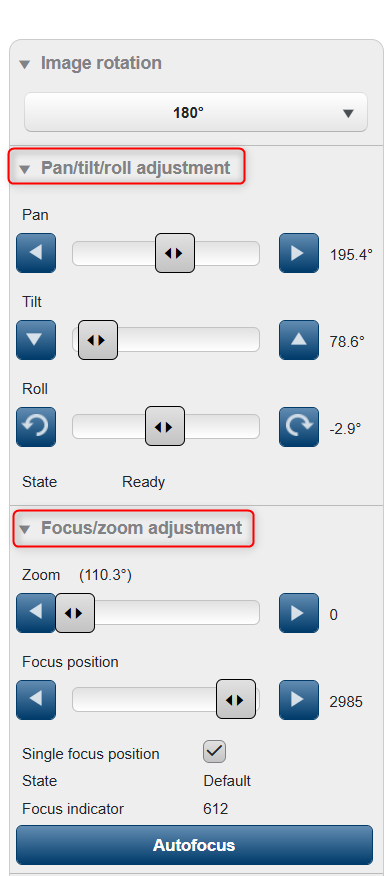
In the newly opened page, expand the Pan/tilt/roll and Focus/zoom adjustment sections
-
Adjust the camera’s position and focus as needed.
-
All changes will be saved automatically.
Through the Bosch Project Assistant app:
-
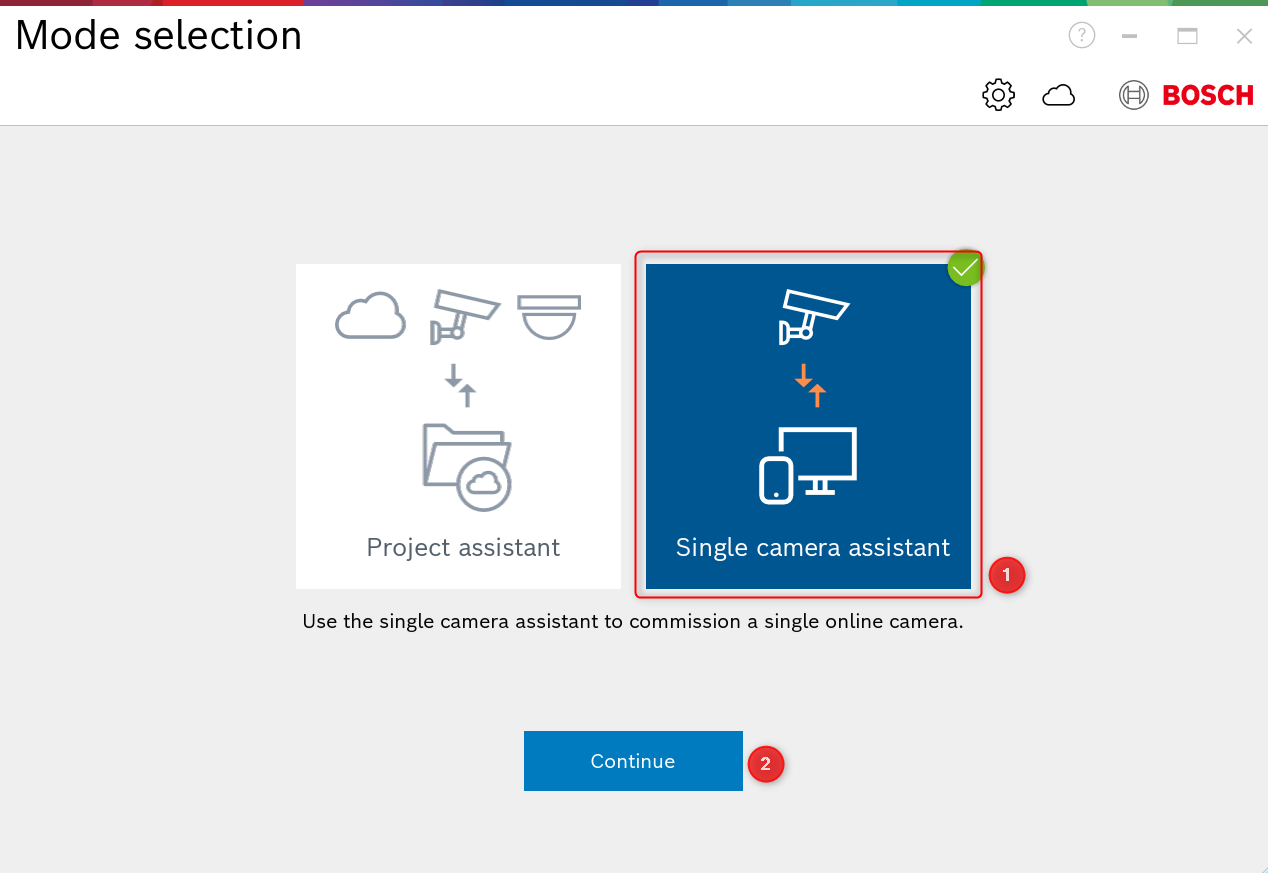
Open the Project Assistant app, select Single camera assistant and click Continue.
-
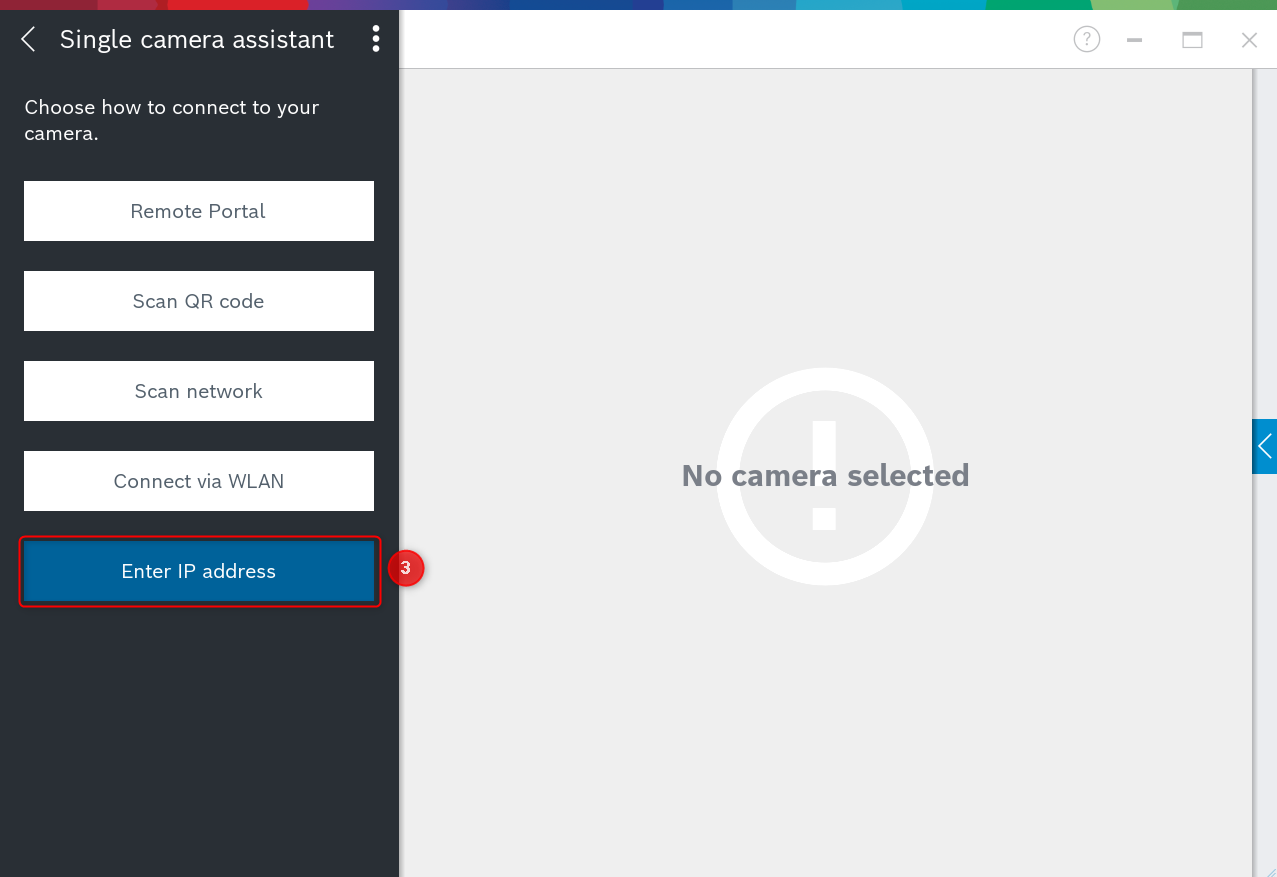
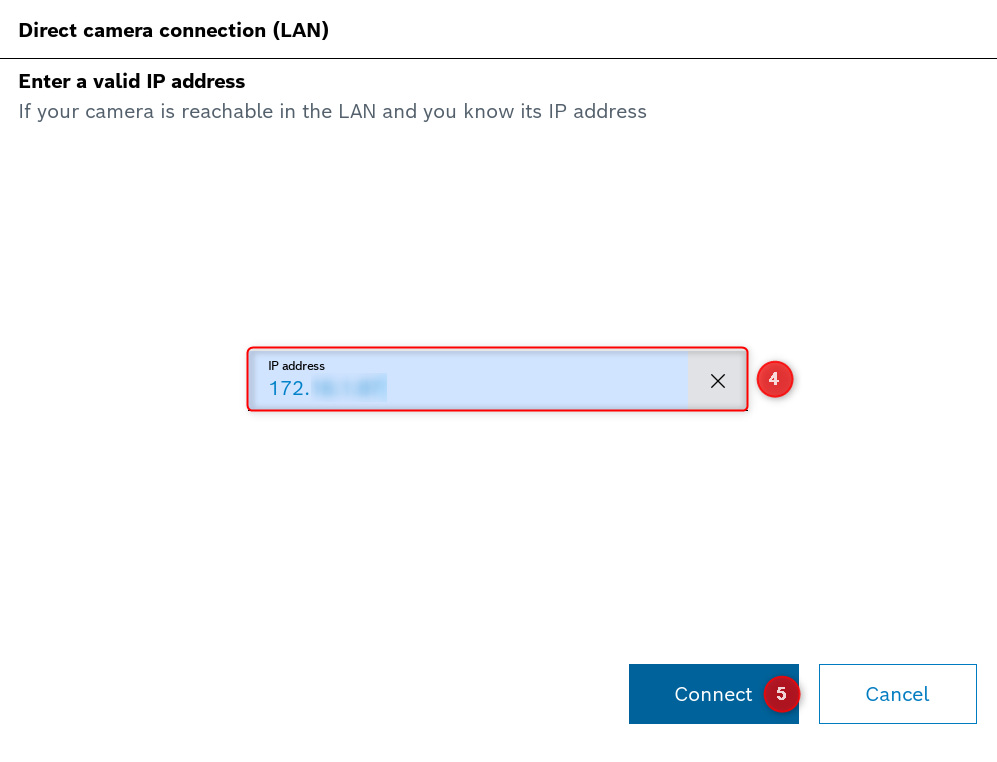
Choose Enter IP address, add the camera’s IP address and click Connect.
-
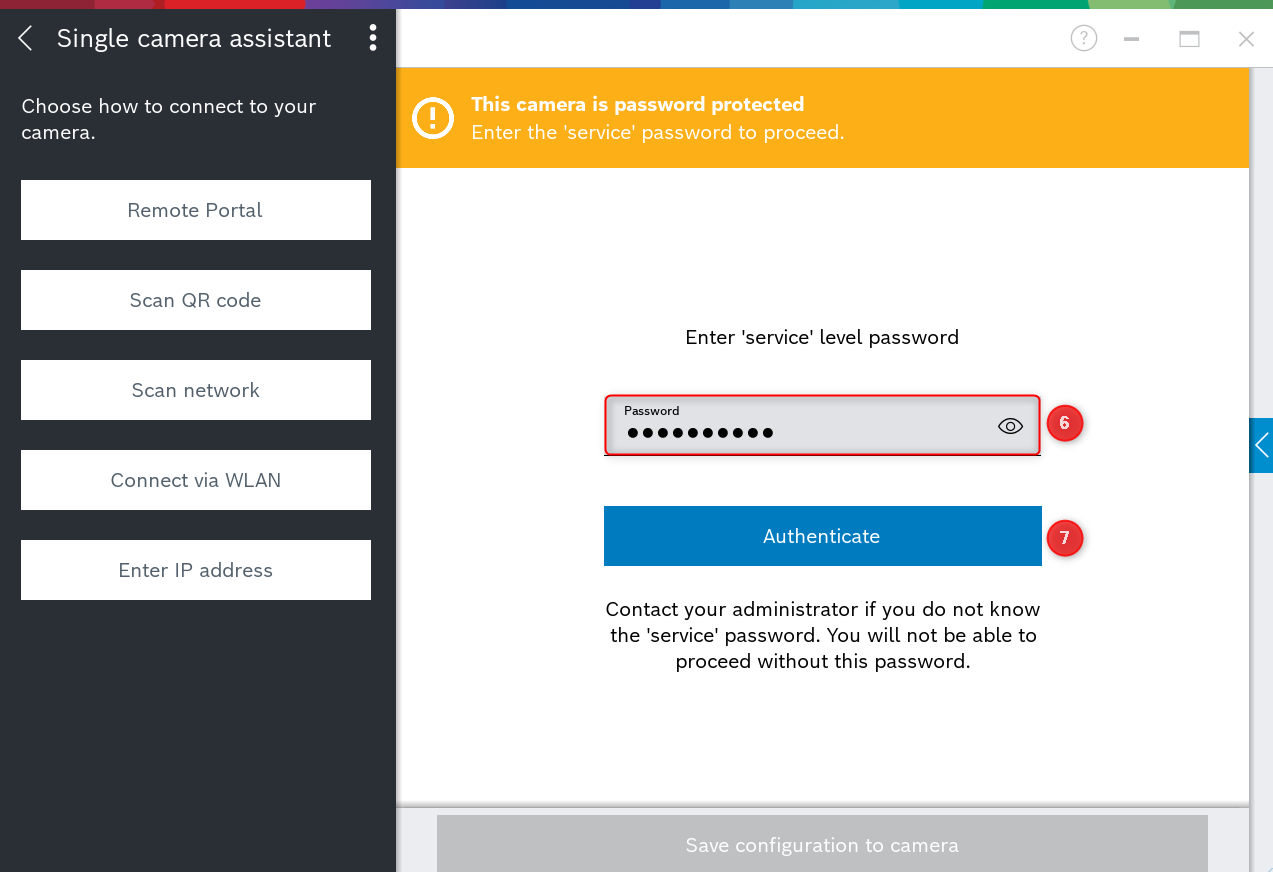
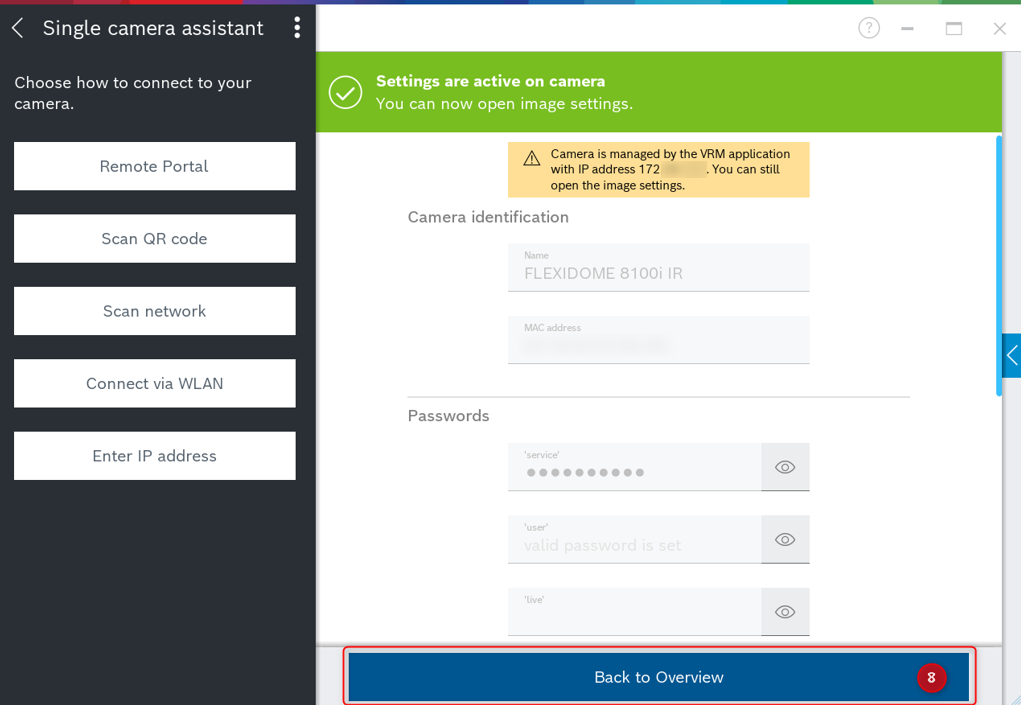
After adding the password, click Authenticate, then Back to Overview.
-
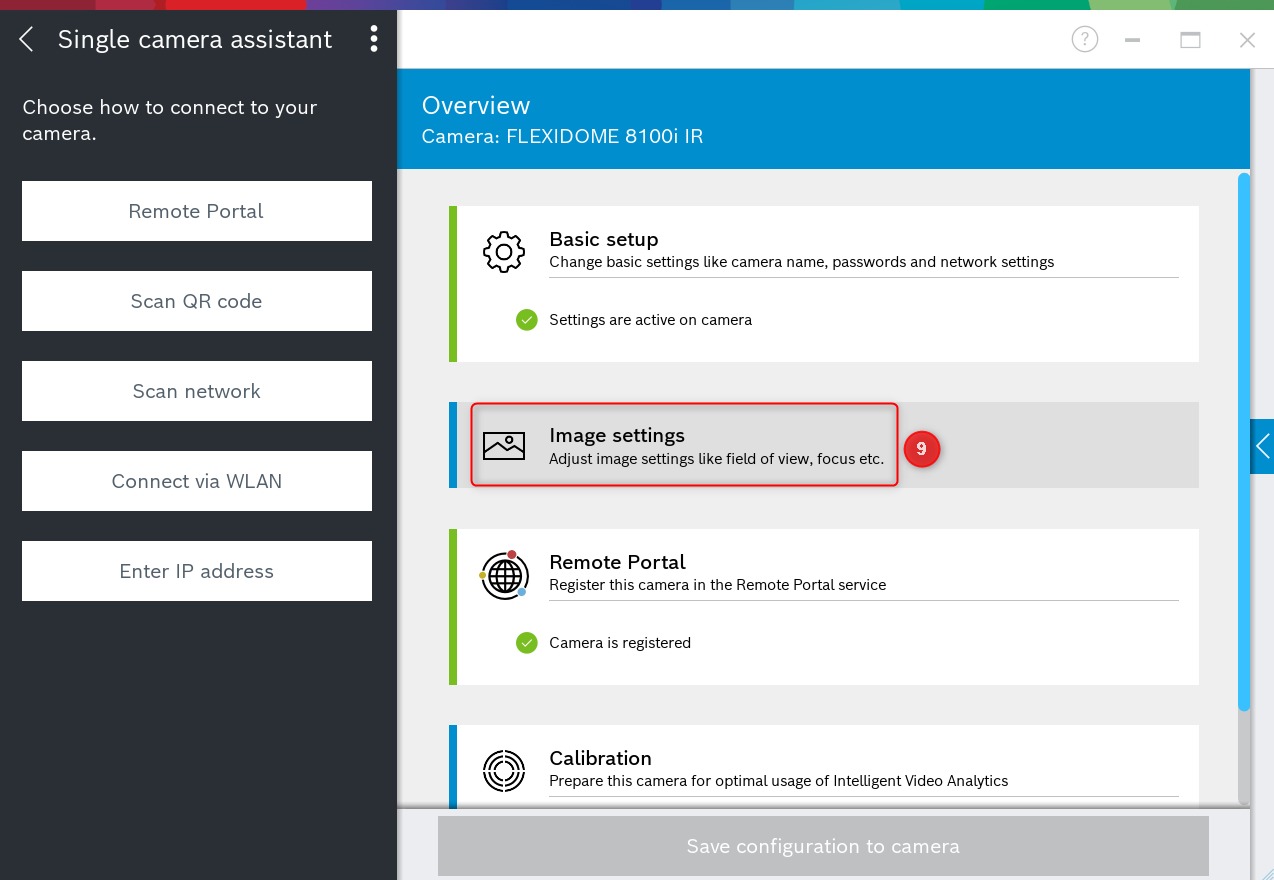
Go to Image settings, then open the Alignment tab. The Zoom option is visible by default. To display the Pan-Tilt-Roll options, enable Manual controls.
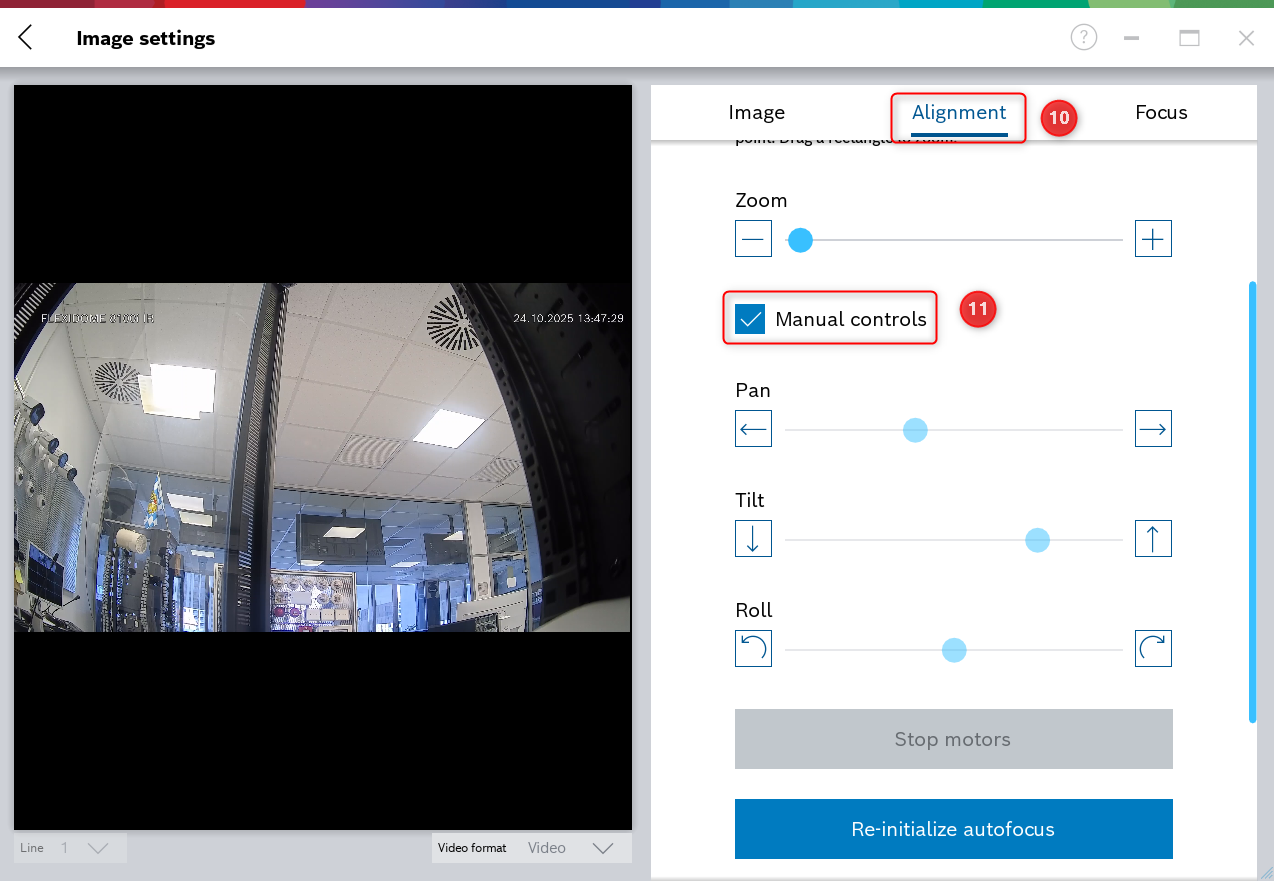
-
Adjust the PTRZ settings as needed.
-
As in the camera’s web interface, all changes will be saved automatically.
Note:
PTRZ configuration options are not available in Configuration Manager.
These settings are intended only for camera configuration and commissioning, not for day-to-day operation.