
Question
Is there an overview of Services subscribed/ expired (including expiration date) for my cameras in Remote Portal?
Answer
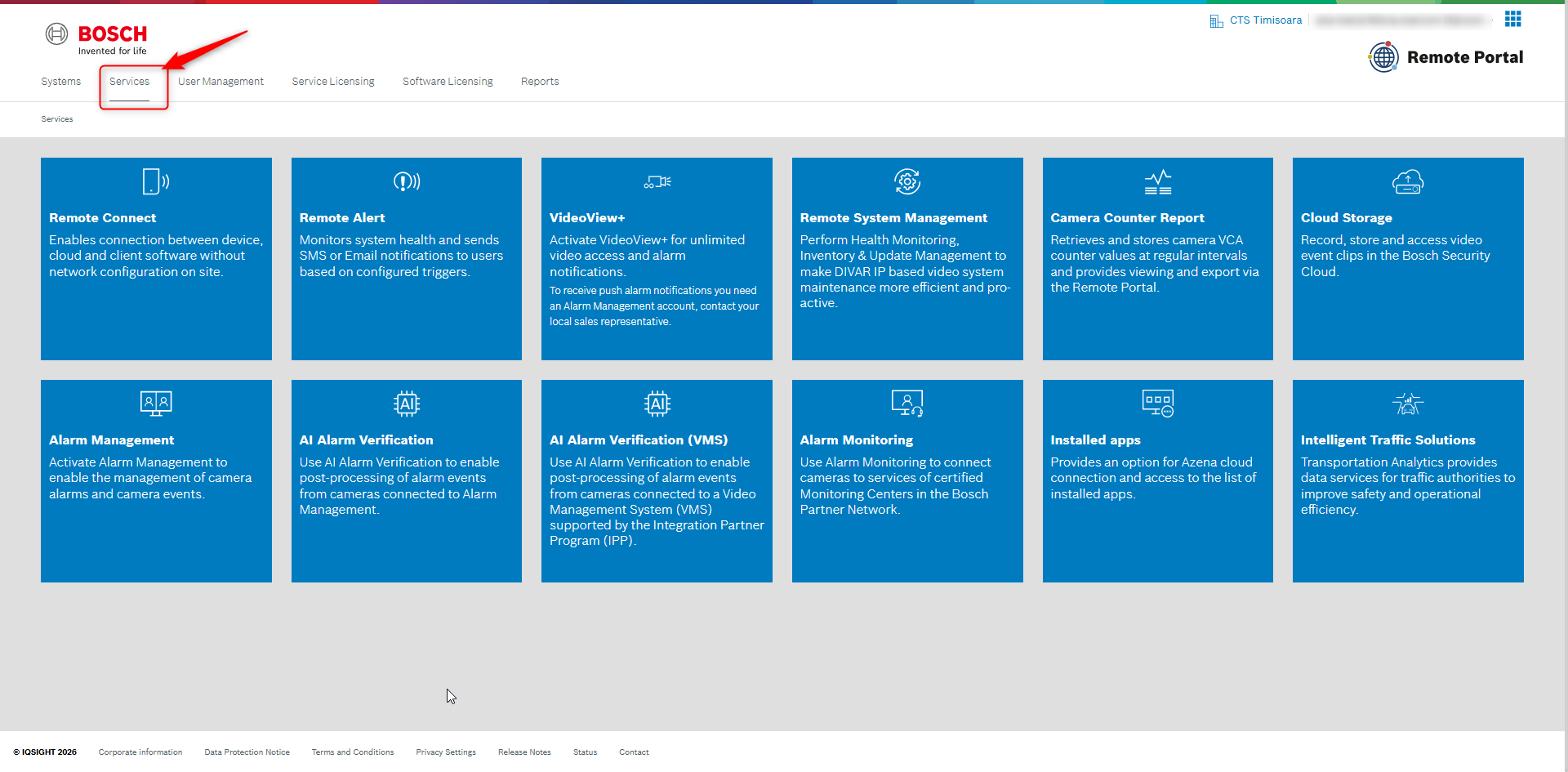
Remote Portal provides a centralized service subscription overview for all registered cameras under the Services tab.
Depending on the services activated on your cameras, you can first select the specific service that is relevant to you (for example VideoView+, Remote Alert, or Cloud Storage) and then review the subscription details for that service only.
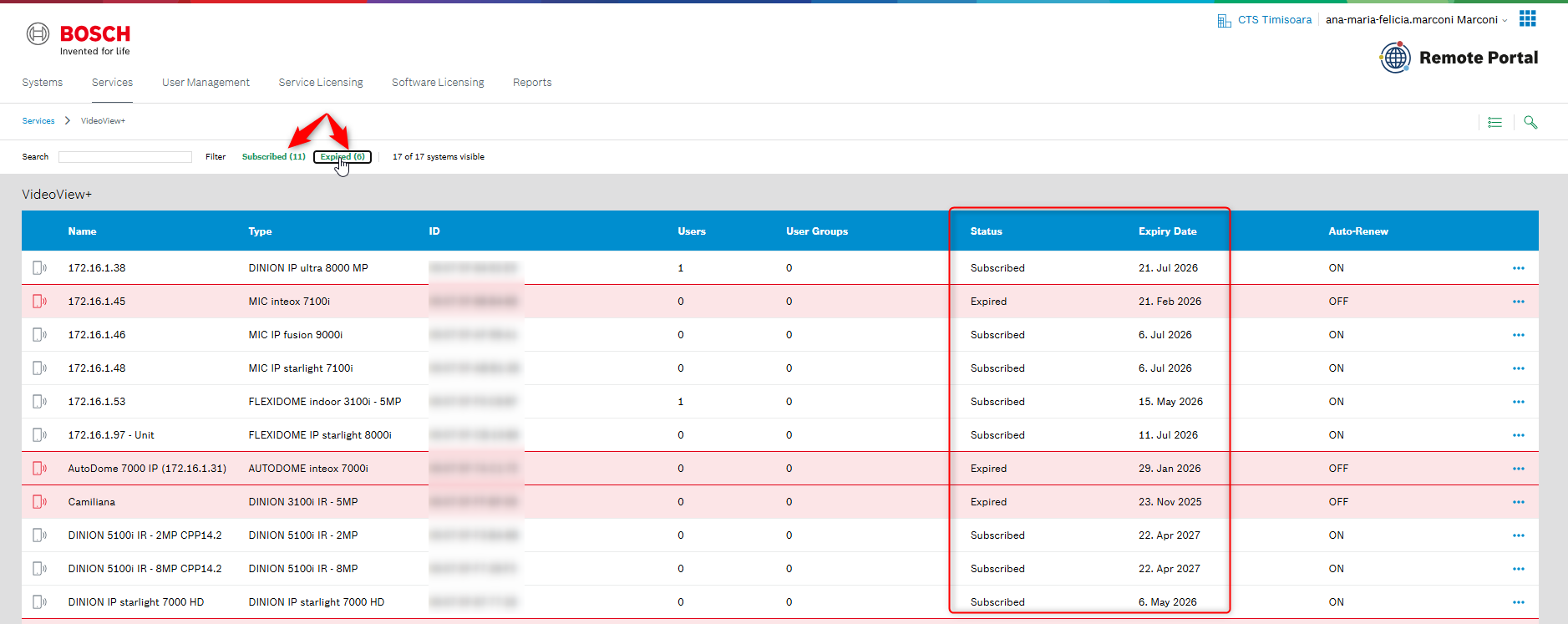
You can easily monitor the current status of each camera service, including:
-
Active or expired subscription status
-
Service expiration date
-
Auto-renewal setting
-
Assigned users and user groups
-
Camera name and device type
In addition, you can filter the list to display only Subscribed or only Expired services assigned to your cameras. This helps you to quickly identify expired services that may require renewal.
This overview helps you to:
-
Maintain full visibility of service availability across all cameras
-
Identify expired services immediately to prevent unexpected interruptions
-
Plan renewals proactively using the displayed expiration dates
-
Reduce administrative effort through a single management view
-
Improve system reliability by ensuring critical services remain active
With this feature, you can manage camera services more efficiently, take action before services expire and reduce the risk of service interruptions.