Possible causes and solution(s)
Symptoms
-
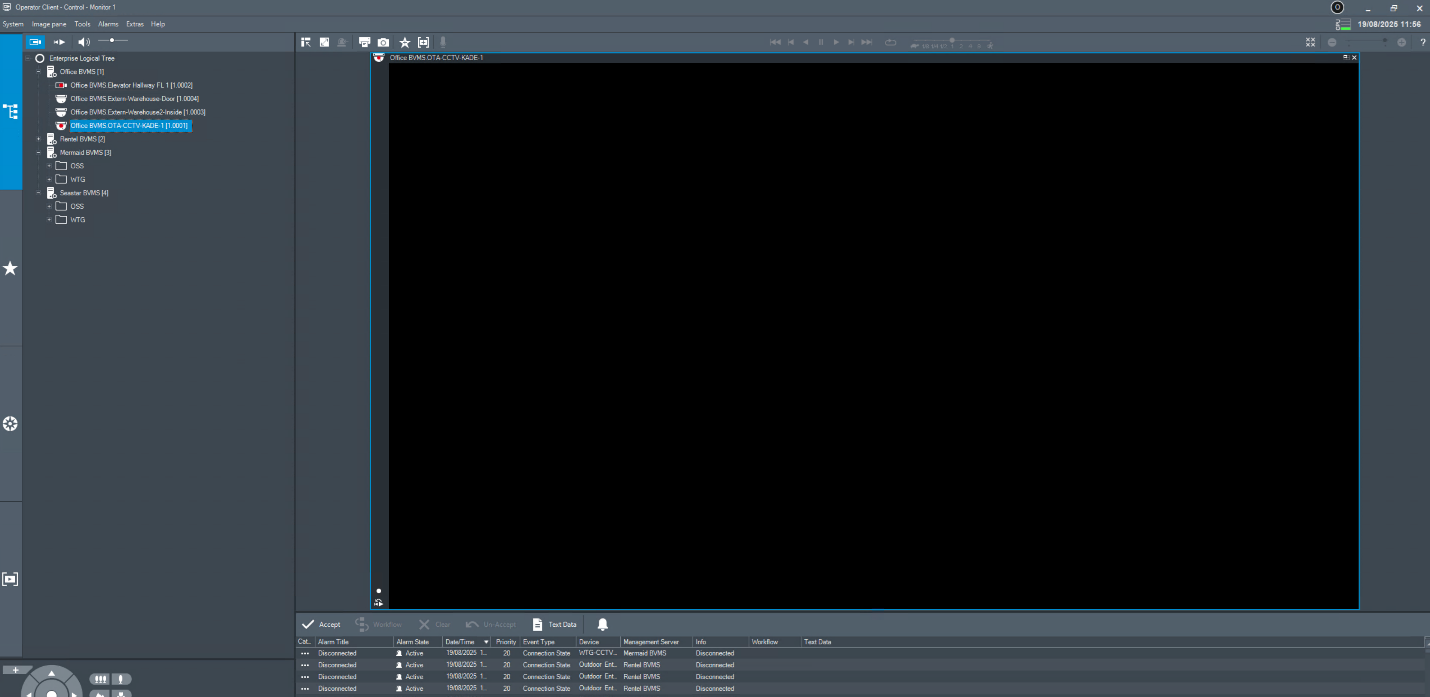
Cameras do not display live video (show black cameo) in Operator Client
-
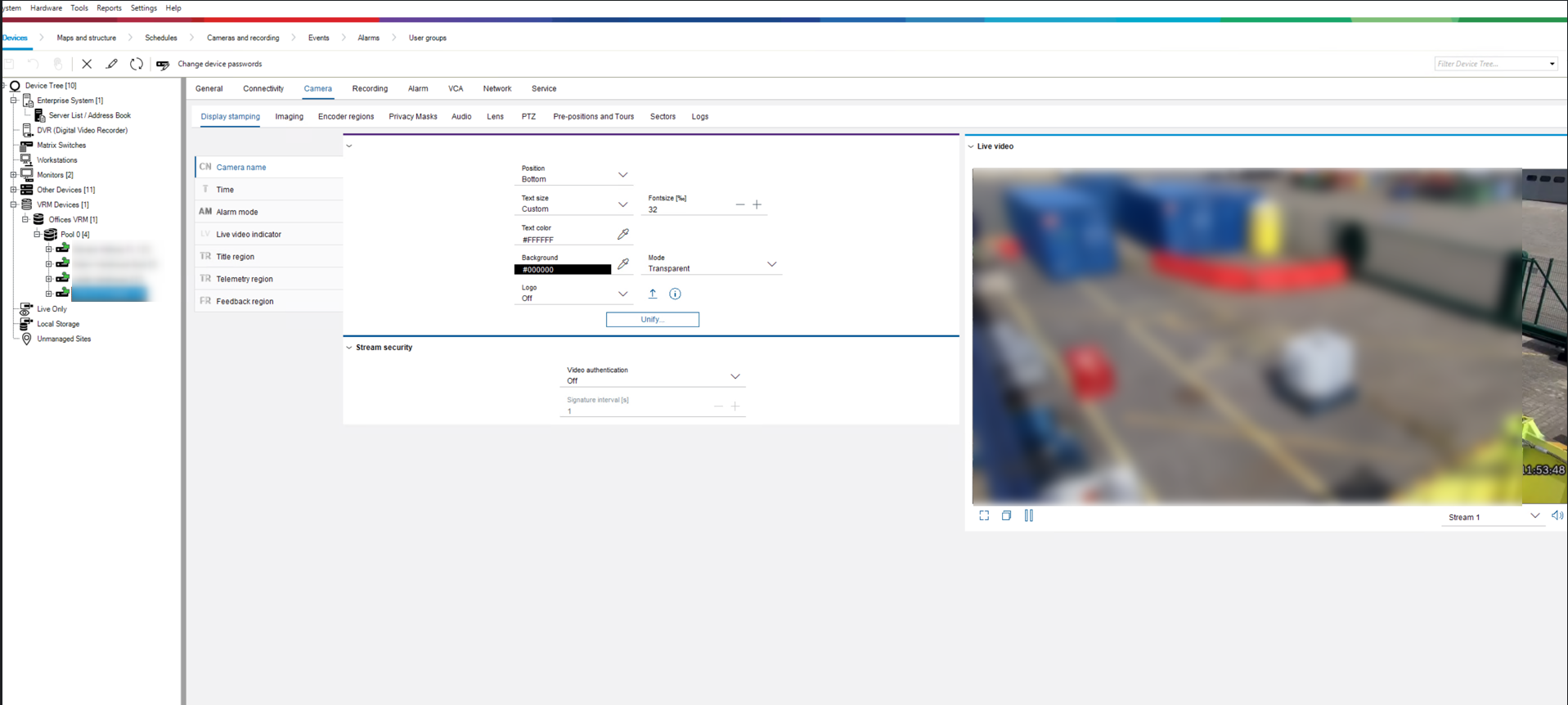
Video is shown correctly in Configuration Client
Operator Client:
Configuration Client:
-
The system is running BVMS 13.0
-
Both Operator Client and Configuration Client are running on the same server.
-
Cameras are configured in different subnet.
Causes
If only some cameras are affected, and all of them are all configured in another subnet, the issue is most likely related to routing.
TCP communication (recording, live image in Configuration Client and web interface) is likely allowed, but the RTP/UDP media stream does not reach the Operator Client.
Solution
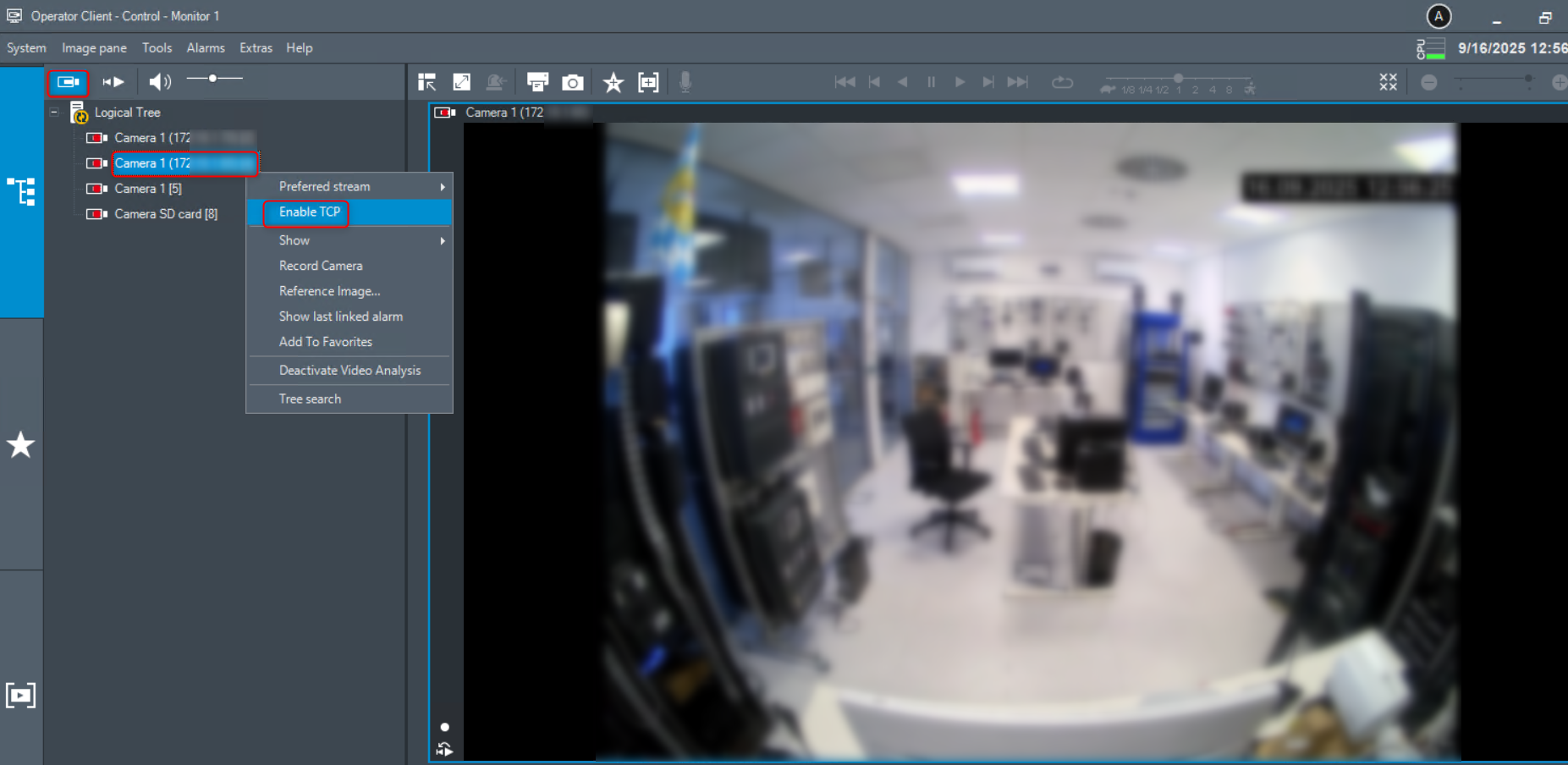
To resolve the issue, change the camera’s video streaming protocol in Operator Client from UDP to TCP.
To do this:
-
Access the camera from Operator Client
-
Go to Live View section and right-click on the camera
-
Select ‘Enable TCP’