
Question
What could be the cause of ‘Device configuration not supported’ in BVMS Configuration Client?
Scenario:
-
FLEXIDOME IP indoor 8000i (CPP7.3 with FW 7.84.0023) camera is added to an existing BVMS setup v10.0.1
-
The camera loads correctly, and both live and recorded footage are available via Operator Client.
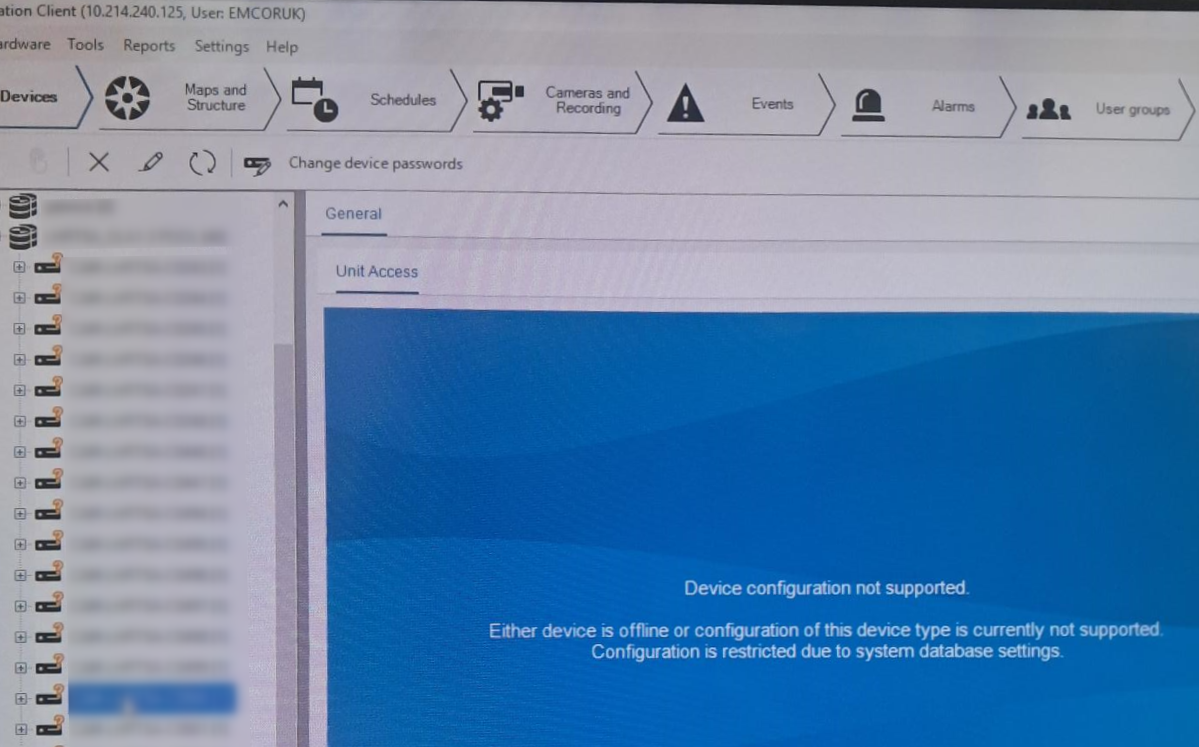
However, in Configuration Client, the following message appears:
"Device configuration not supported. Either the device is offline or configuration of this device type is currently not supported. Configuration is restricted due to system database settings."
Answer
Before adding a camera to a BVMS system, ensure compatibility between the camera’s firmware version and the BVMS version used. This information can be found in the “Versions” chapter of the BVMS Release Notes.
In this scenario, according to the BVMS v10.0.1 Release Notes, the tested firmware versions for the FLEXIDOME IP indoor 8000i (CPP7.3) were 7.60.0018 and 7.61.0023.
The camera firmware v7.84.0023 was not tested with BVMS v10.0.1. Therefore, it currently runs in compatibility mode, and the message is expected.
As these older firmware versions are no longer available, it is recommended to use the latest firmware version from the Download Area for security and proper camera functionality.
Please note that this camera (CPP7.3 with FW v7.84.0023) requires BVMS v11.1.1 or newer for configuration support. See details in Versions chapter in the BVMS v11.1.1 Release Notes.
Also, BVMS 10.0.1 reached End of Life on 03.04.2025 and is no longer supported.
To resolve the issue, upgrade the BVMS software to version 11.1.1 or newer, ensuring that sufficient Software Maintenance Agreement (SMA) coverage is available.
For BVMS v11.1.1, which is no longer publicly available, please follow the legacy software request process described in KEENFINITY Video support - Firmware and Software requests.
Recommendation:
Upgrading or installing the latest BVMS version available in the Download Area is recommended. The latest version ensures security, stability, compatibility with current device firmware, and continued support, while also providing access to new features and improved performance.
Please always check the “Versions” chapter of the BVMS Release Notes before adding any device to confirm that the firmware version installed on your camera is officially supported and was tested in your BVMS version. This prevents configuration issues and ensures optimal system performance.