
Question
What to do if the Image Pane Optimize is not switching streams in Operator Client (BVMS 12.3, FLEXIDOME 8100i)?
Scenario:
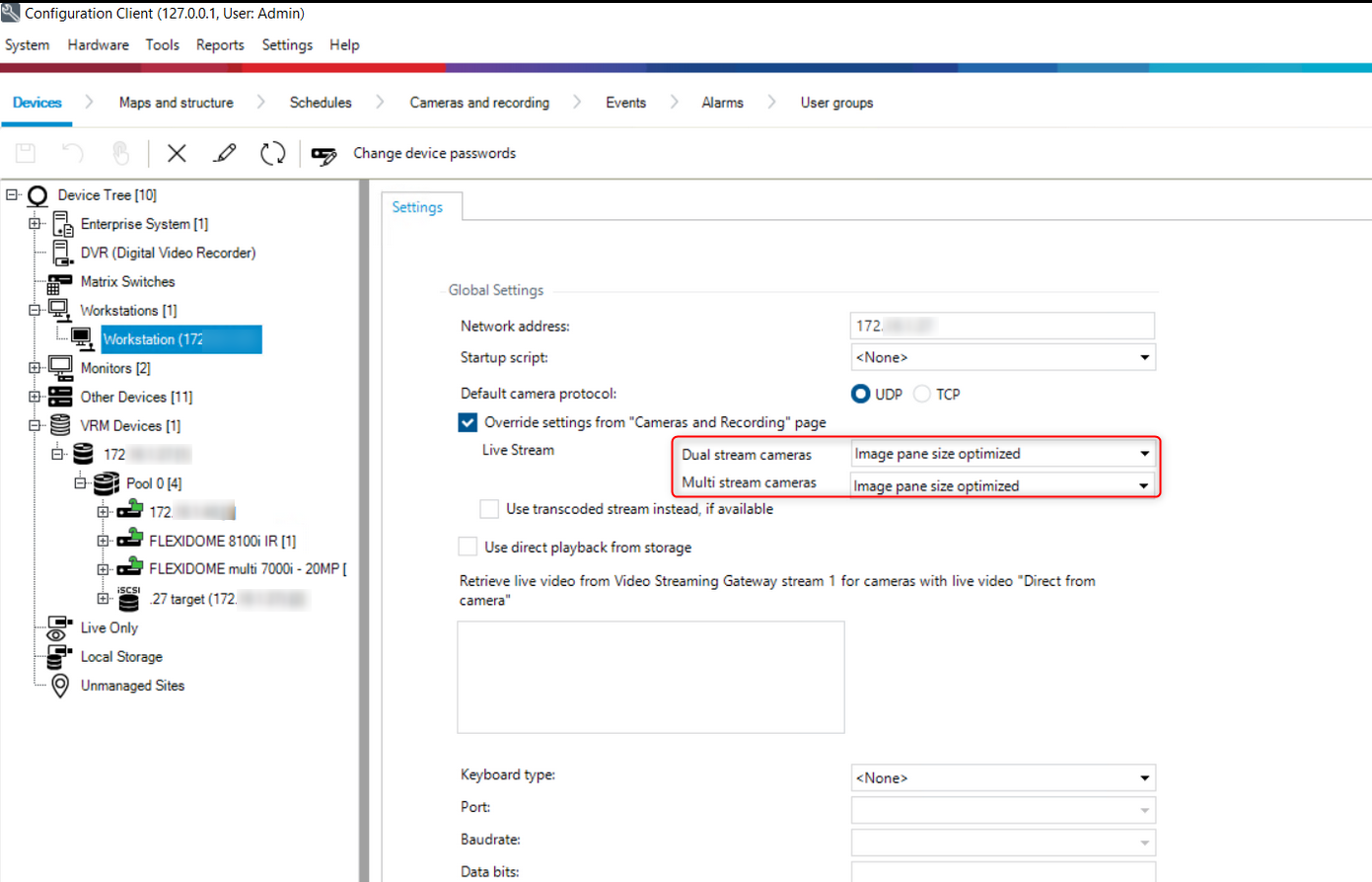
The “Image Pane Optimize” setting, under workstation, in Configuration Client (BVMS v12.3) for the FLEXIDOME 8100i camera doesn’t automatically switch streams in Operator Client:
Answer
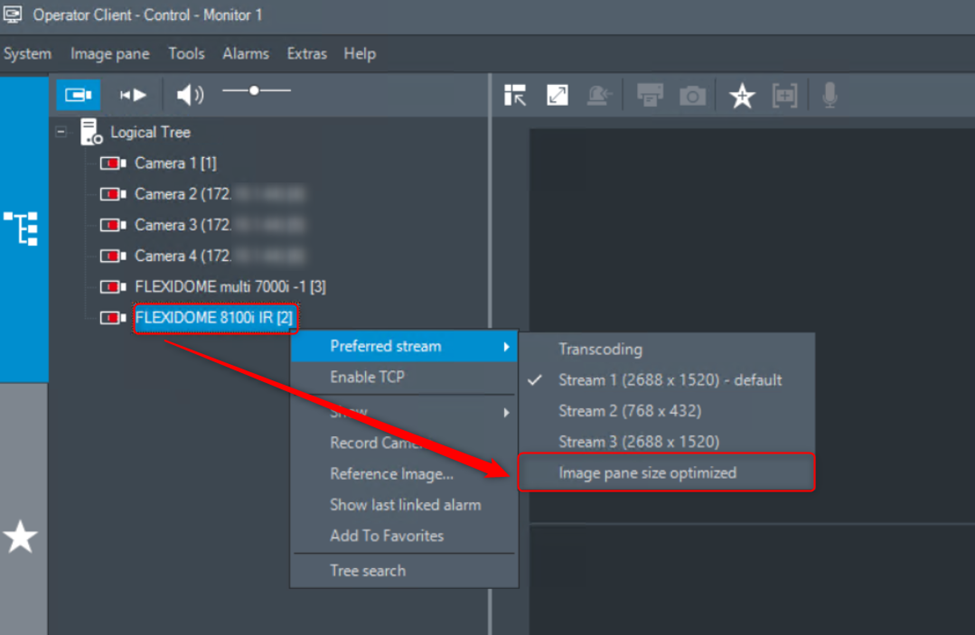
The only option is to set it manually in BVMS Operator Client, by right clicking on the camera and choose under Preferred Stream -> Image pane size optimized.
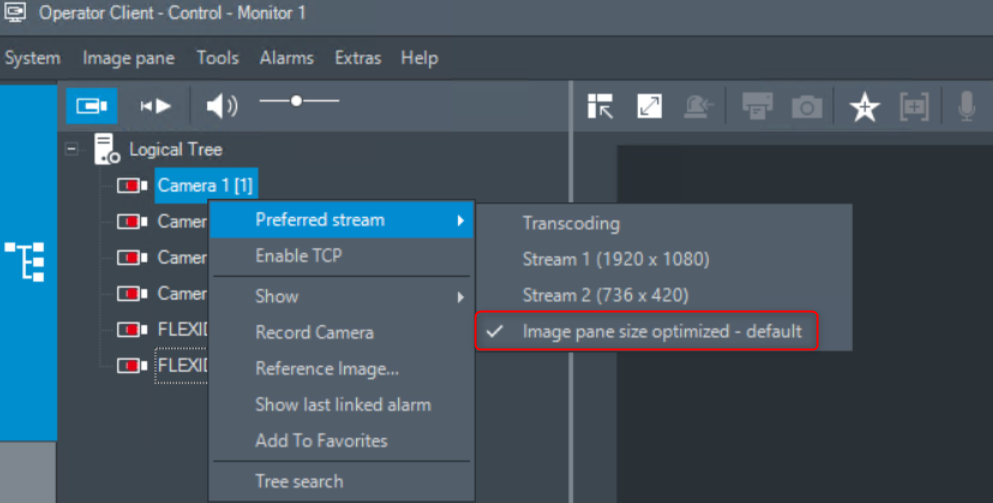
To resolve this and ensure streams switch automatically, upgrade the system to BVMS 13.
If upgrading the entire system is not possible, you can alternatively upgrade only the BVMS Operator Client on workstation to BVMS 13.