
Question
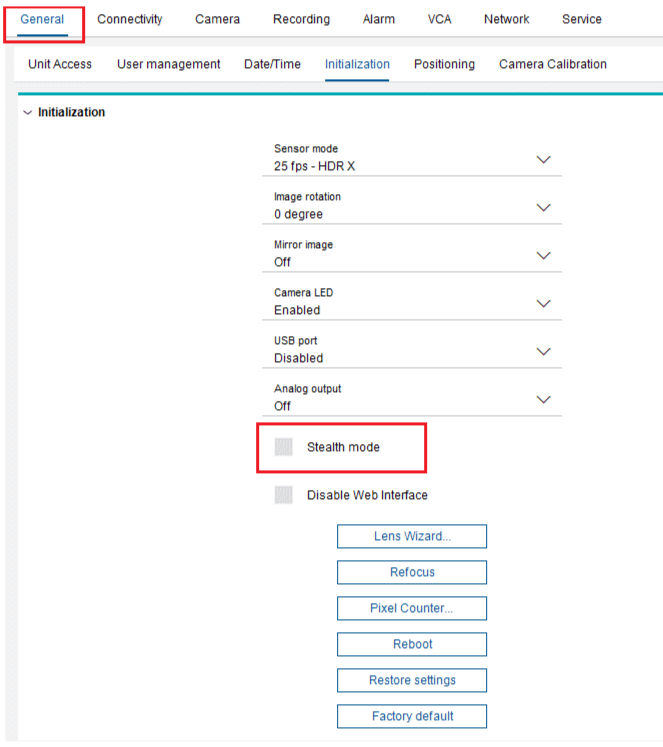
What is Stealth Mode option from Initialization menu of DINION 7100s camera?
Answer
Stealth Mode was introduced to enhance security by blocking discovery protocols while still allowing IP-based access, reducing camera visibility to potential intruders.
This functionality is off by default and can be configured via Configuration Manager (CM), only reversible through a factory reset.
Deactivates with only one tick box:
-
port 1800
-
ONVIF discovery
-
RCP+ discovery
-
-
ping response via Internet Control Message Protocol (ICMP)
Note: that clients connected to the camera before Stealth Mode is enabled can still communicate with the device.
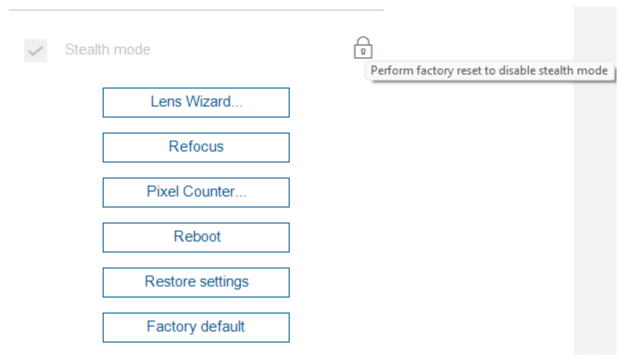
Disabling Stealth Mode
Factory default of the camera is needed for this!
-
Stealth button is handy, and yes if the device is in stealth mode BVMS will not scan it.
-
You can still manually add it.
-
-
Scanning Software: Nessus still does a full scan and produces the same certs issues as a manual Lock Down
-
NMAP still scans and does a full diagnostic.
So, the stealth mode button, only does a partial lock down (no Certificate) and it only affects CPP14 and up.
