
Question
What should I do if the icon colors on the map in Operator Client are missing after upgrading to BVMS 12.3?
Answer
After upgrading to BVMS 12.3 you may notice that the icon colors on the map in Operator Client are not displayed correctly.
Instead of showing the red or green background colors as configured in Configuration Client, the icons only display a faint colored outline. The issue persists even when creating new icons or new map.
|
Operator Client |
Configuration Client |
|---|---|
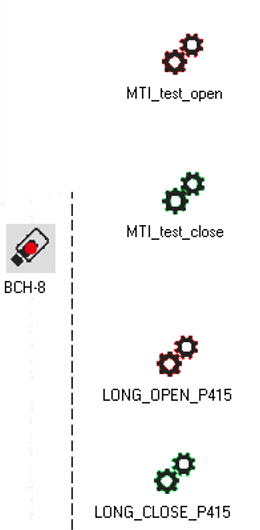
|
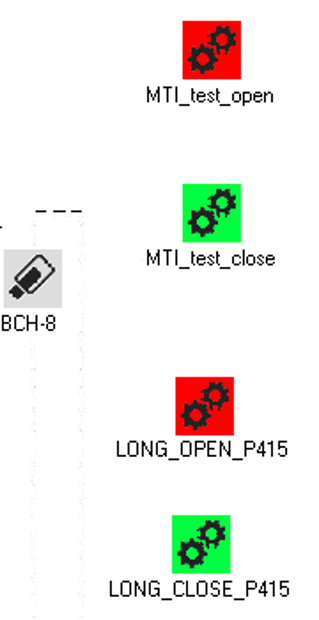
|
To resolve this issue, install the new release BVMS1230171 Patch Cum8.
-
This patch fixes issue 478730 by enabling the hotspot coloring for cameras in Operator Client.
The patch can be downloaded from here:
https://downloadstore.keenfinity-group.com/FILES/BVMS1230171_Patch_Cum8.zip
After installing the patch, the map icons will correctly display the background colors as configured in Configuration Client.