
Question
What to do if FLEXIDOME 8100i camera indicates that the card is inserted and Online, but is not recording to the SD card?
Scenario:
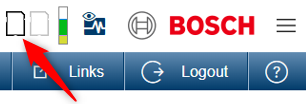
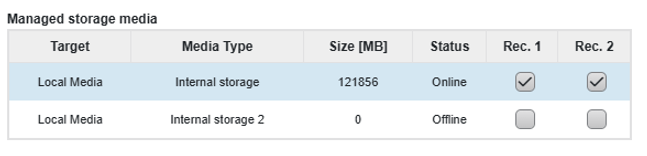
FLEXIDOME 8100i camera is not recording even though it recognizes the SD card. The device displays the SD card information correctly, indicating that the card is inserted and Online, but no video footage is saved to the SD card.

Answer
This issue indicates that the SD card is not properly recognized by the camera, even though it appears to be Online.
To resolve the problem, please follow these steps:
-
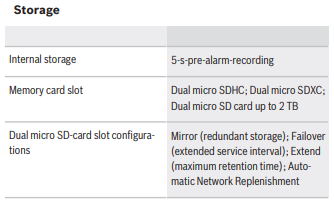
Check the SD card compatibility:
Make sure that the SD card meets the specifications listed in the camera’s datasheet:
-
Format the SD card from the camera’s web interface:
-
Go to Configuration > Storage Management > Edit.
-
Select the SD card and choose Format.
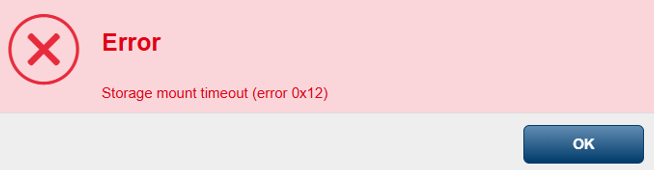
If you receive the “Storage mount timeout (error 0x12)” message, proceed to the next step.
-
Upgrade the camera firmware to CPP14_FW_9.80.0087.fw or ensure your camera is running the latest firmware version available in Download Area.
Upgrading the camera to the latest Firmware available should fix the issue and video footage will start being saved to the SD card.


Note: Even if the “Storage mount timeout (error 0x12)” message does not appear during the formatting process, we still recommend upgrading the camera firmware to the latest version to ensure optimal security and functionality.
-
Try a different SD card:
If the issue persists after the firmware upgrade, test with another SD card that fully complies with the datasheet. This will help determine whether the problem is with the card or the camera.

-
Camera model and serial number
-
Current firmware version
-
SD card brand, model, and capacity
-
Description of the error message, including Print Screens