
Question
What to do if IR reflection or dark rings appear on your AUTODOME IP 5000i IR or AUTODOME IP starlight 5000i IR camera?
Answer
AUTODOME IP 5000i and AUTODOME IP starlight 5000i IR are very light-sensitive cameras that can capture clear, detailed pictures at night. In some circumstances, infrared light reflects the camera itself, showing a glow on the image.
Scenario 1: IR reflection by surrounding objects
During night mode, the camera emits strong IR light to illuminate the scene. However, the IR light could illuminate white walls, rooftops, bridges, trees, light poles, or any objects surrounding the camera.
There was a case that a customer mounted an AUTODOME IP 5000i IR camera (model NDP-5502-Z30L) on the highest place of the area without any lighting facing it at night, as shown in Figure 1. The parameters of the camera that created a picture with IR glow, as shown in Figure 2, were: tilt range -8 degrees to +3 degrees and zoom level between 1x to 5x.
The issue appeared under two circumstances. First, as Figure 1 indicates, the rooftop on the right-hand side is too close to the camera. Since there was no light supporting the image at night, the IR beam was at 100% intensity, which caused the reflection. Second, the surface of the sun shield as well as the left, right, and bottom edges are all white, which makes it easier to reflect surrounding objects while IR beam is functioning at its maximum power.
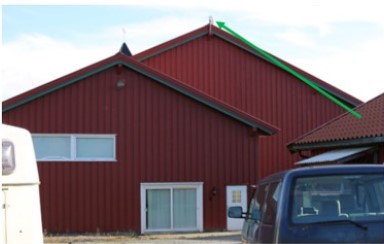
@Figure 1. Camera position |
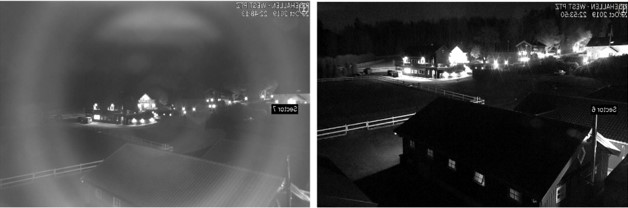
Figure 2. Comparison of IR on/off at night |
Resolution
Move the camera head to verify whether the IR reflection comes from any surrounding objects. If the IR reflection decreases during pan/tilt, then change the pan/tilt position of the camera.
Scenario 2: IR reflection by the camera itself
Although highly unlikely, the IR reflection ring could appear in IR light in a scenario with the following combination
of parameters:
• Zoom levels = around 1-6x
• Tilt angle = -6 degrees to +15 degrees
• IR light does not reach any object in the scene.
In this case, the camera would see the reflection from its own two sides and the lower sun shield, as Figure 3 indicates:
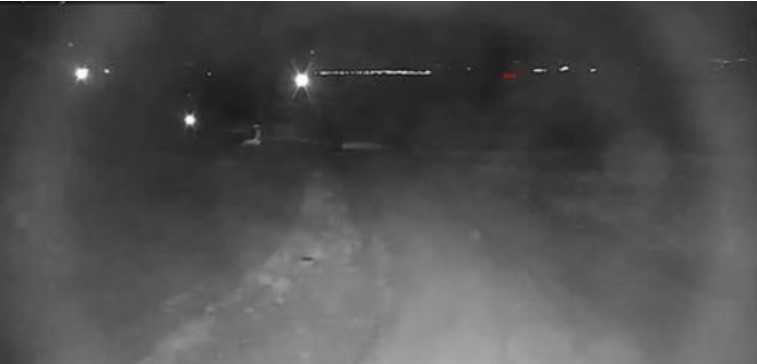
Figure 3. Camera reflects itself at night
Resolution
Although the camera can work in completely dark areas, it is still necessary for installers to configure the camera based on the scene so IR can work. If there is no lighting surrounding the targeted scene, Bosch recommends:
• Configuring the camera zoom narrower to above 5x. The higher the zoom, the less the chance of a glow/camera reflection in the scene.
• Keeping the camera close to the targeted scene.
Workaround
If the methods identified above do not solve your problem, contact your sales representative or local service provider to get a pack of black, anti-IR reflection stickers (Figure 5) to put on the sun shield (as shown in Figure 6). Use Figure 4 as a guide to where to put the stickers to minimize the IR reflection.
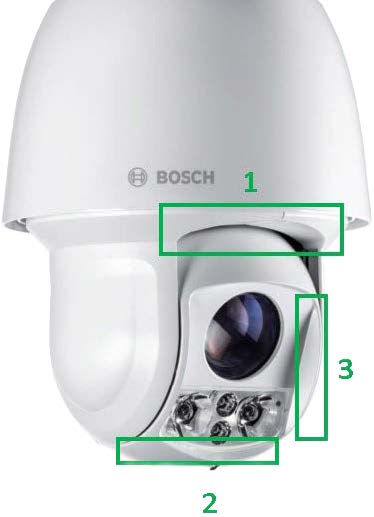
Figure 4. Positions of sun shields |
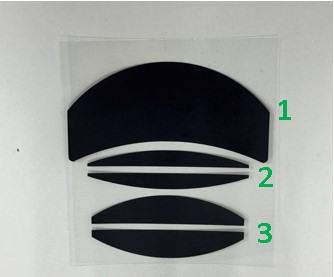
Figure 5. Anti-IR reflection stickers |
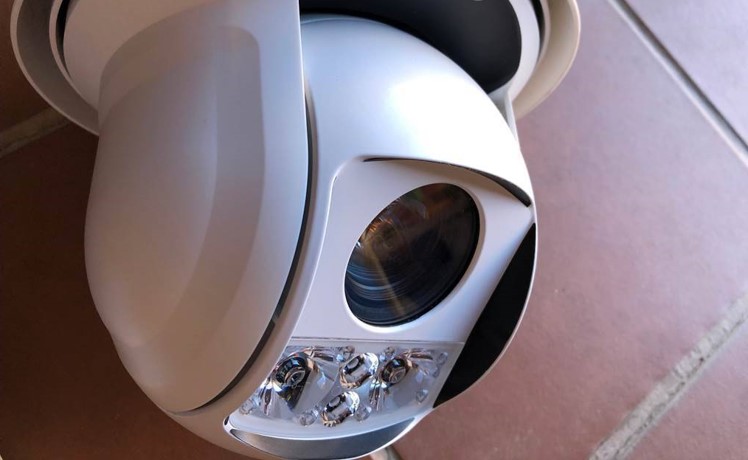
Figure 6. Anti-IR reflection finished |