
Question
Where can I find the last firmware release available for a specific camera model?
Answer
To find the last firmware release available for a specific camera, you first need to identify which CPP (Common Product Platform) the camera belongs to.
To identify the CPP of your camera, refer to the following articles:
After you identify the CPP of your camera, follow these steps:
-
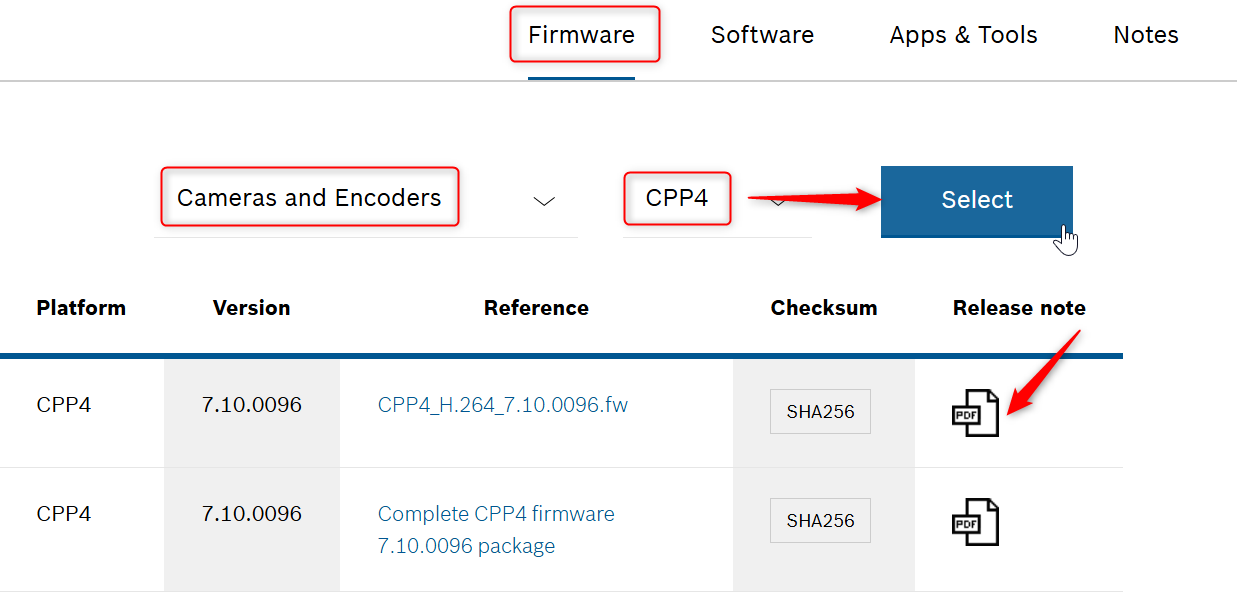
Go to Download Store → Firmware → Cameras & Encoders and click Select
-
Then choose the corresponding camera CPP (for example, CPP4) and click Select.
-
Under the Release Note tab, click the available PDF document.
-
Open the release note and check if it indicates which is the last feature release available for that CPP.
Example CPP4:
