
Question
Where can I download SANtricity OS Software version 11.80.1R3 required for BVMS 13.1?
Answer
According to the BVMS 13.1 release notes, SANtricity OS 11.80.1R3 is required/supported for BVMS 13.1 (for NetApp E2800 storage). Please always check the qualified version of NetApp controller firmware when using BVMS. The matrix showing the approved set of versions of BVMS, VRM and NetApp software is available at the Product catalogue, in the Release notes (SANtricity OS Controller Software) - History chapter.
To download SANtricity OS Software version 11.80.1R3 or any other version, access https://mysupport.netapp.com/site/products/all/details/eseries-santricityos/downloads-tab
Be aware that you can access this link and download the Firmware only if you have a NetApp "Customer" account.
Important:
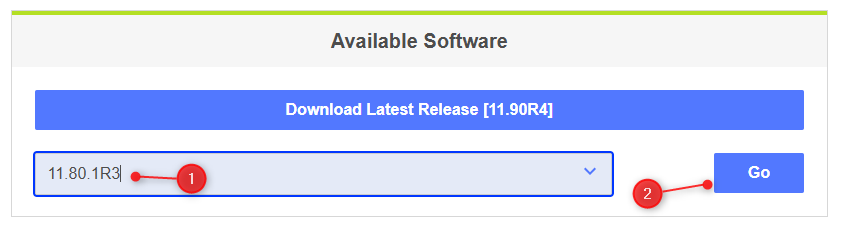
Version 11.80.1R3 may not appear in the drop-down list. To find it:
-
Manually enter 11.80.1R3 in the search field
-
Click “Go”
The version will then be displayed in the results.
Systems must be running SANtricity OS version 11.70.5 in order to upgrade to version 11.80.x or later.
Before upgrading, please carefully review the Caution section of the E-Series SANtricity OS Controller Software 11.80.1R3.
Nice to know:
If a NetApp OS software upgrade is required, refer to the NetApp Knowledge Base and documentation: