
Question
Why do newly created users appear as locked in Configuration Client?
Answer
Newly created users appear as locked by default, indicated by a red padlock icon. This means the account has not yet been activated.
When a user is created, no password is assigned automatically. A password must be set before the account can be enabled.
To activate the user:
-
Select the user to see the User Properties page.
-
Set a new password
-
Click Apply.
-
Enable the Account is enabled option.
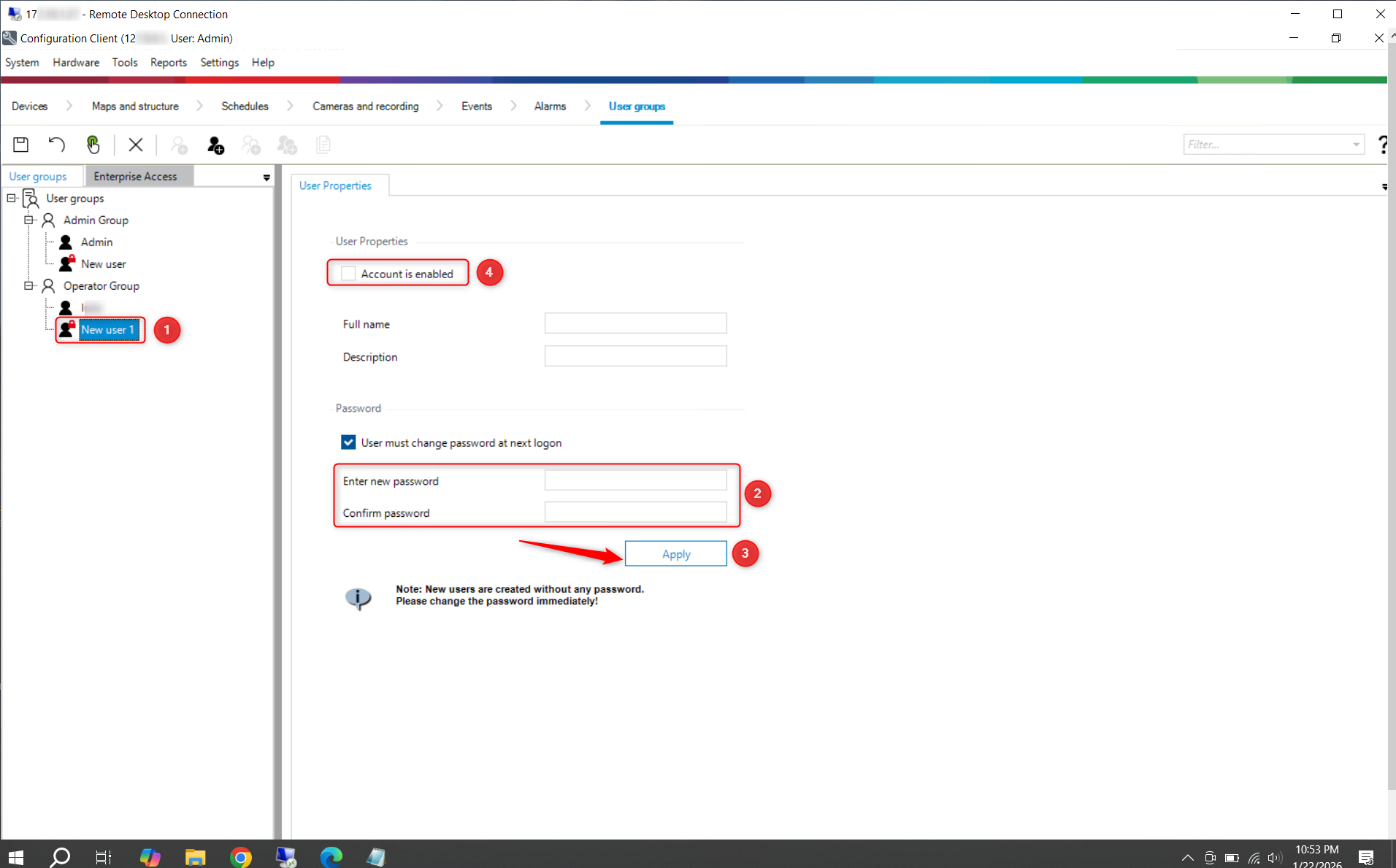
After completing these steps, the user account will be unlocked and ready for use.