
Possible causes and solution(s)
Symptoms
When attempting to add a Camera Trainer detector in Configuration Manager using the steps below, the process may fail and goes into a Loop cycle.
-
Open Configuration Manager -> VCA -> Main Operation Tab
-
Select Profile #1 as the Operating mode -> switch to the Camera Trainer Tab
-
Check the "Enable" box -> Add name for “Class name"
-
Click the Save icon
After this final step, the " + " button which should normally appear to add a detector, is missing.
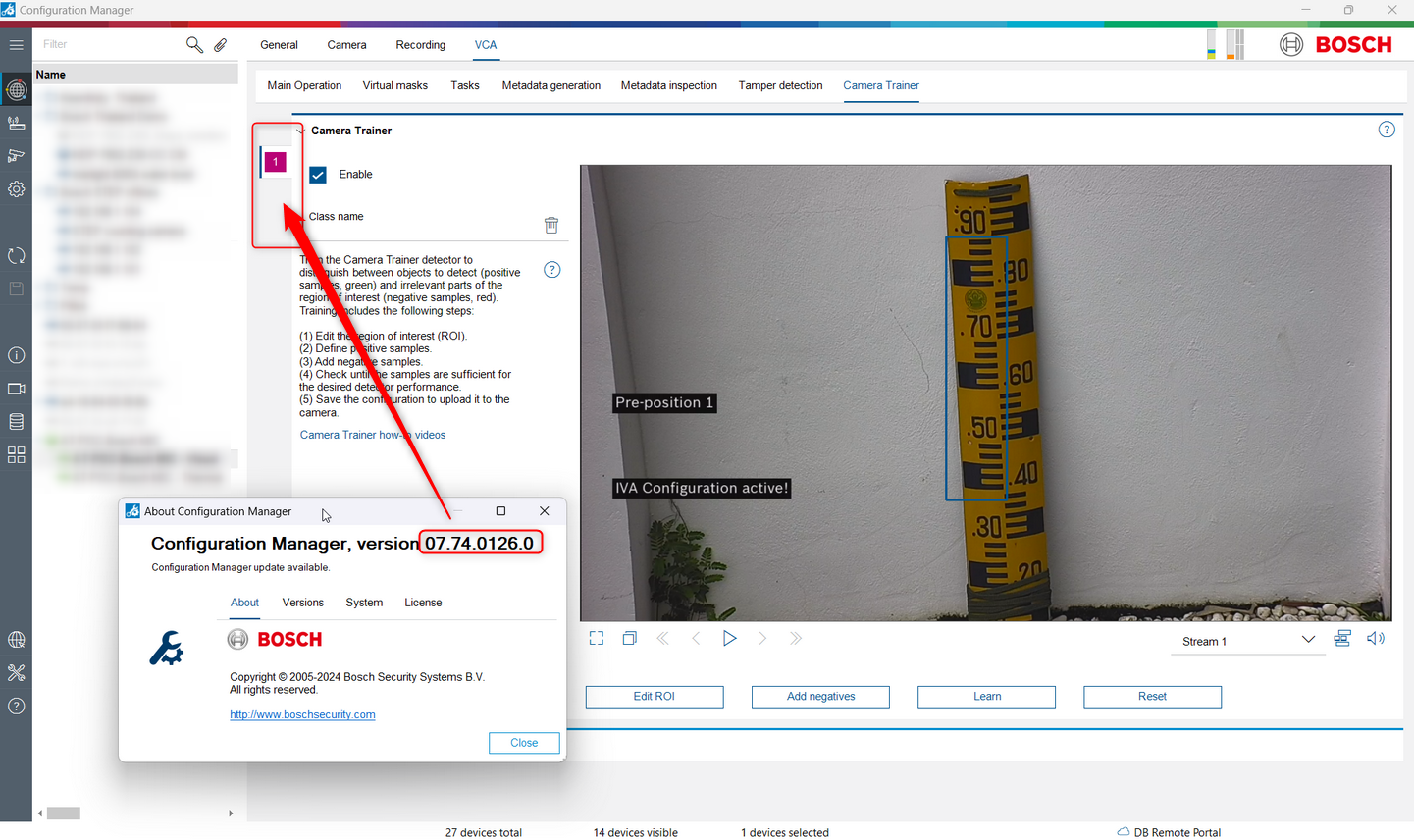
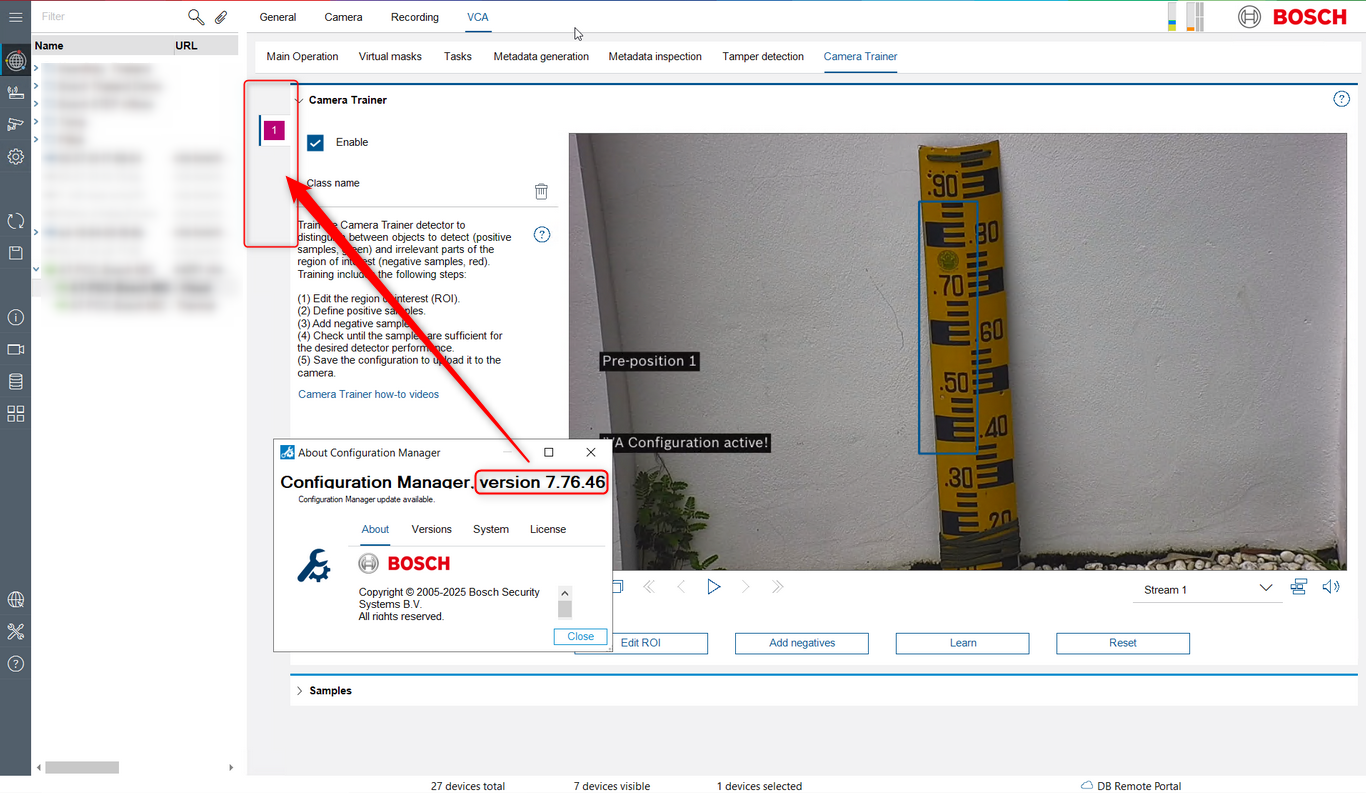
This behavior is present in certain versions of Configuration Manager (form v7.74.0032 to v7.76.0046).
Solution
The behavior has been resolved in Configuration Manager v7.77.0079, which is publicly available on the Download Store.
Therefore, upgrading to Configuration Manager v7.77.0079 or the latest version available is strongly recommended.
Keeping Configuration Manager updated is important for bug fixes that resolve functional issues, compatibility improvements with newer firmware, devices, and analytics features, security and performance enhancements, new features and expanded device support, ensuring full access to the latest capabilities.