
Question
Can the two imagers of the FLEXIDOME Dual 7100i IR (CPP16) camera be configured separately?
Answer
Yes. Each imager of the FLEXIDOME Dual 7100i IR (CPP16) can be configured separately as Camera 1 or Camera 2. Many settings can be configured separately for each imager, including:
Camera settings
-
Sensor Mode
-
Lens Wizard
-
Positioning
-
Scene Mode
-
Color
-
ALC
-
Enhance
-
Scene Mode Scheduler
-
Privacy Masking
These settings can be accessed via Configuration → Camera, where you can configure each imager according to your preferences.
Multi-streaming
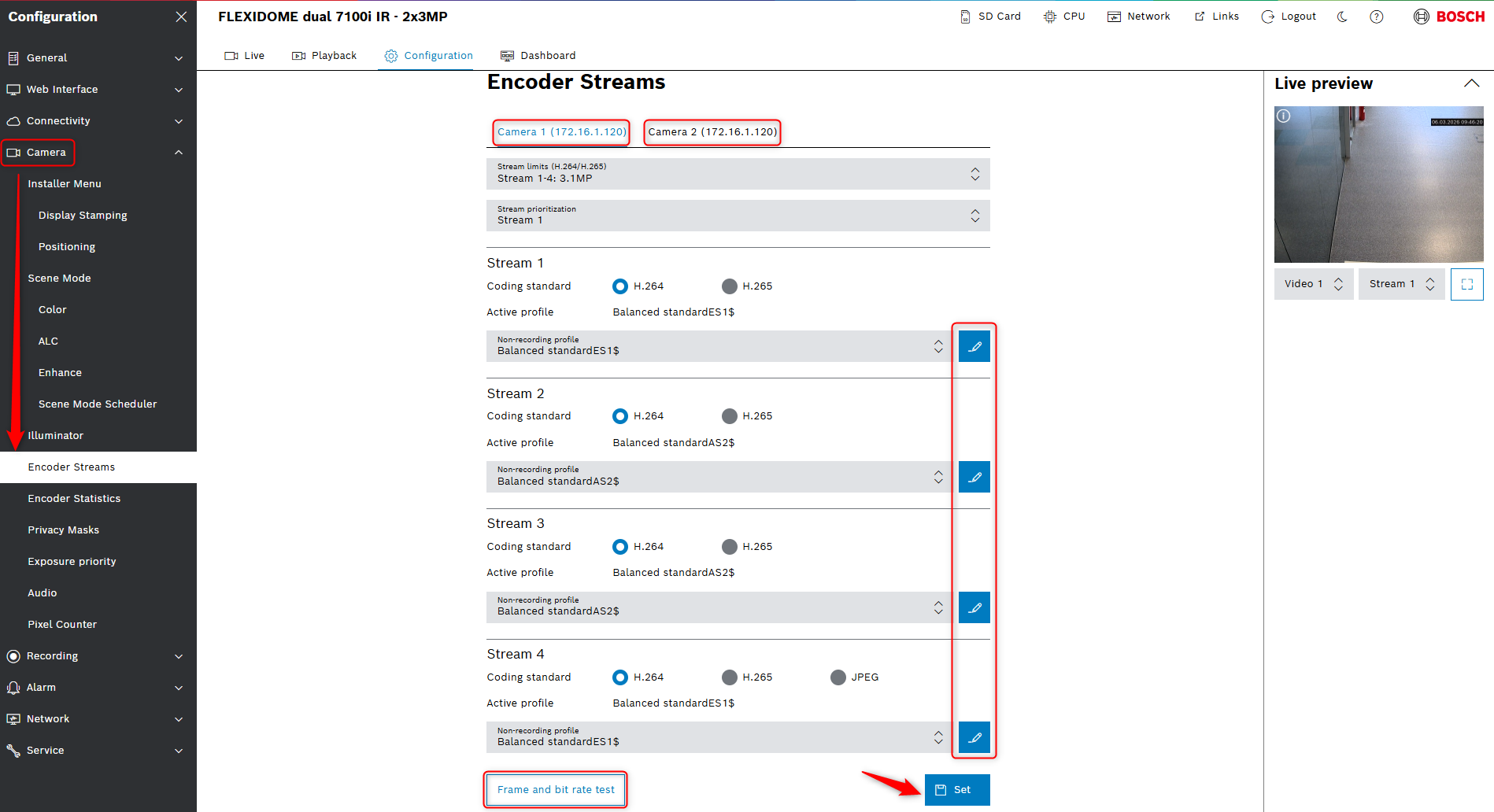
Each imager has four H.264 / H.265 / JPEG* encoder streams that can be configured independently and are not dependent on each other.
*JPEG configuration available only for Stream 4
To configure the streams for each imager, go to Configuration -> Camera → Encoder Streams and select the desired imager (Camera 1 or Camera 2)
Frame and bit rate test can be enabled for each imager and stream.
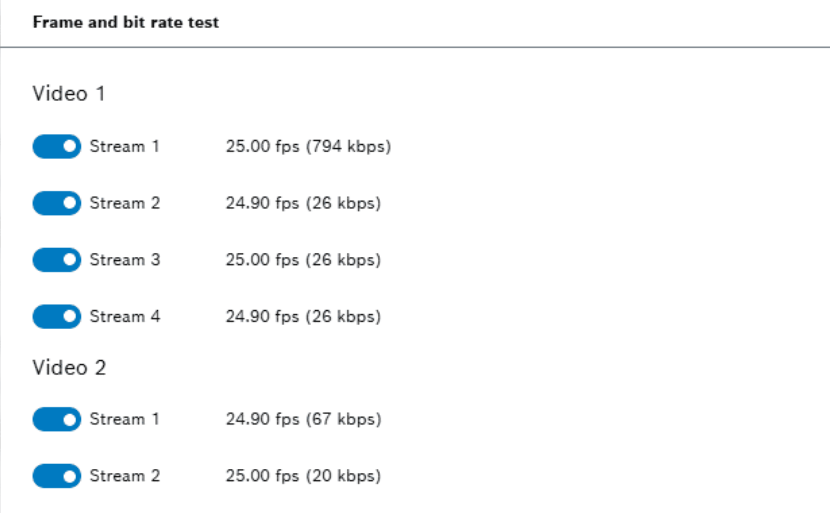
Frame and bit rate test is a real-time monitoring tool that measures the actual data throughput (bitrate) and the consistency of the delivered frame rate based on the camera’s current scene and encoding settings.
Utility of the - Frame and bit rate test
-
Bandwidth Validation: Confirms if the network infrastructure can handle the camera's peak data output without packet loss.
-
Storage Calculation: Provides an accurate data-per-second measurement to help installers calculate exactly how many days of recording the NVR/storage pool can hold.
-
Setting Optimization: Helps technicians see the immediate impact of adjusting features like iDNR 2.5 or HDR X on the total bitrate, allowing for a perfect balance between image quality and network load
Intelligent Video Analytics Pro
Intelligent Video Analytics (IVA) can be configured independently on each imager.
When adding IVA licenses to this device, a single license of a given type (example one IVA Pro Appearance) can be applied to both imagers at the same time or separately independent of each other.
-
Examples of possible video analytics combinations:
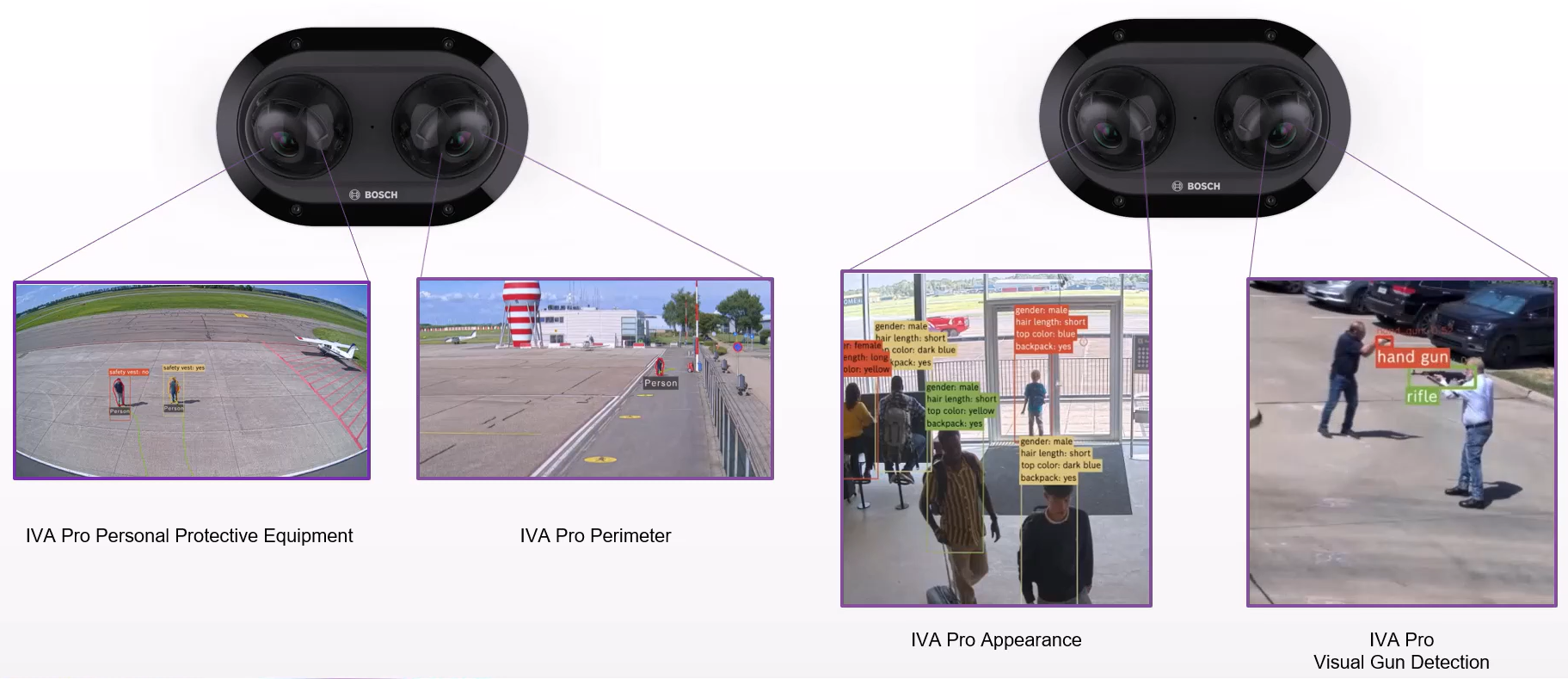
On the FLEXIDOME dual 7100i IR (CPP16) these licenses are installed by default at no additional cost:
-
IVA Pro Perimeter
-
IVA Pro Buildings
Other supported licenses that can be purchased optionally:
-
IVA Pro Traffic
-
IVA Pro Personal Protective Equipment
-
IVA Pro Visual Gun Detection
-
IVA Pro Appearance
Camera Calibration
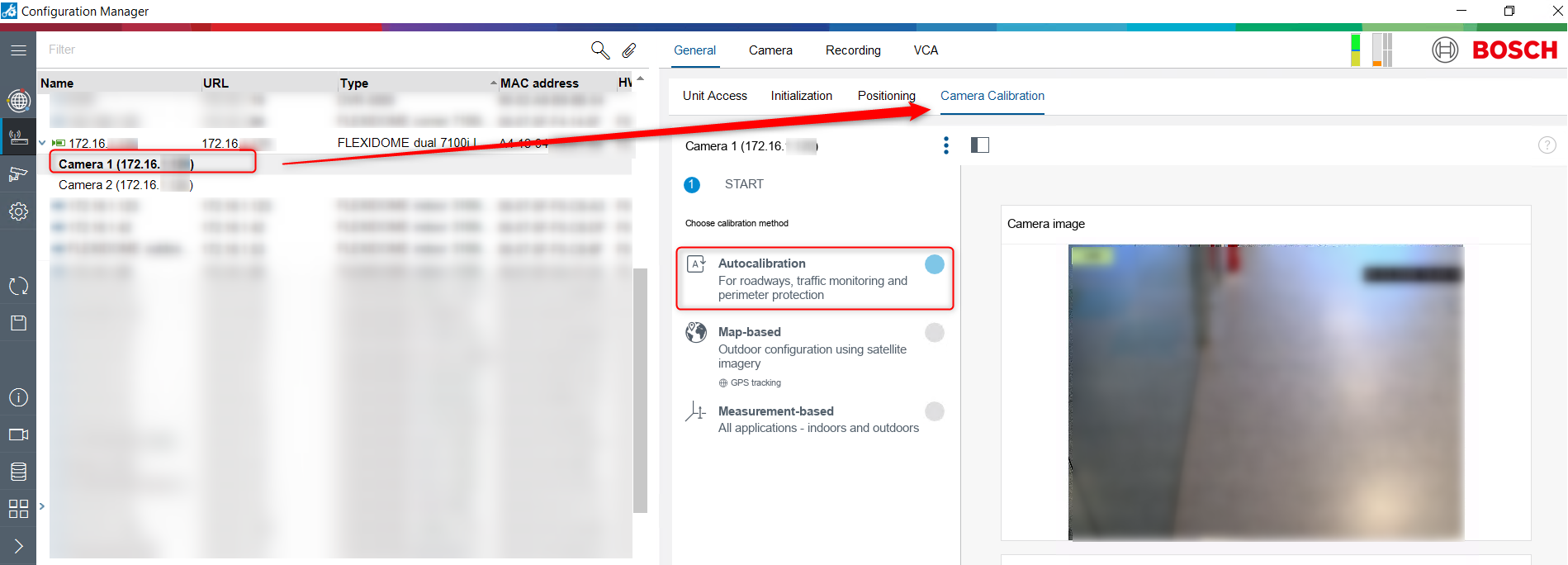
In Configuration Manager first select the imager you want to calibrate, otherwise configuration will not be available.
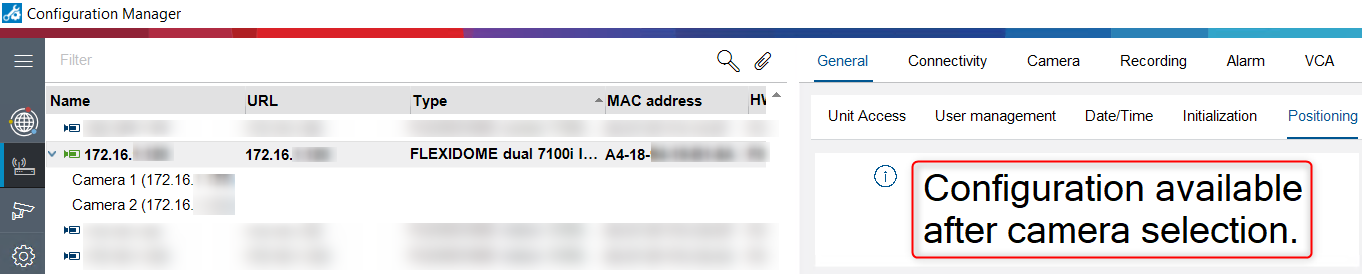
After selecting the imager (Camera 1 or Camera 2), go to the Camera Calibration tab and can choose the calibration method you want:
-
Autocalibration
-
Map-based
-
Measurement-based
Note: In situations were the object occupies a small portion of the image, calibration may take longer. We recommend to keep the autocalibration open, until the moment image verification reflects field reality.

For a better understanding of using FLEXIDOME Dual 7100i IR cameras, we encourage you to join our online training from KEENFINITY Academy: