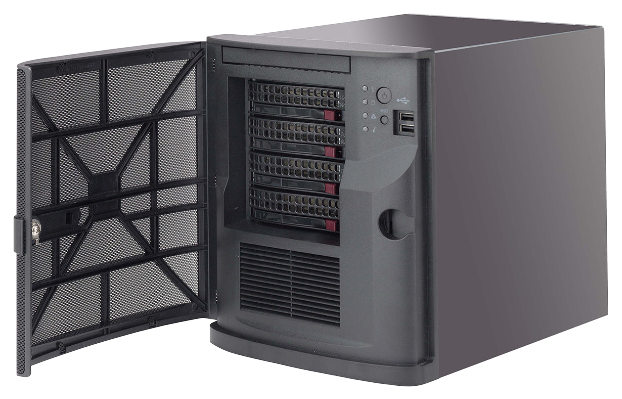
DIVAR IP AIO 5000 Picture Short Description All-in-one, fully featured video recording and management solution for up to 42 channels Out-of-the-box IP video recording with up to 48 TB (4 x 12 TB) storage capacity pre-installed Robust, secure operation — instant real time access to video Advanced user and alarm management 3 years warranty, including parts replacement within 3 business days services DIVAR IP AIO 5000 Articles Title Upgrade from BVMS v9.0 to v13.1 on DIVAR IP AIO 5000 (DIP-52xx) & AIO 7000 (DIP-72xx) How to configure DIVAR IP AIO to be accessed through the Video Security Client or App via Remote Portal? DIVAR-IP all-in-one System Manager and Remote System Management installation and configuration How to create iSCSI Virtual Disk & LUNs after replacing an HDD on a DIVAR IP 5000 AIO? How to create mirrored drive sets in a DIVAR IP all-in-one 5000? DIP aio 5000 changing MAC address results into invalid expansion licenses DIVAR IP AIO 5000 – fix the zoomed in image from Operator Client: Desktop or Remote Desktop vs Kiosk mode DIVAR IP 5000 AIO: fix invalid licenses when HW ID was changed - 'Activation invalid: Key mismatch' Connect multiple DIVARs IP all‑in‑one 5000 at the same time to Enterprise system How to add, replace or change HDDs in DIVAR IP 5000 AIO? How can DIVAR IP 5000 AIO be accessed from the internet and allow remote connection? Which is the mandatory information requested by Bosch CTS for a faulty hard drive (HDD) on a DIP AIO or DIP 6000/ 7000 R2? Why the Live view shows ‘Authentication failed’ in Video Security App? How to do factory reset (recovery) of the DIVAR IP units? How to find the DIP serial number and the IPMI (BMC) information of DIVAR IP all-in-one? Which is the max. iSCSI recording sessions of DIVAR IP AIOs? DIP 7000 & 5000 AIO: Boots into Limited User mode after BVMS upgrade to v12.0.1 What are the default username and password for SuperDoctor 5 on DIVAR IP systems? How to access the Windows Interface (BVRAdmin account) after first configuration of DIVAR IP? Bosch Security Advisories - PSIRT (Product Security Incident Response Team) DIVAR IP - Ticket Requirements DIVAR IP 5000 AIO with extra GPU card - information about ports & accessing BIOS (black screen) How to customize the Kiosk with logo on DIVAR IP? How to perform a factory reset for DIVAR IP 5000 ALL-IN-ONE machine? What does the color of the led in the front view of the DIVAR IP AIO 5000 indicate? Why can't I access any program from kiosk mode on DIP AIO? Which are the default administrator credentials for Bosch DIVAR IP Systems? How to load BIOS Optimized defaults on my DIVAR IP 5000 AIO unit? Where and why should 3rd party devices be registered?