Question
How can I retrieve the CPP platform version from Bosch cameras using the RCP+?
Answer
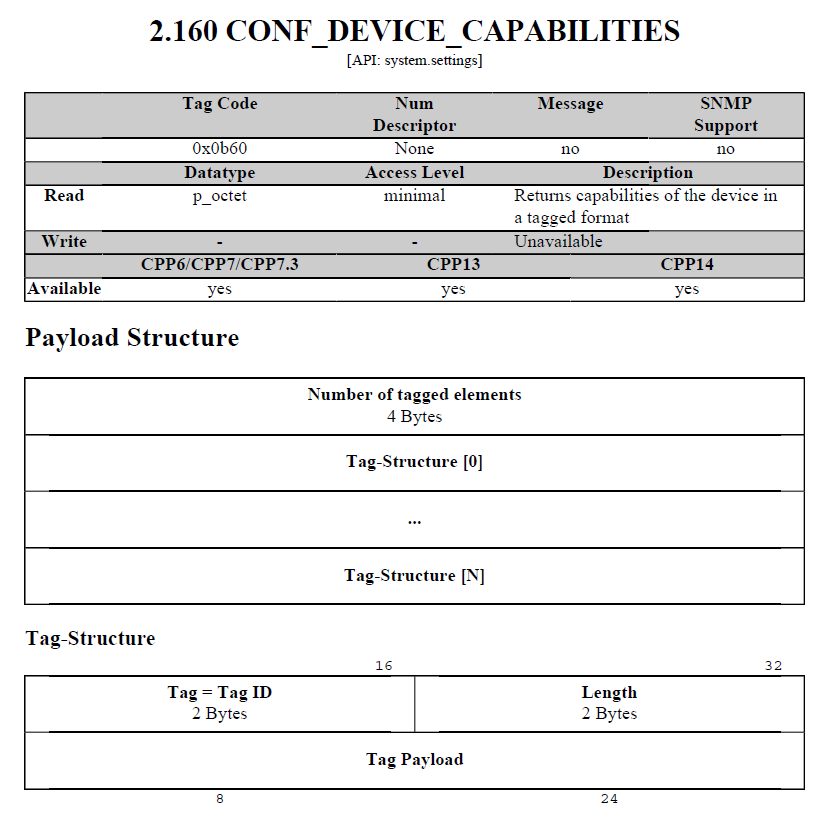
To retrieve the CPP platform version via RCP+, you can use the device capabilities command.
Send the following RCP+ request:
https://<IPaddress>/rcp.xml?command=0x0b60&type=P_OCTET&direction=READ&protocol=TCP&num=1
This command returns the device capabilities structure.
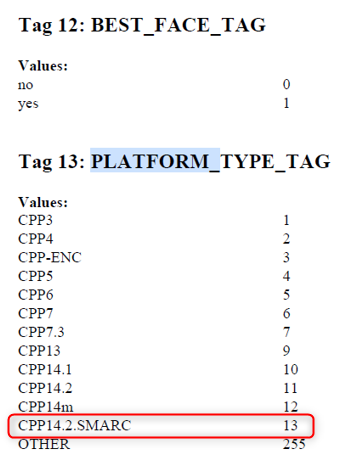
For example, for the DINION 5100i IR - 5MP (CPP14.2.SMARC) camera, in the response, look for Tag 13 (PLATFORM_TYPE_TAG). The value of this tag corresponds to the CPP platform type.
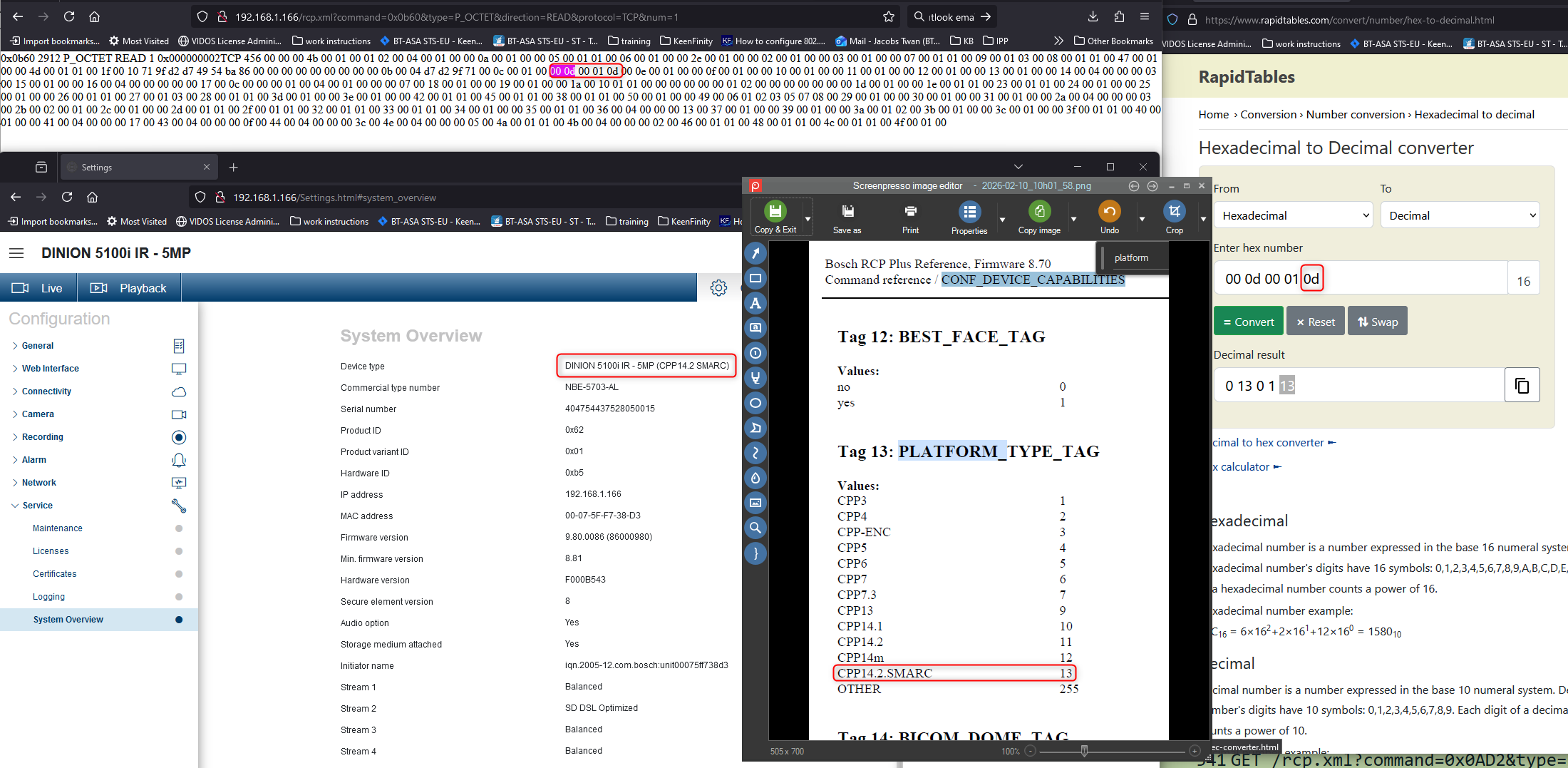
If the returned hex value for Tag 13 is 0D, converting 0x0D to decimal gives 13, which corresponds to CPP14.2.SMARC.