Question
How can I schedule Intelligent Tracking on the MIC IP starlight 7100i camera?
Answer
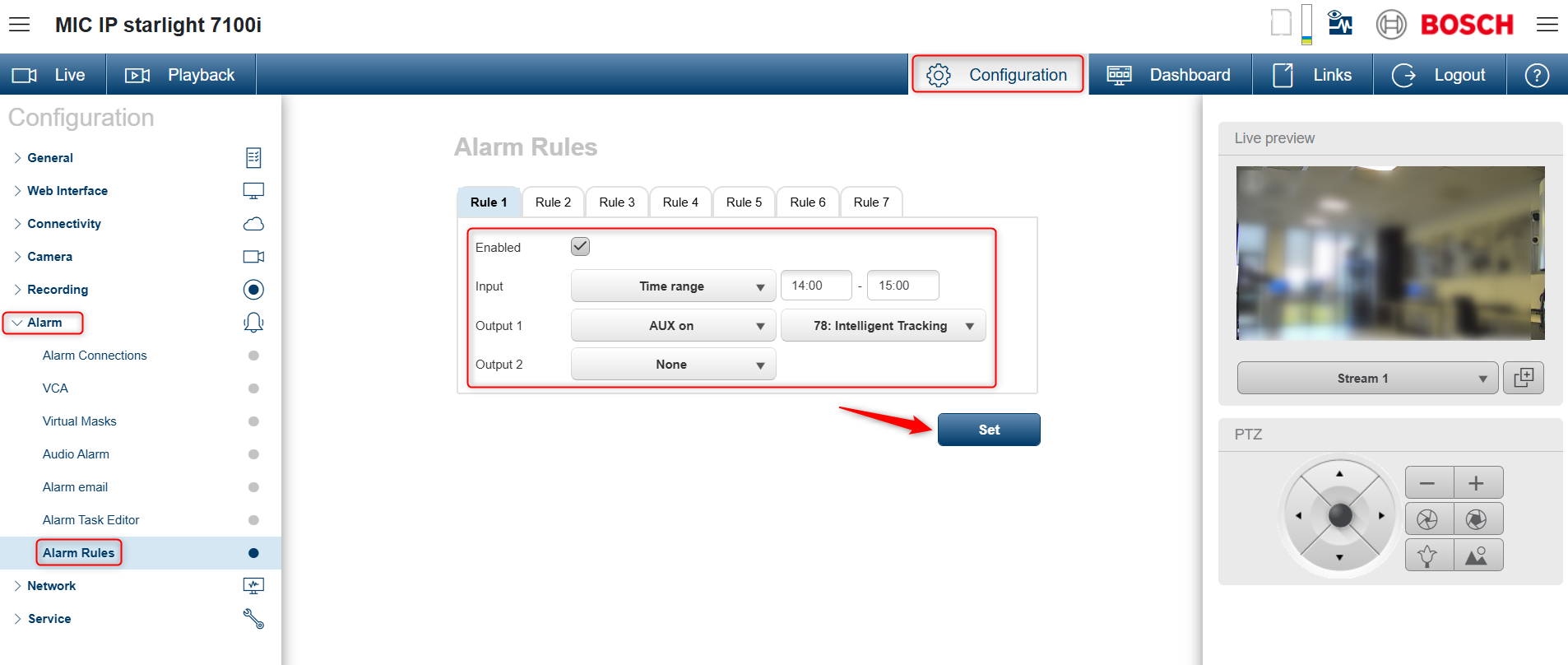
To schedule the Intelligent Tracking and define specific operating hours, follow the steps below:
-
Access the camera via its web interface
-
Go to Configuration -> Alarm -> Alarm Rules
-
On this page:
-
Check Enable
-
For Input, select Time Range and set the desired hours
-
For Output 1, select AUX on and choose 78: Intelligent Tracking
-
For Output 2, select None
-
Click Set to save the configuration