
Question
How can I test the Tilt Range of the MIC inteox 7100i camera?
Answer
According to the MIC inteox 7100i Datasheet, the Tilt Range (With or without illuminator) limits of the camera are:
-
Normal : -55° to +90°;
-
Inverted: -95° to +55°;
-
Canted: -80° to +65°
You can test the tilt range using Configuration Manager.
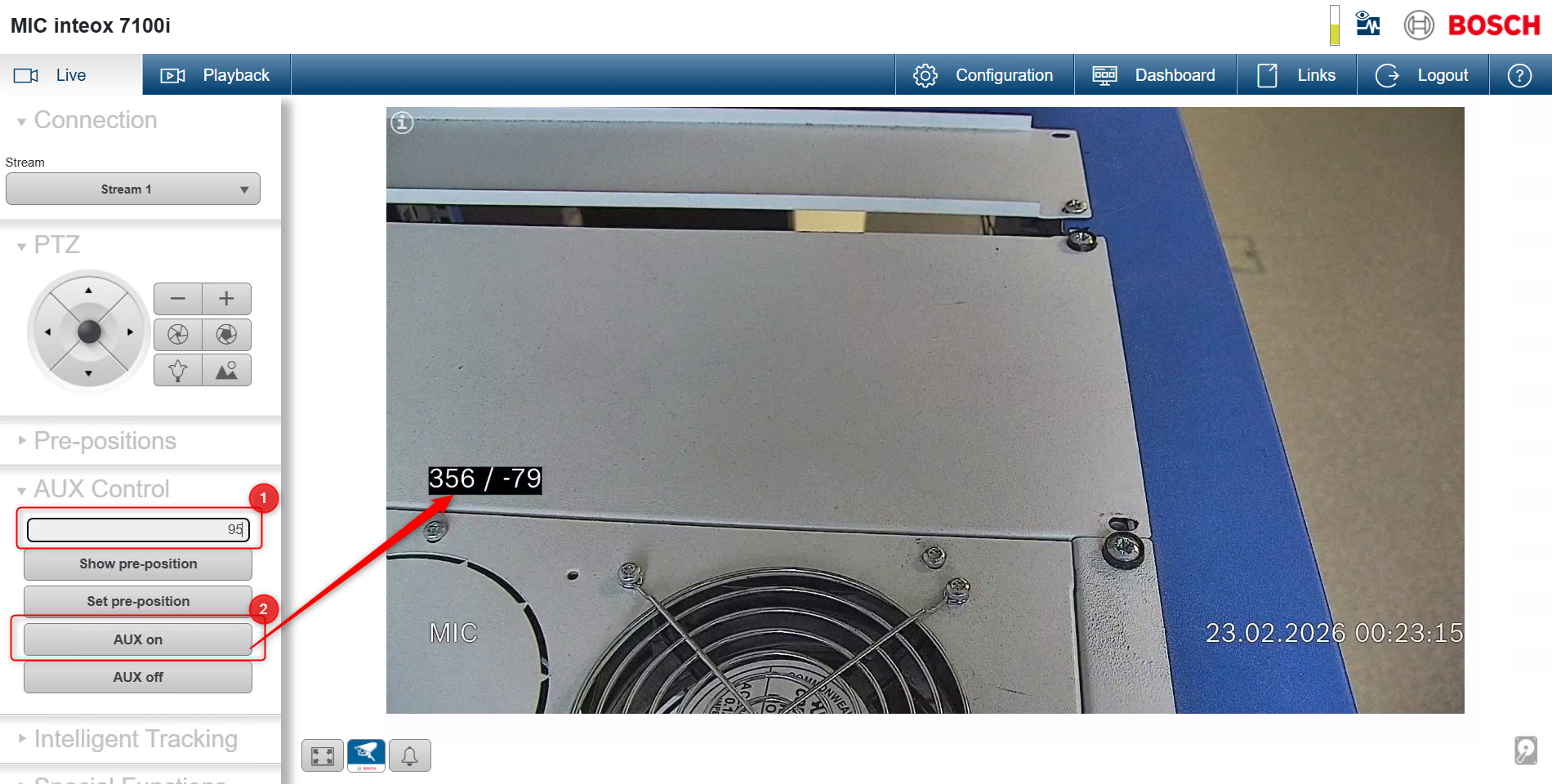
First, make sure the Azimuth/Elevation display is activated using AUX command 95.
To enable it:
-
Open the camera web page.
-
Go to Live.
-
Enter 95 in the AUX Control field.
-
Click AUX On.
Next:
-
Open Configuration Manager.
-
Select your camera and authenticate.
-
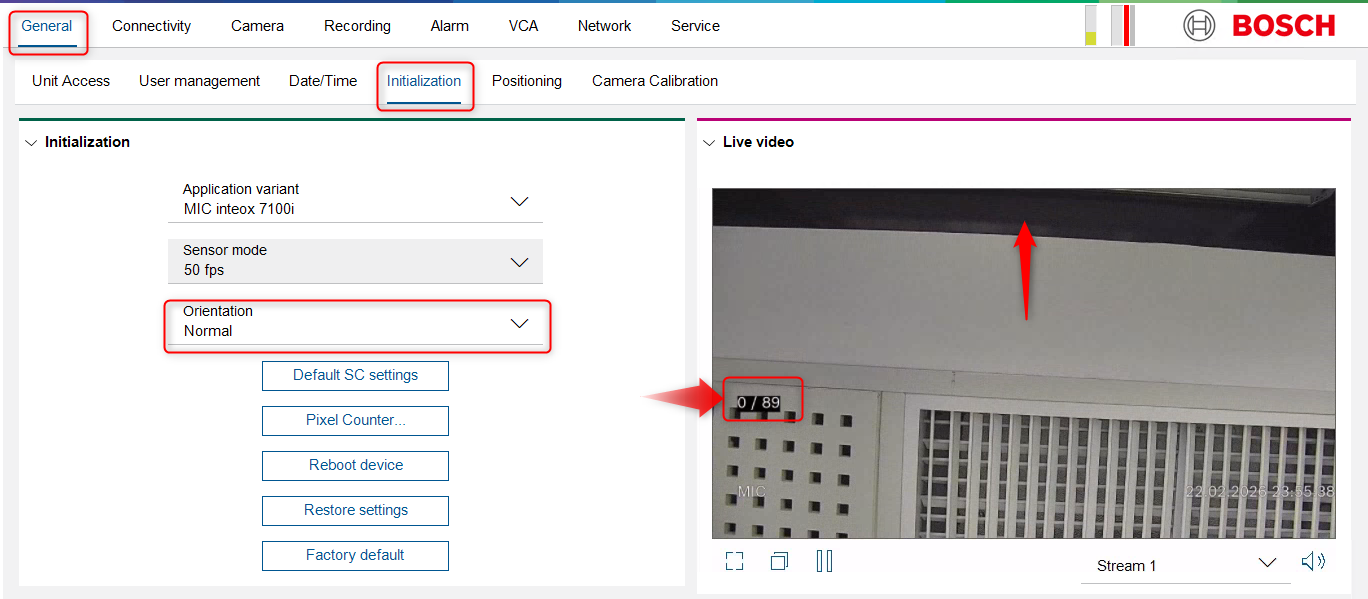
Go to General > Initialization.
-
Set the orientation to Normal.
To test the upper limit:
-
Move the camera up by clicking the upper area of the live video window.
-
Press and hold until the camera stops.
-
Note the value displayed on the live image.
In this example, +89° is the upper limit for Normal orientation.
To test the lower limit:
-
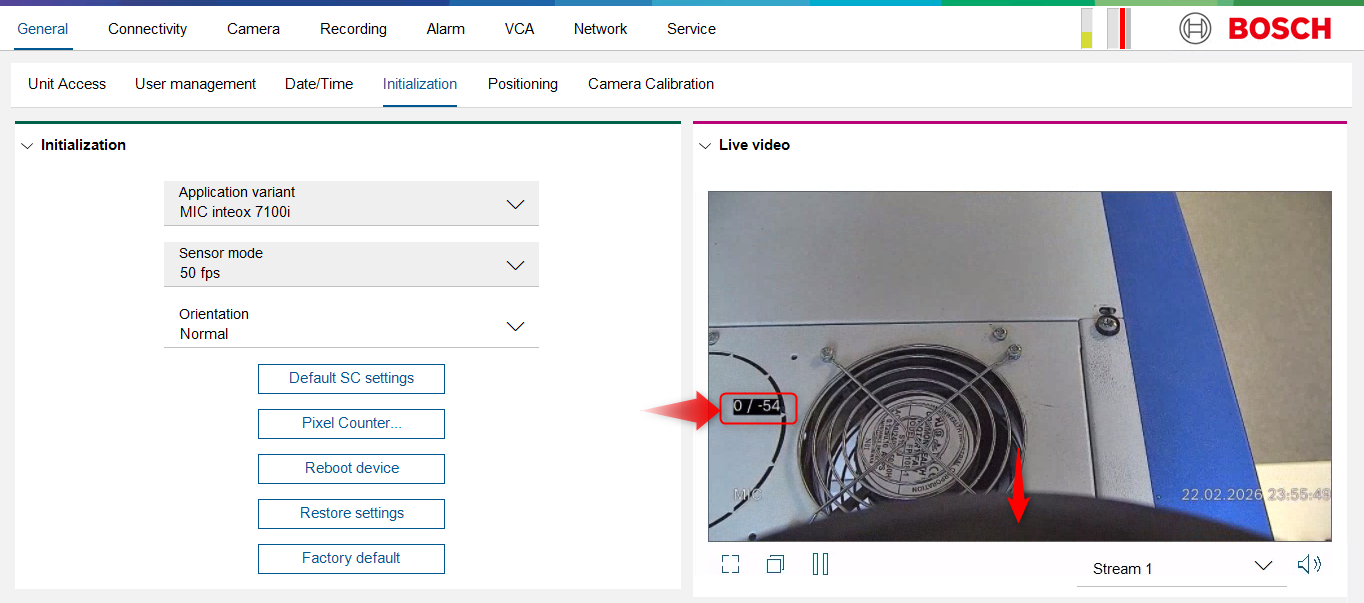
Move the camera down by clicking the lower area of the live video window.
-
Press and hold until the camera stops.
-
Note the displayed value.
In this example, –54° is the lower limit for Normal orientation.
Repeat the same steps after setting the orientation to Inverted and Canted.