
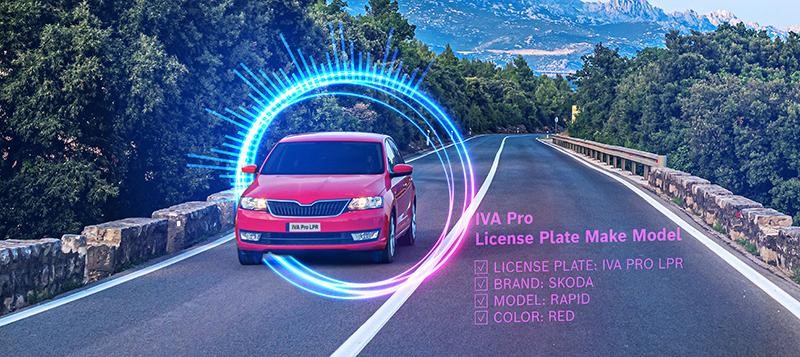
IVA Pro License Plate Recognition (LPR) can recognize license plate information at vehicle speeds up to 75 mph / 120 km/h, day or night across multiple cameras and in various traffic settings, including city roadways, toll zones, parking lots, and school drop-off lanes.
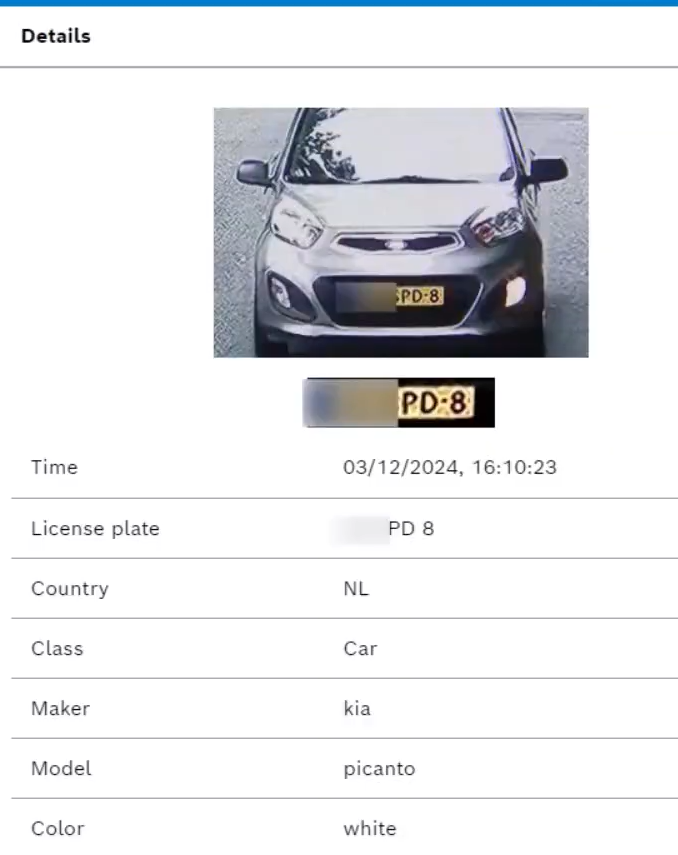
IVA Pro Vehicle Make Model recognizes vehicle details in real-time and adds it to the camera’s metadata stream. It detects and identifies the make and model of moving cars, vans, buses, motorcycles, and trucks based on a database of more than 140 manufacturers and 2,000 models.
Prerequisites:
-
Supported CPP14 camera, check Video Product Selector for supported camera models
-
Firmware 9.40 and higher
-
Configuration Manager 7.74 and higher
Step-by-step guide
-
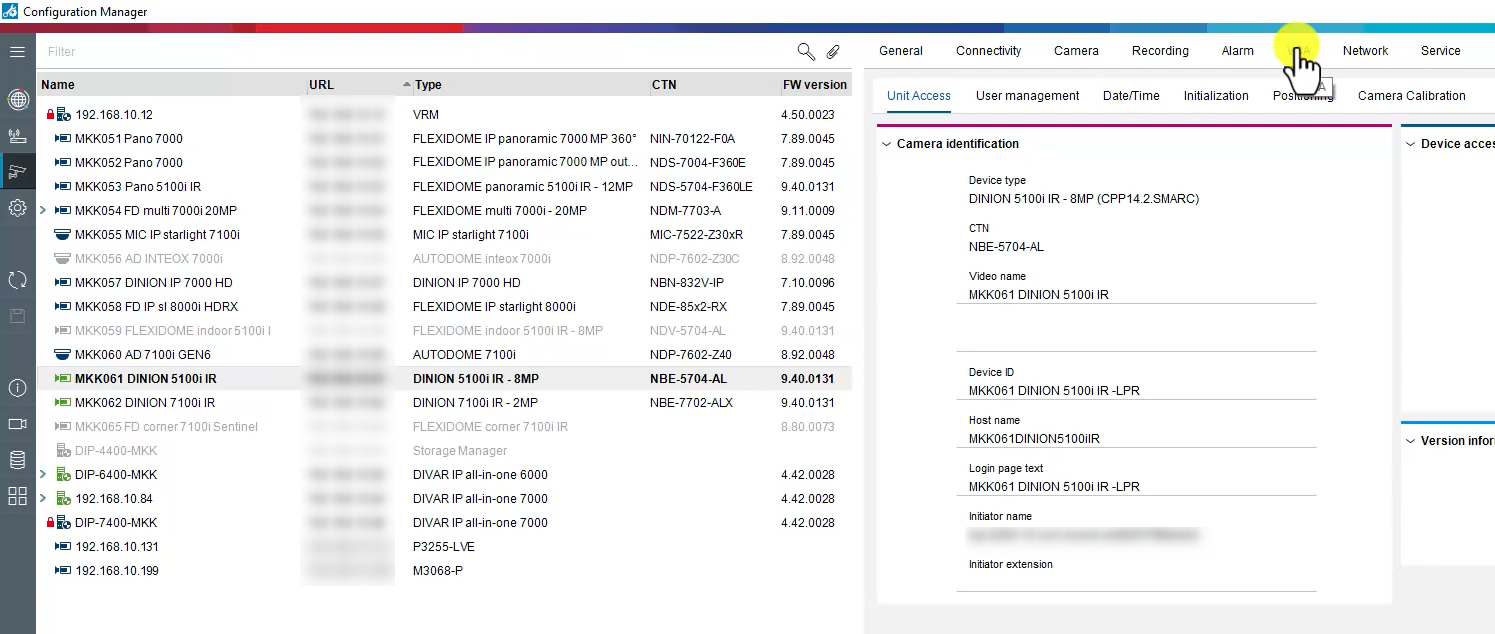
To configure IVA Pro LPR and IVA Pro Make Model, select the camera for which the license has been activated and click VCA.
-
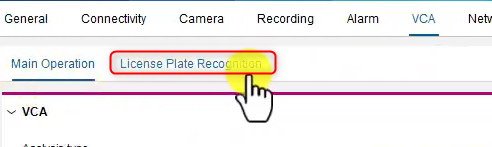
Then, select the License Plate Recognition tab.
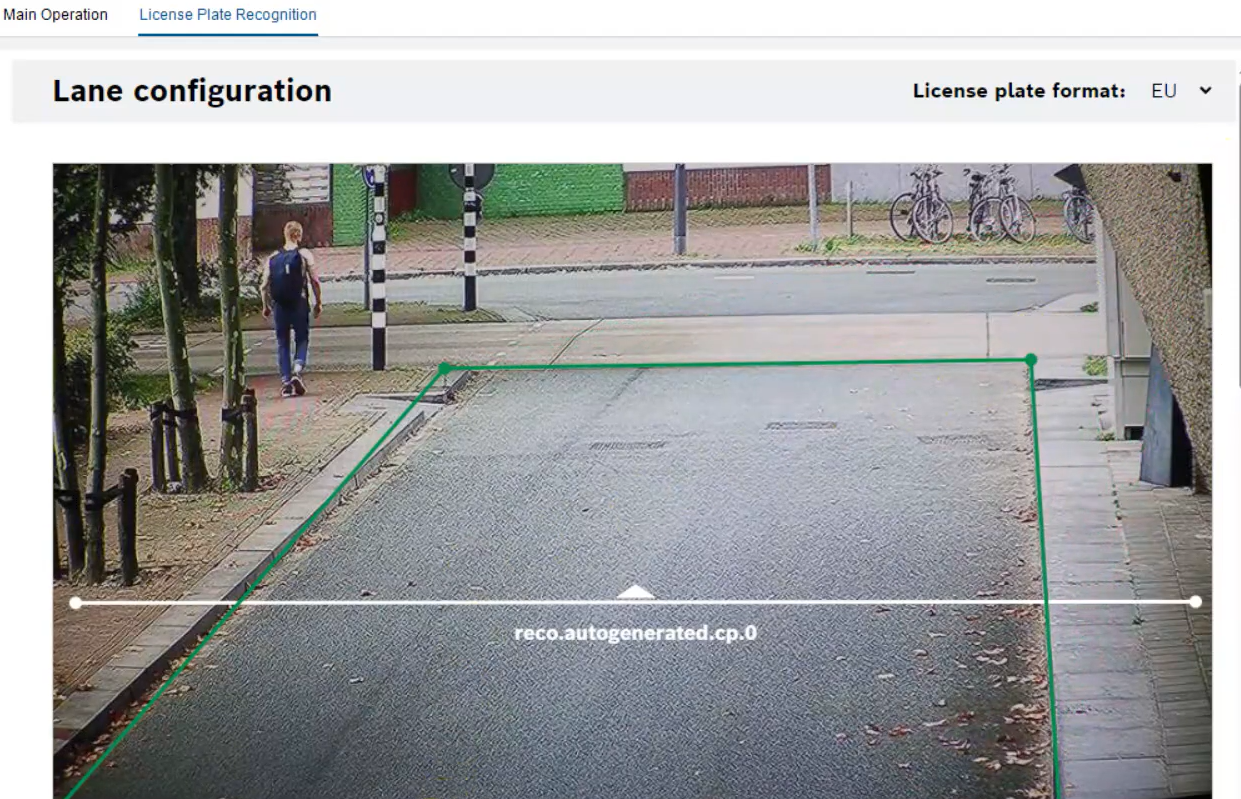
The lane configuration interface will appear.
-
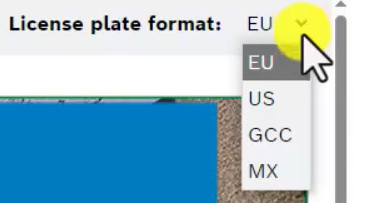
In the top right corner, ensure the correct license plate format is selected.
-
EU: European Union
-
US: United States of America
-
GCC: Gulf countries
-
MX: Mexico
By default, the detection area covers the entire captured video.
View full list of supported countries and states
-
Adjust the green lines to include only the area of interest. Ensure that the license plate will be visible at least twice within the detection area. Up to two lanes can be configured in the detection area.
-
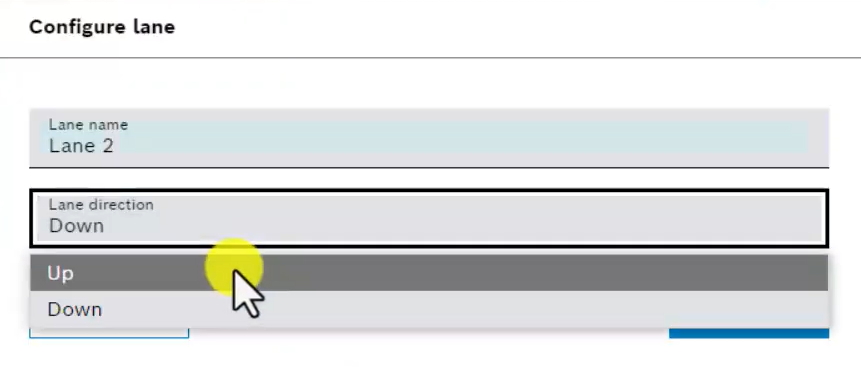
From the Lane direction dropdown menu, select Up or Down. Up indicates outgoing traffic flow. Down indicates incoming traffic flow.
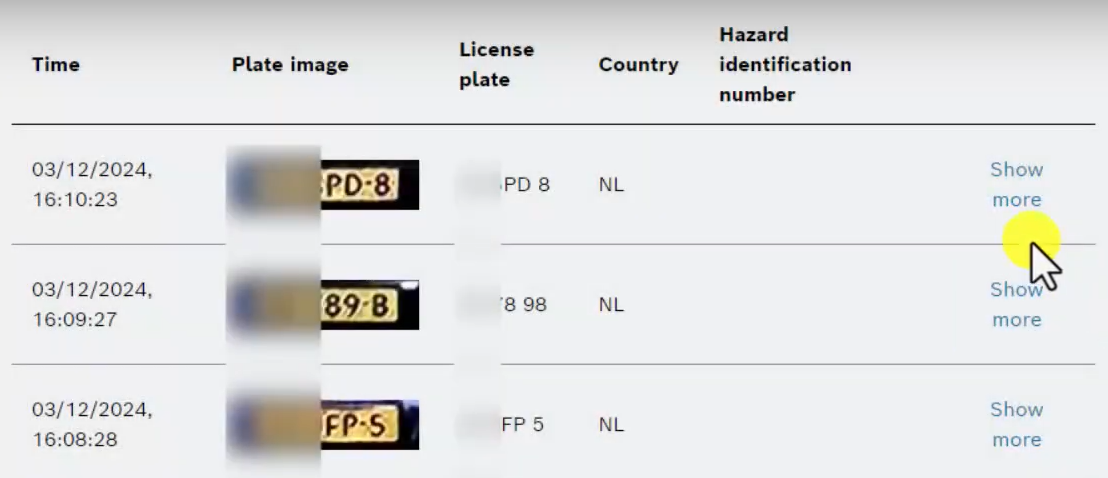
See the results in the section below Lane configuration. Lanes and detections will show a summary of the last 20 vehicles detected.
-
Date and Timestamp: Records the exact time and date.
-
Plate Image: Captures an image of the full license plate.
-
License Plate: Displays the alphanumeric characters of the license plate.
-
Country: Indicates the country of origin of the license plate.
Click Show more to see additional details of the detected vehicle.
Tip: Adding a second lane
To add a second lane, click the Add Lane button. The button will disappear once both lanes have been added.

Click and drag the endpoints to adjust the lane size, and the line itself to position the lane within the detection area.

See the full video on our YouTube channel which provides a step-by-step guide for configuring IVA Pro License Plate Recognition and Vehicle Make Model.
It is just one of many available how-to videos on our video analytics, including configuring IVA Pro Perimeter, IVA Pro PPE, IVA Pro Appearance, and more.

Nice to know: