
Question
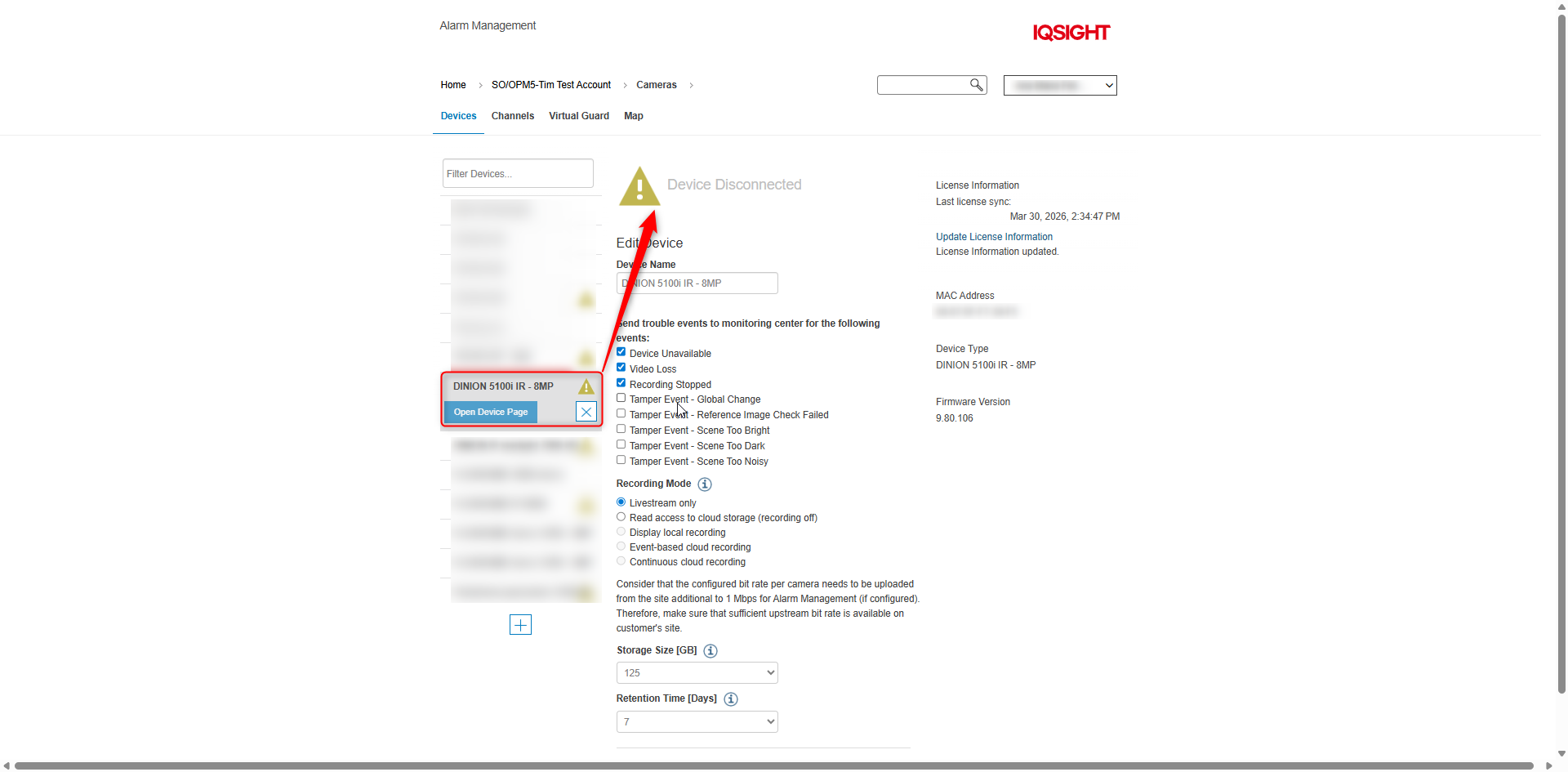
What could be the cause of 'Device Disconnected' message for my camera in Alarm Management?
Answer
“Device Disconnected” message for a camera in an Alarm Management usually means the platform has lost communication with the camera. Common causes include:
-
Power loss to the camera: unplugged adapter/ faulty power supply/ PoE switch/port failure
-
Camera rebooting
-
Network connectivity issue
-
Factory defaults: If you do a factory reset, you need to add the camera back in RP again.
-
Alarm Management License-related causes (in this example: VideoView+ license)
What to check first
-
Verify the camera has power
-
Ping the camera IP address
-
Check switch/router
-
Confirm camera appears online
-
Check recent network or firewall changes
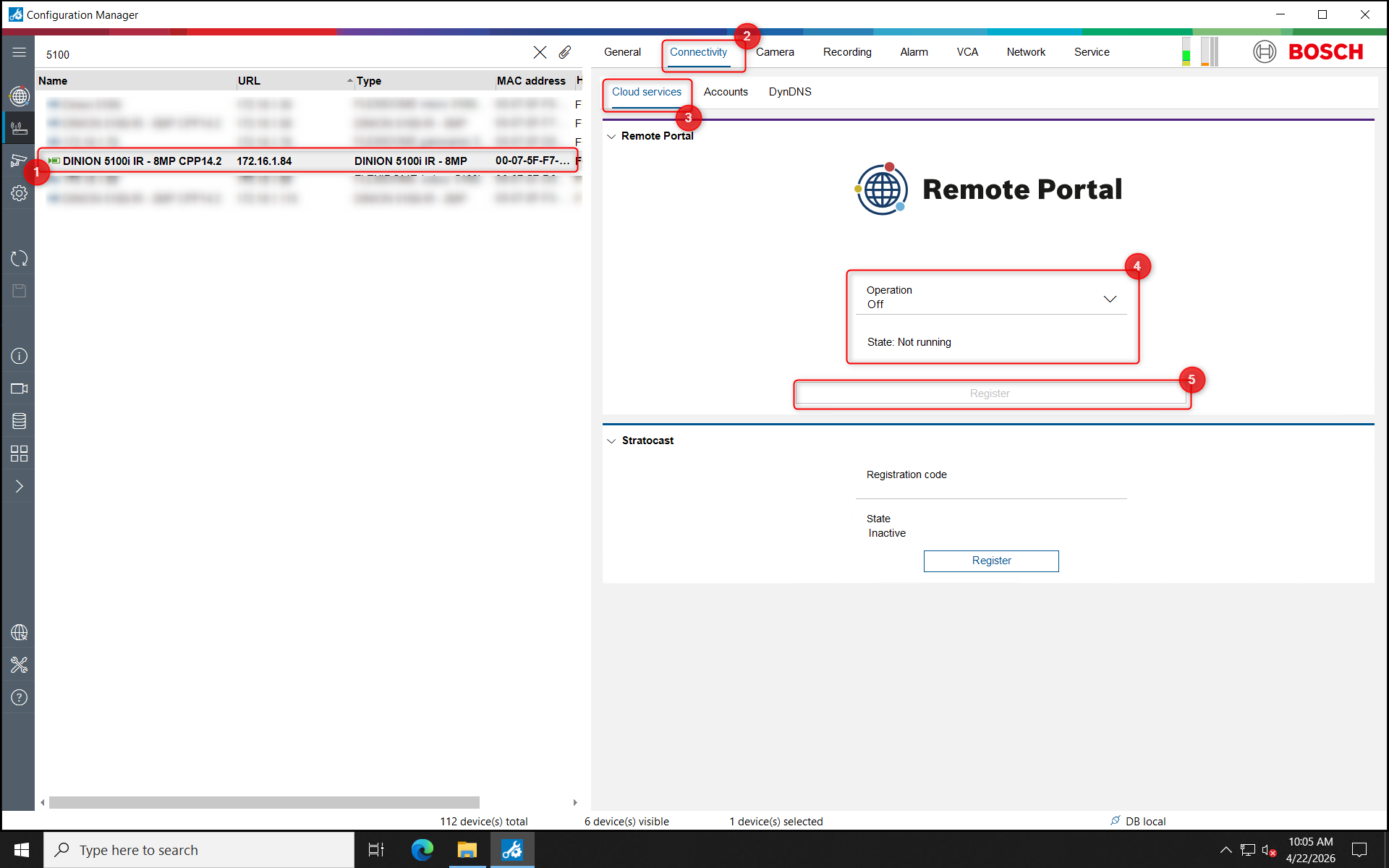
If all the above have been checked and are in normal state, check whether the camera has been disconnected from Remote Portal. You can use Configuration Manager:
-
Authenticate on your camera in Configuration Manager and access Connectivity menu > Cloud services submenu.
If the Operation status is Off > switch it to On > click Register and follow the registration process as per this article: How to add IP cameras to Remote Portal?
-
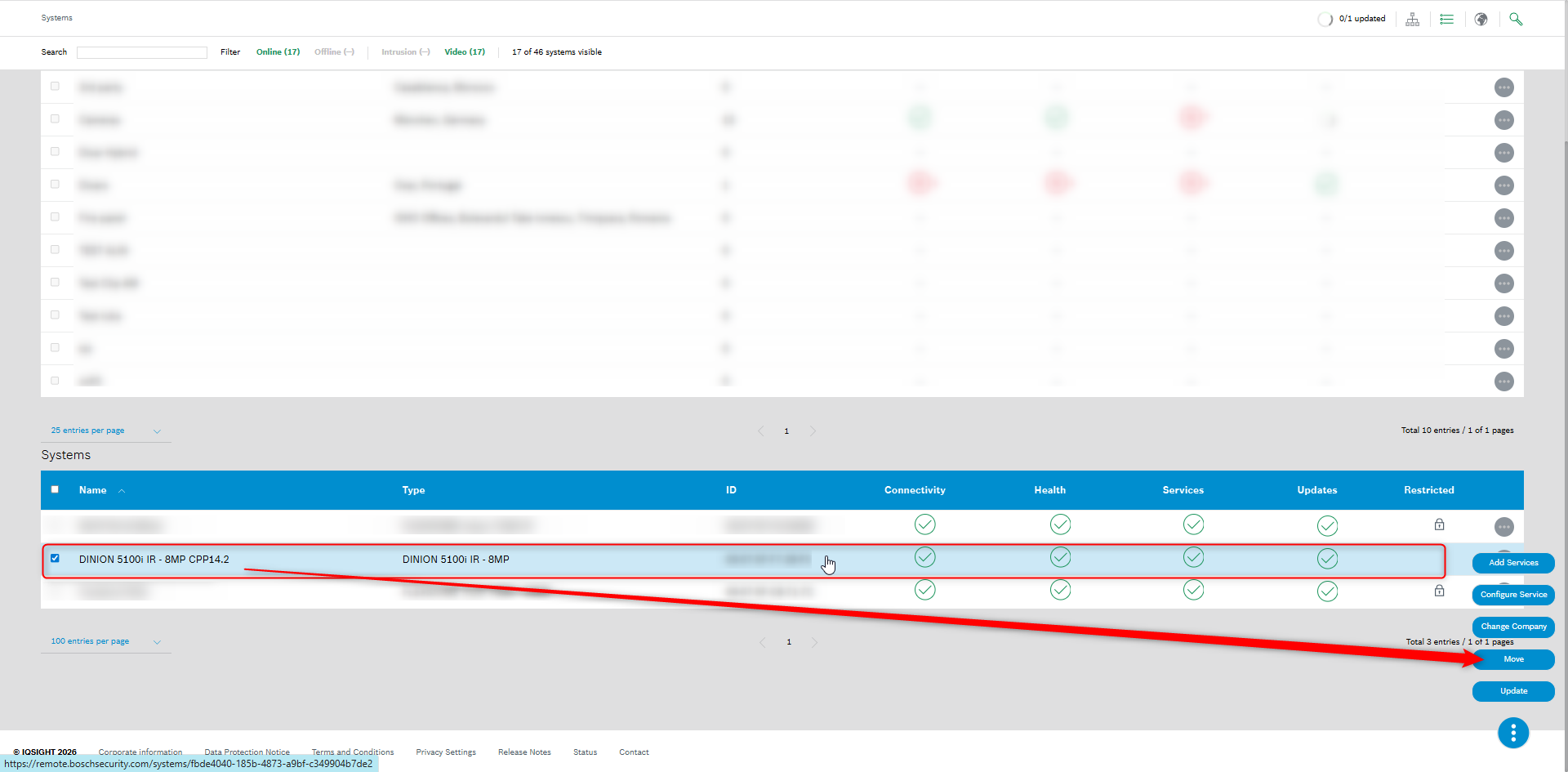
Once the registration process of the camera to Remote Portal is completed, please make sure that is visible in your Remote Portal account under the Systems menu and move it to the right Group, as required:
-
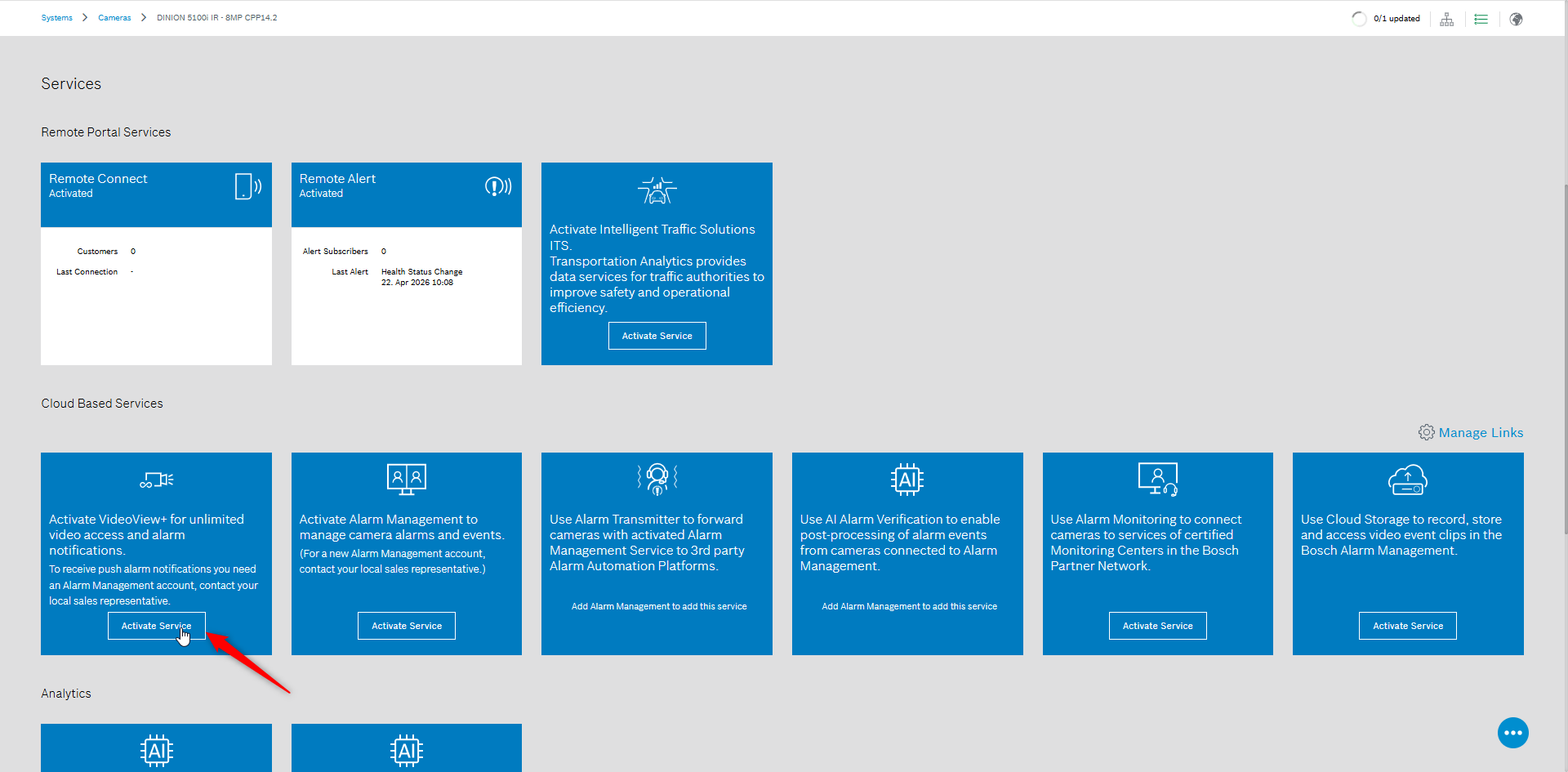
Ensure that the VideoView+ Service for unlimited video access and alarm notification is activated (make sure that the URL used for all Cloud services is the right one selected in this step):
-
Go back in Alarm Management and verify if the 'Device Disconnected' message disappeared. If this message persists, you can remove the camera (by clicking the X button next to its name) and re-add it back:
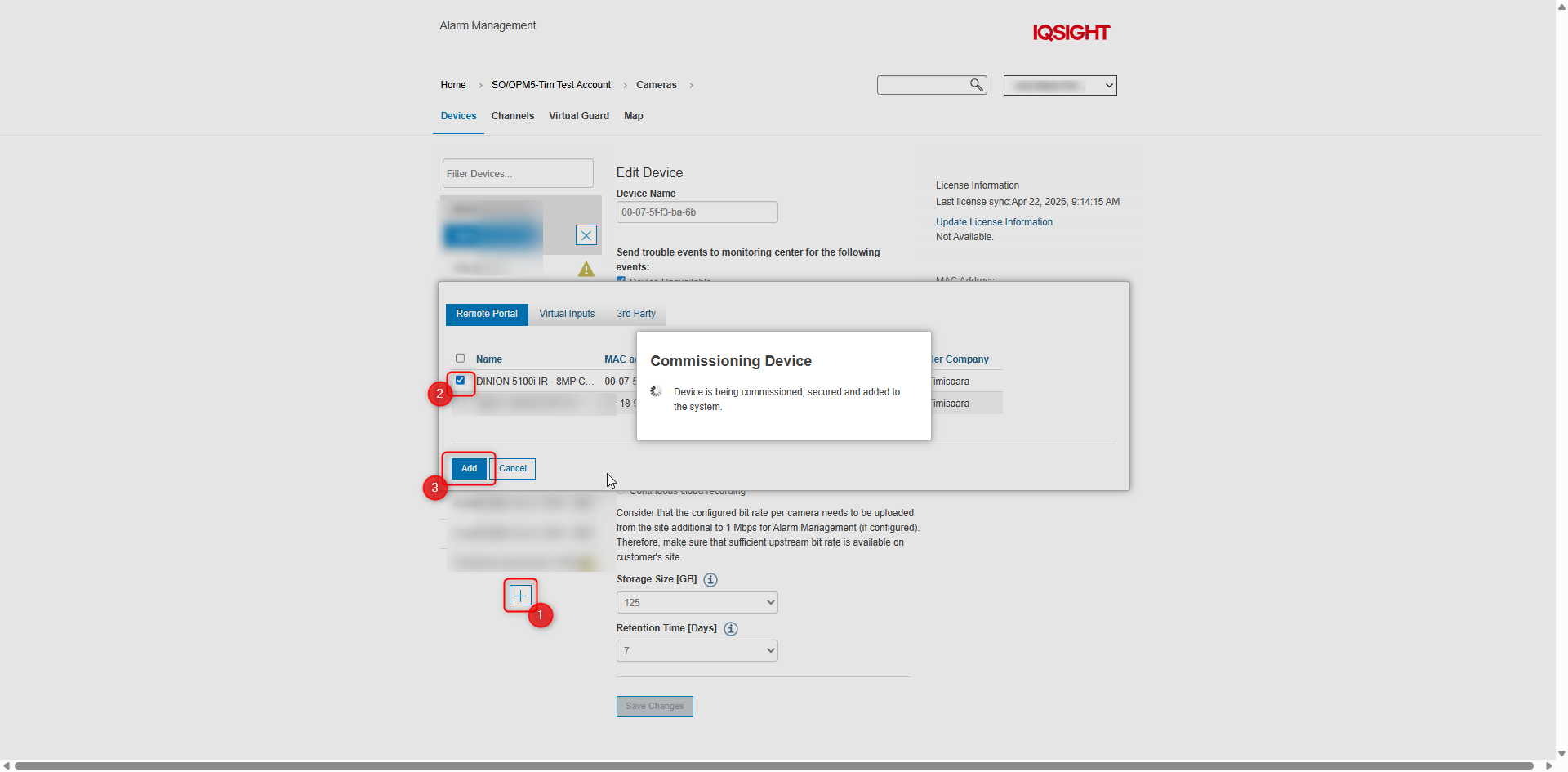
-
After commissioning the device, you’ll notice that the 'Device Disconnected' message is no longer displayed:
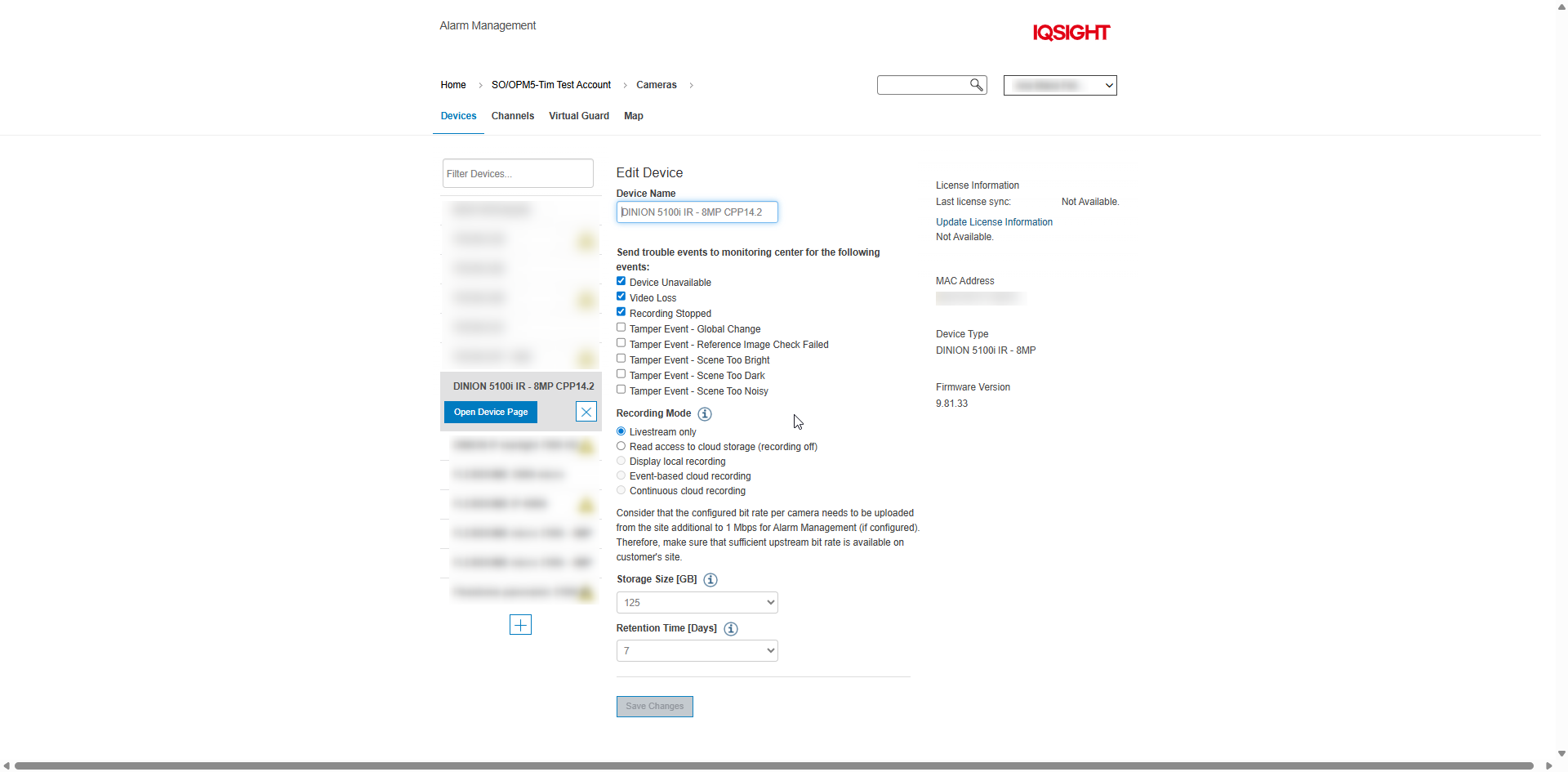

-
Check also this article: Troubleshooting Camera Connectivity & Remote Portal