
Question
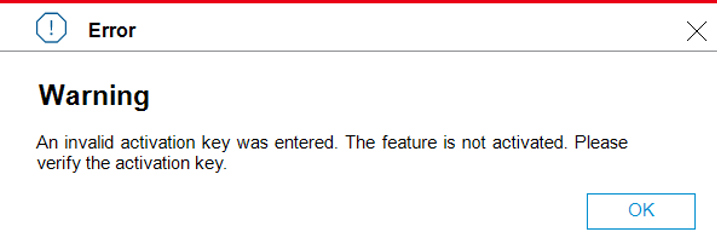
What could be the cause of the “Invalid Activation Key” Error during the IVA LPR License activation on my camera?
Scenario:
-
A camera with several IVA Pro licenses currently activated
-
Activation of a new IVA PRO LPR license fails with the following error:
“An invalid activation key was entered. The feature is not activated. Please verify the activation key.”
Answer
This behavior can occur when trying to activate the new IVA PRO LPR license using an outdated activation (lservrc) file.
If an older activation file is used, the system may reject it with the “invalid activation key” error.
Resolution steps:
-
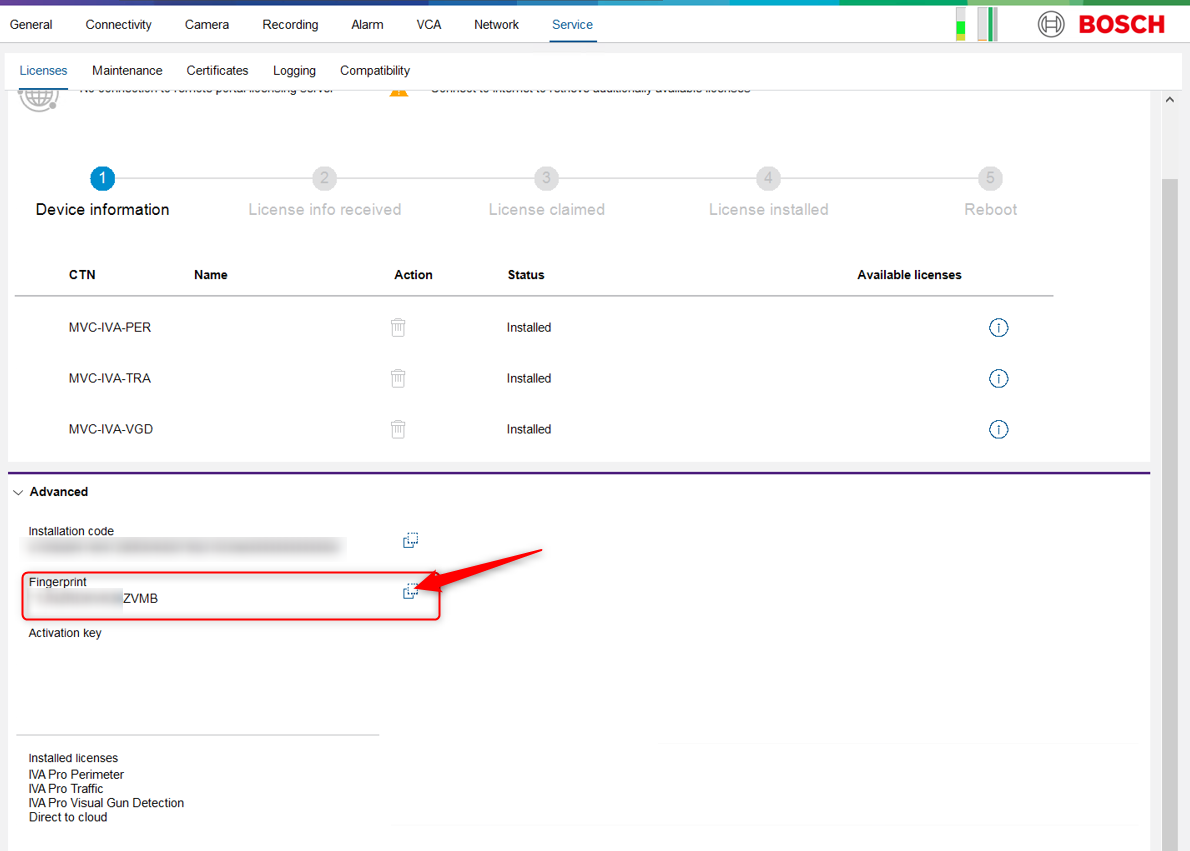
In Configuration Manager, copy the Fingerprint of the camera in order to find the IVA PRO LPR activation file in Remote Portal
-
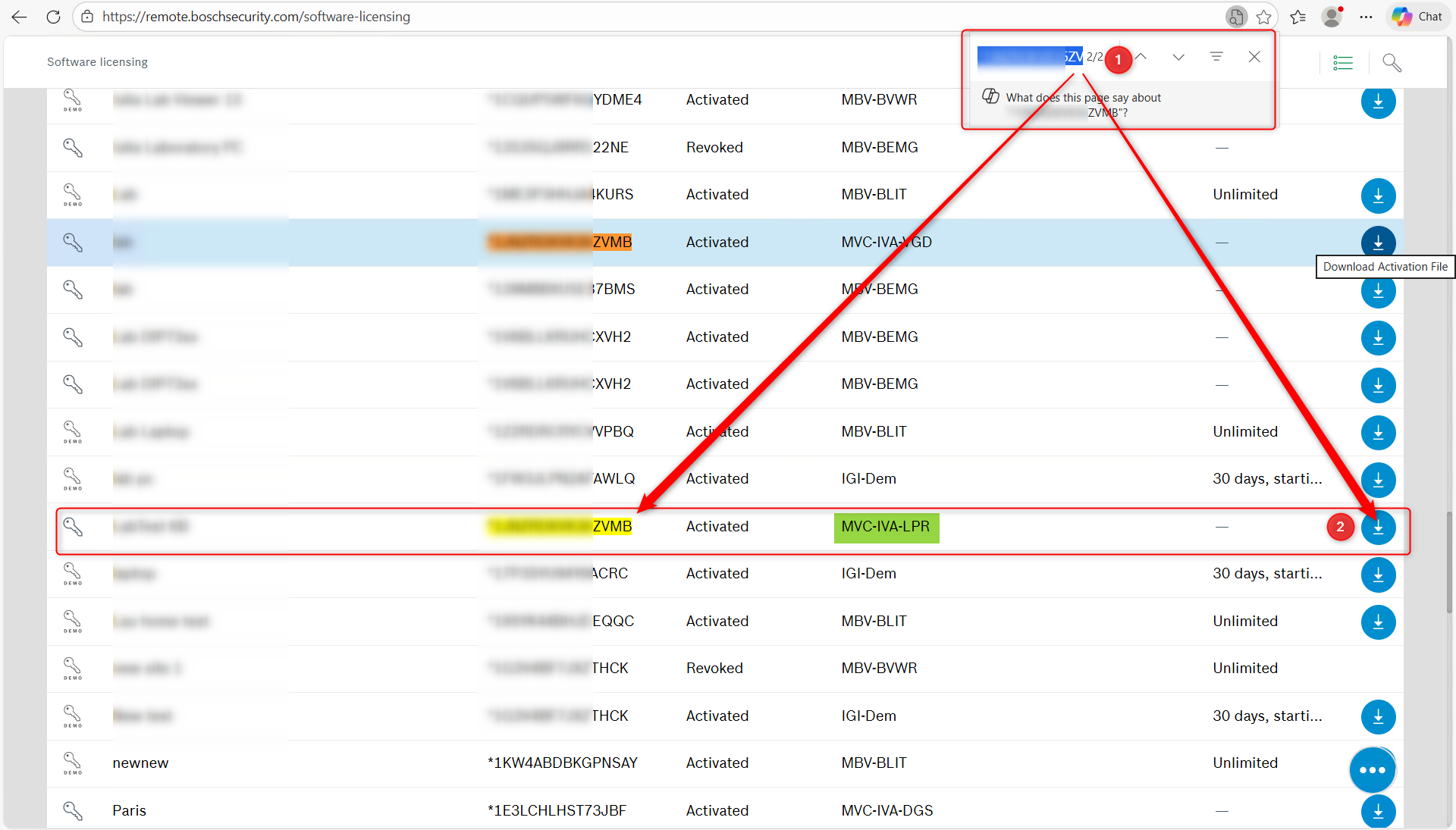
Login into your Remote Portal Account
-
Search for the Fingerprint in the Software Licensing tab and click Download Activation File button next to the MVC-IVA-LPR license corresponding to the Fingerprint.
-
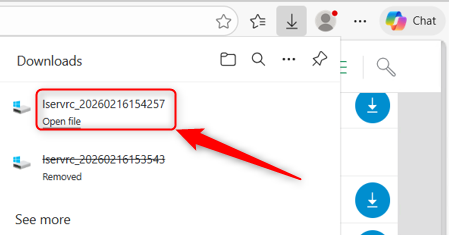
A new lservrc file will be downloaded. This new fresh one should be uploaded to the camera
-
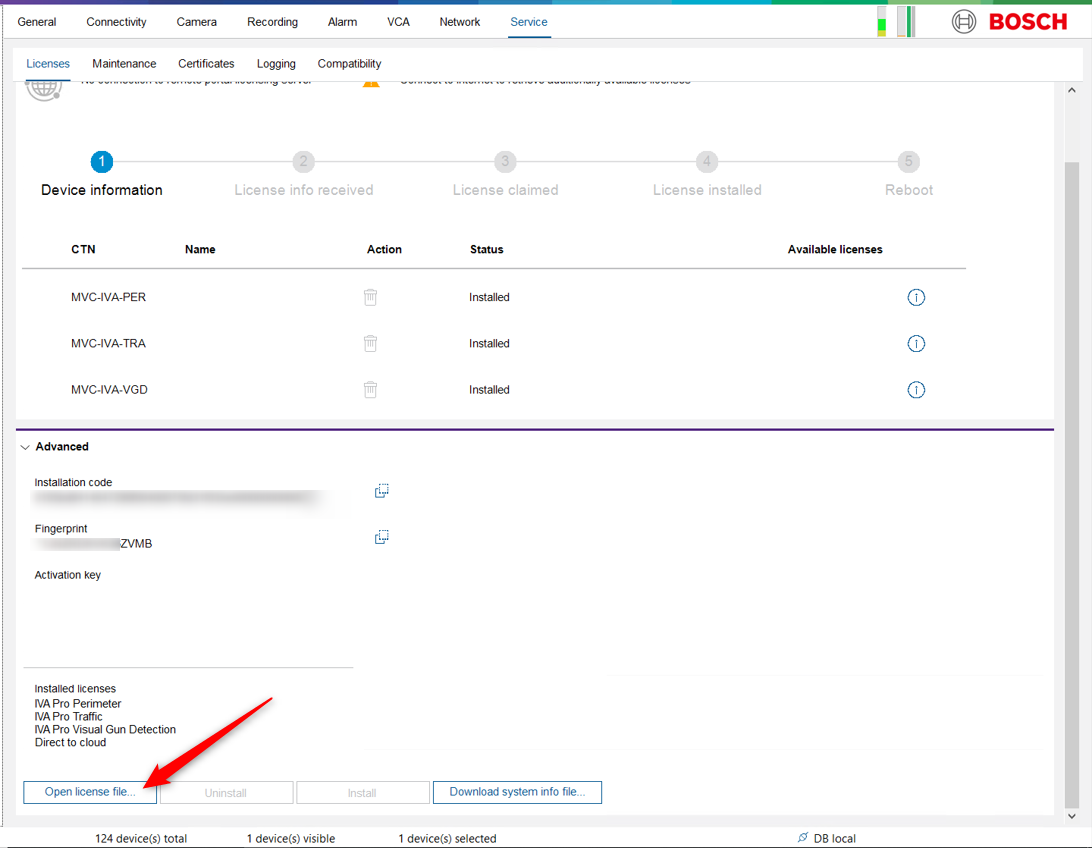
Go back in Configuration Manager and click Open license file..
-
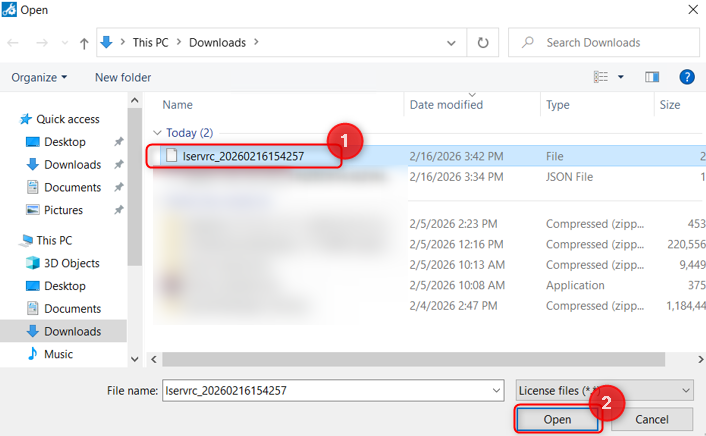
Select the new lservrc file that you just downloaded and click Open
-
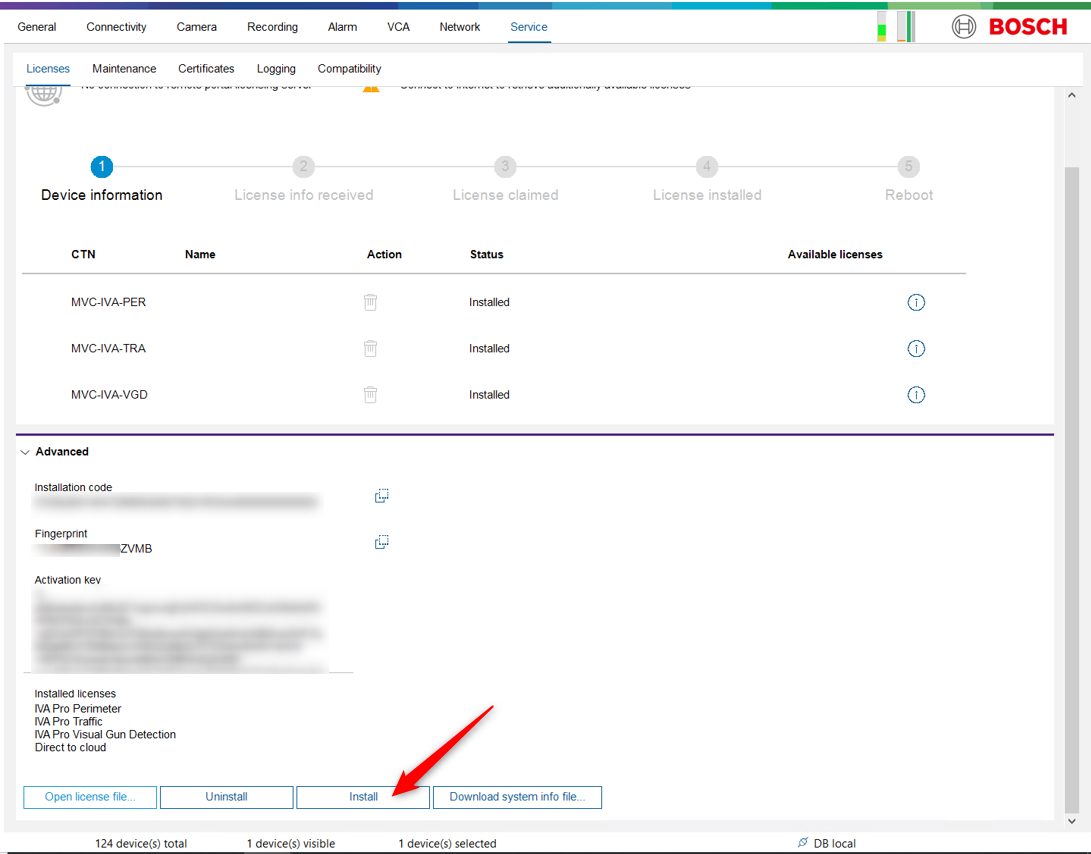
The Install button will become active. Click Install
-
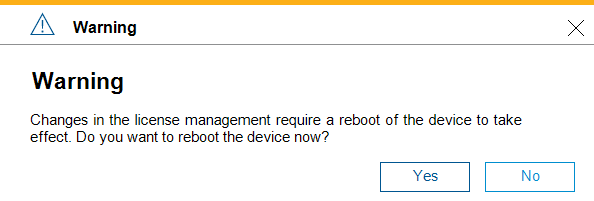
Click Yes and wait for the camera to reboot
-
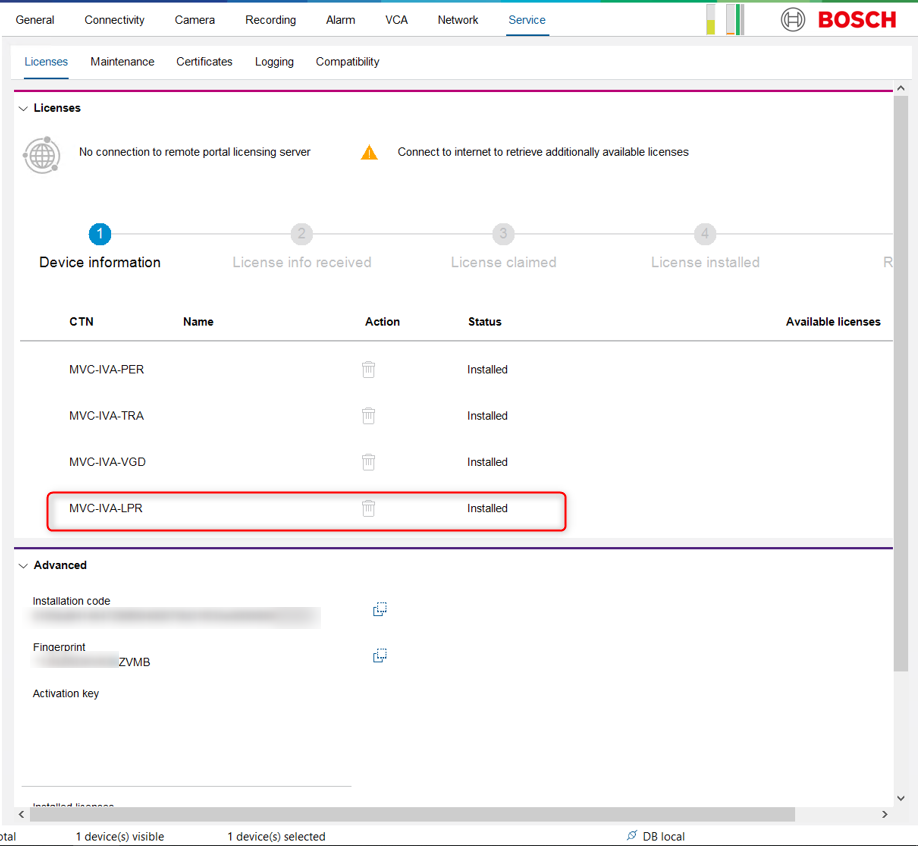
Once the camera is back, login on it and go in Service > Licenses
You’ll see that the IVA LPR License will be installed on your camera.
Using a fresh generated activation file allows the IVA LPR license to be activated successfully.
Recommendation
If you encounter an “invalid activation key” message when activating IVA Pro licenses:
-
Do not reuse previously downloaded activation files.
-
Always generate and download a new activation file.
