
Question
What should I know when configuring streams on the FLEXIDOME panoramic 5100i camera?
Answer
When configuring the streams on the FLEXIDOME panoramic 5100i camera, it is important to note that the camera is set by default to Full Image Circle mode. Even in this mode, each stream can be configured independently for resolution, frame rate, and bitrate.
If you want to use other viewing modes, such as Panoramic, Quad, or E-PTZ, the camera must first be set to DEWARP mode.
How to enable DEWARP mode:
-
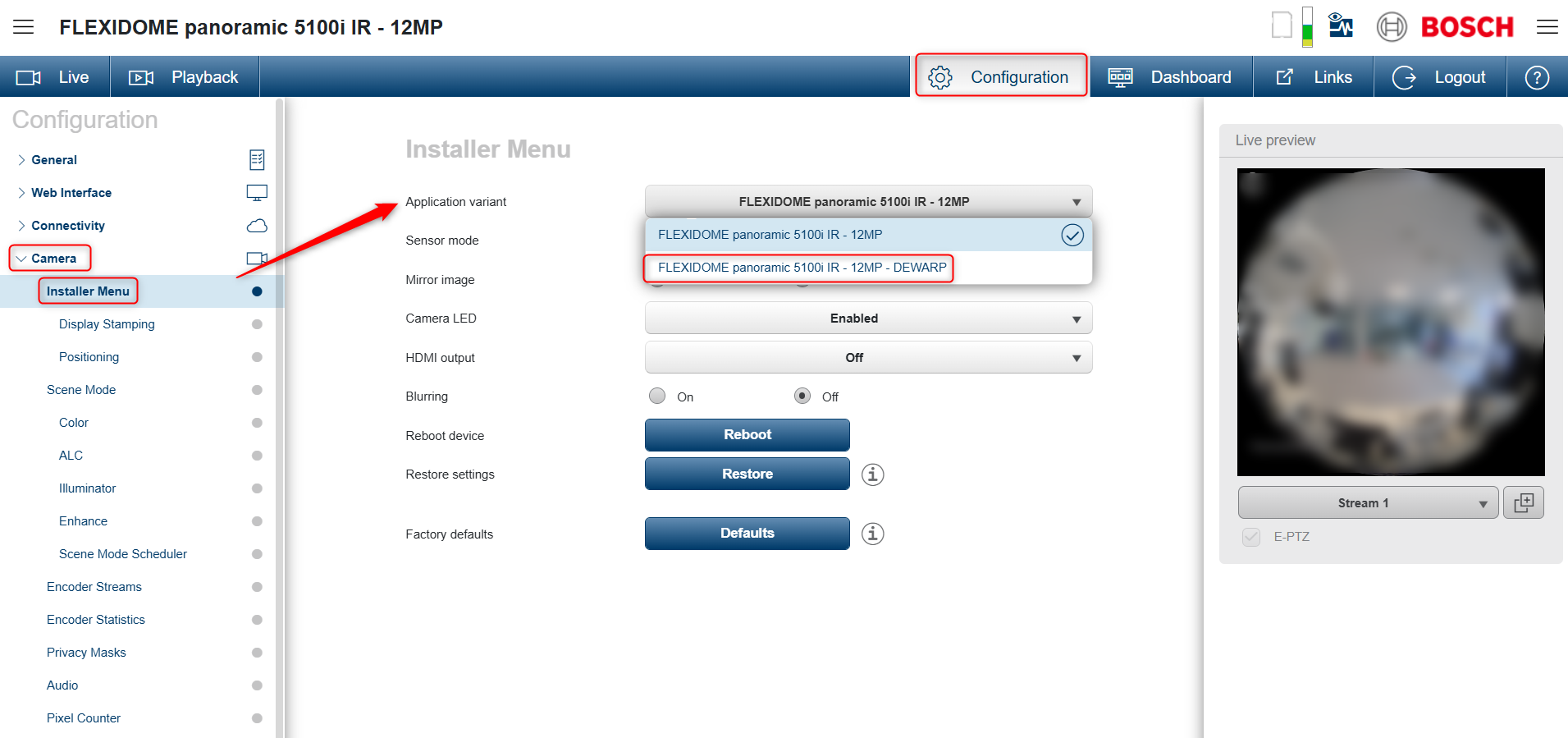
Go to Configuration-> Camera -> Installer Menu
-
From Application Variant, select the DEWARP option
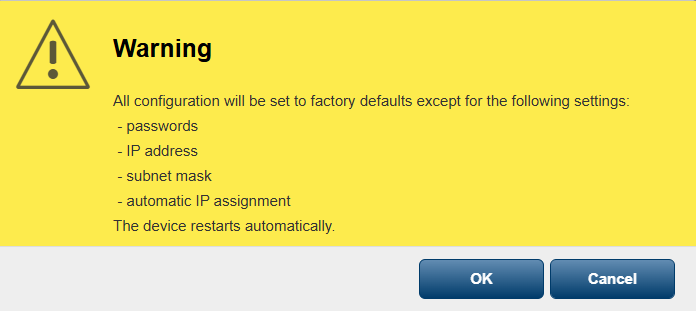
3. In the warning message, click OK.
-
Wait for the camera to restart.
-
Once the camera restarts, each stream can be configured independently as needed
For more details on how to change the stream configuration, please refer to this article: How can I change the stream settings on IP cameras?
|
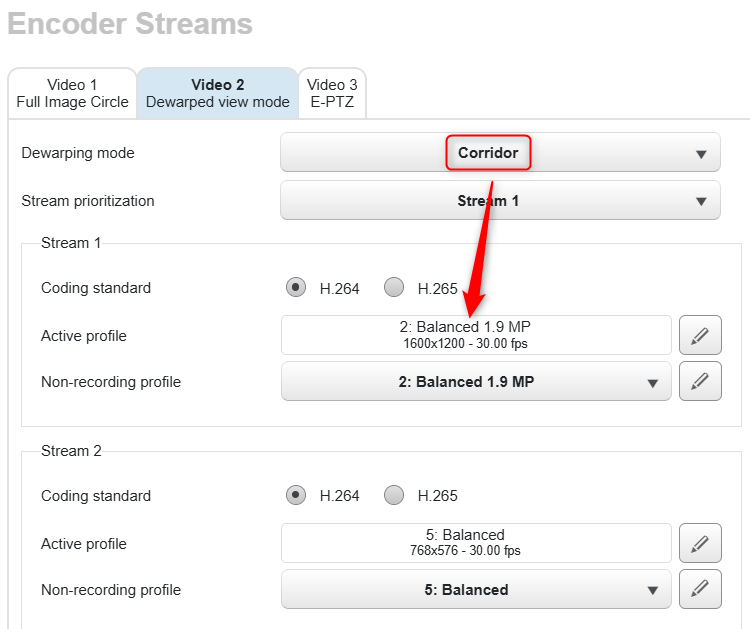
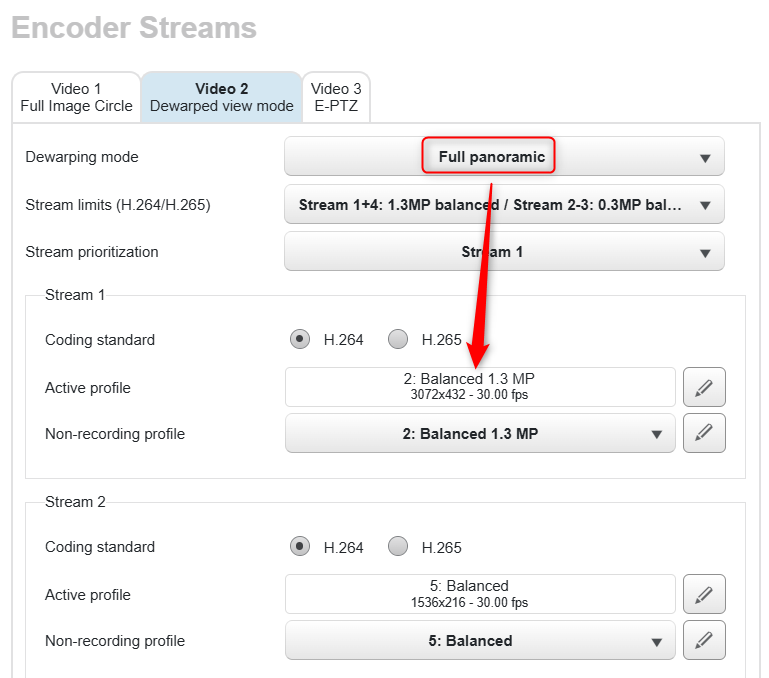
There are different resolutions possible, depending on the selected mode (Full circle, E-PTZ, Quad, Panoramic, Full panoramic, Double Panoramic, Corridor, E-PTZ upright). 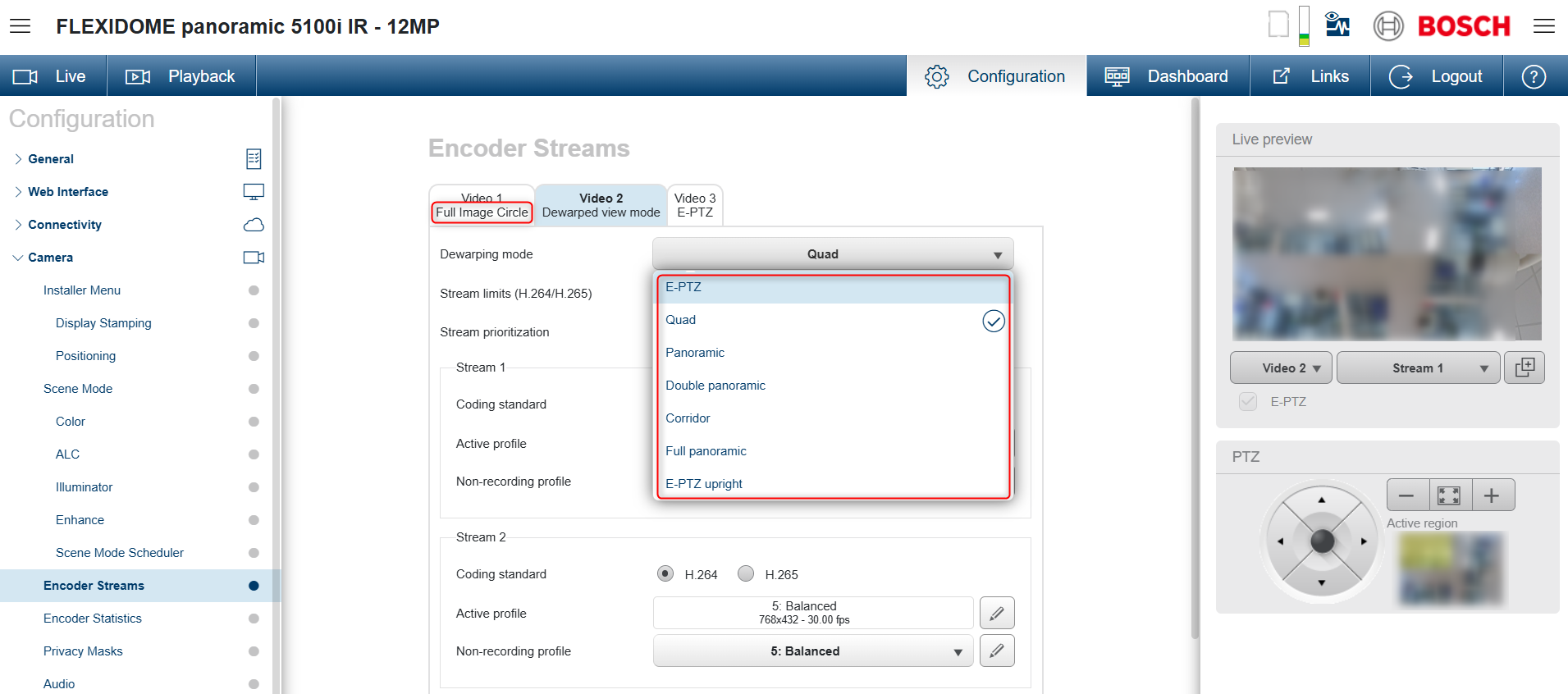
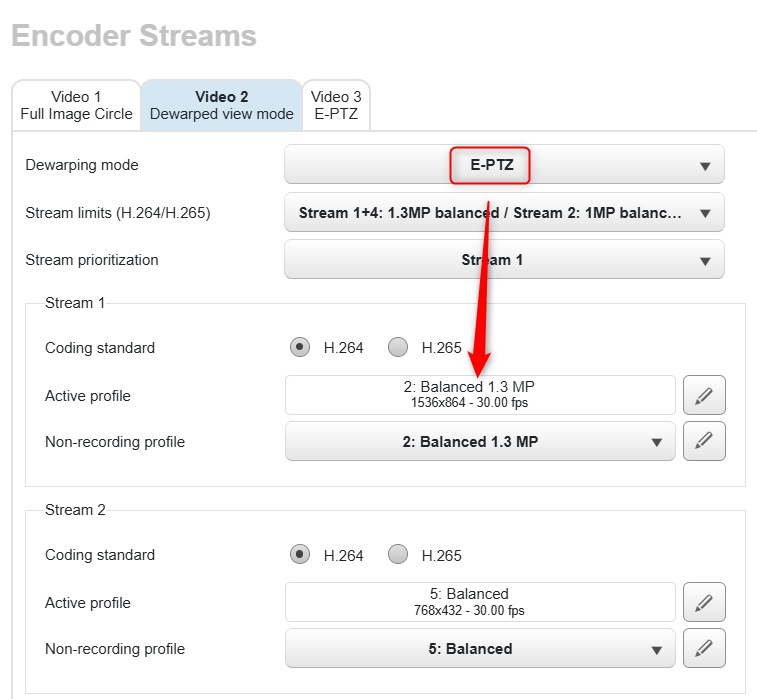
We recommend testing the configuration to determine which setup is more suitable for your requirements. Example: |
||
|---|---|---|
|
|
|
Note regarding FPS:
The available frame rate values for the streams depend on the initial sensor frame rate configured on the camera.
Configuration-> Camera -> Installer Menu → Sensor mode
-
If the sensor is set to 25 FPS, the stream FPS can be lower values such as 12.5 FPS, 8.33 FPS, 6.25 FPS, etc.
-
If the sensor is set to 30 FPS, the stream FPS can be lower values such as 15 FPS, 10 FPS, 7,5 FPS etc.