Question
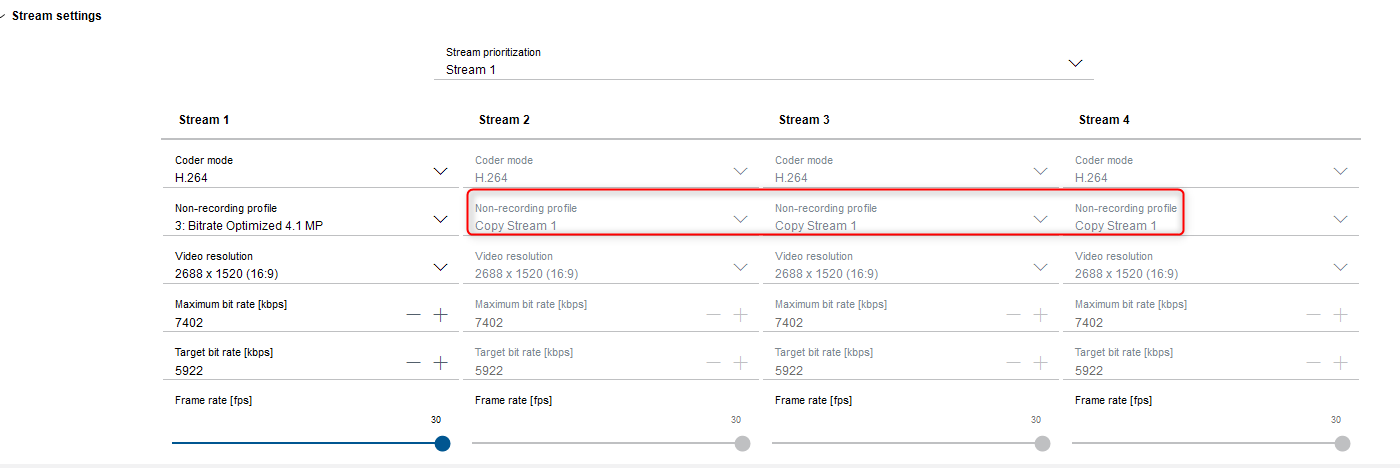
Why can’t stream 2, 3, or 4 be configured independently on a FLEXIDOME 8100i camera?
Answer
When trying to configure stream 2, 3, and 4 on a FLEXIDOME 8100i camera, they are all set to “Copy Stream 1” and not able to change the stream resolution.
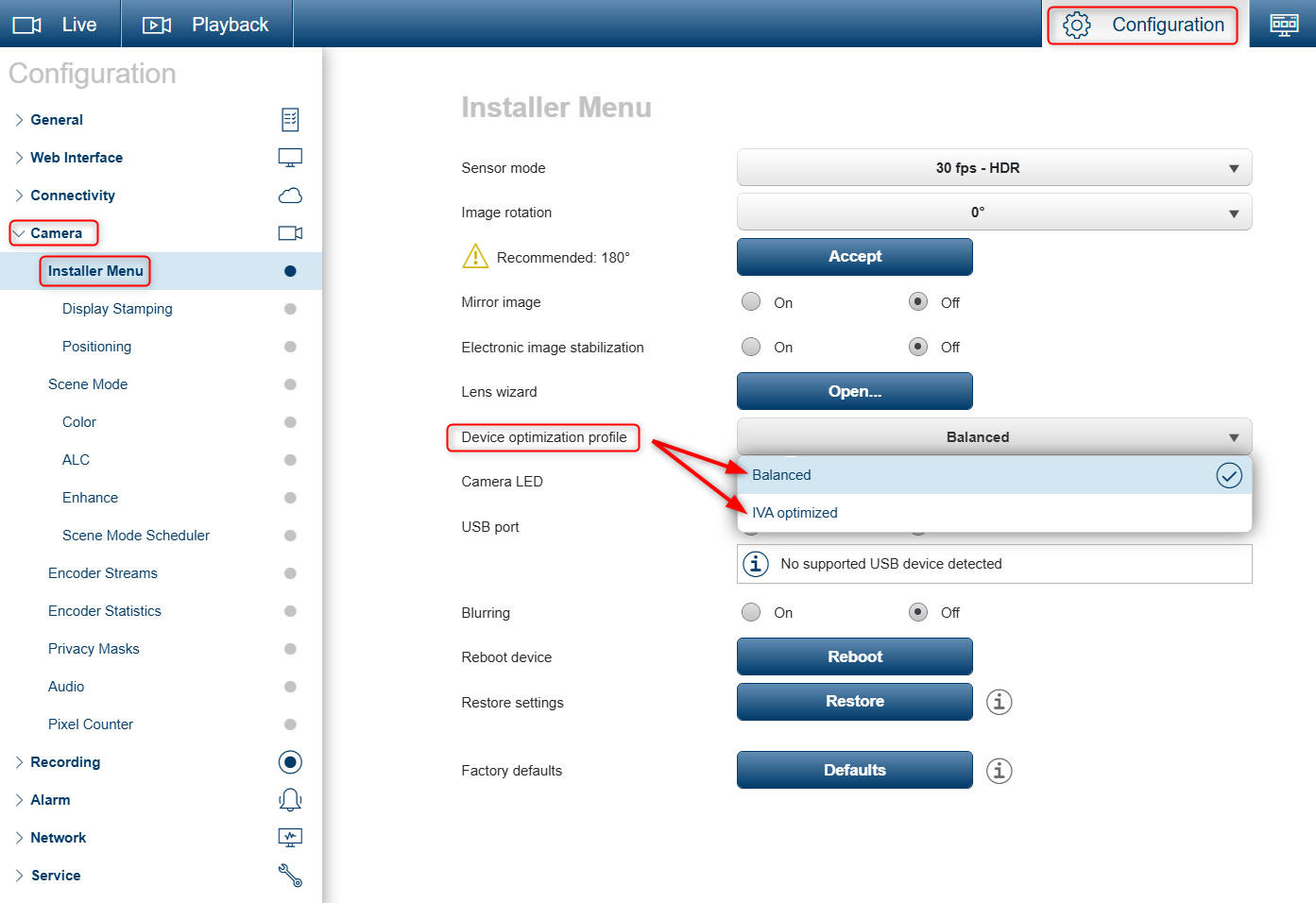
This may happen when the camera is set to IVA optimized instead of Balanced mode.
As described in the Intelligent Video Analytics Pro Application note.pdf, page 12:
“When the camera operates in IVA Optimized mode, the internal LPR analytics use a higher processing resolution (1920 × 1080 px). As a result, the available stream profiles can change. The primary stream (Stream 1) may automatically adjust its resolution or frame rate. The other available Streams can be mirrored from Stream 1 or limited in selectable settings. Before activating IVA Optimized mode, verify that the configured stream profiles, recording settings, and network bandwidth remain compatible with the modified streaming behavior”
To allow independent stream configuration again, change the camera mode from IVA Optimized to Balanced.
To do this, access the camera through a web browser, then navigate to:
-
Configuration → Camera → Installer Menu → Device optimization profile → Balance